IGNOU Login with Enrollment Number: The Indira Gandhi National Open University (IGNOU) is a leading open university offering flexible and accessible learning to millions of students in India and abroad. Whether a student is pursuing an undergraduate program, postgraduate degree, diploma, certificate course, or professional program, accessing online student services is essential. One of the most important features that IGNOU provides is the ability to log in using the Enrollment Number. This login feature allows students to access a wide range of academic services, from admission status to grade card, assignments, hall tickets, study materials, results, certificates, and more.
In this article, you will learn everything you need to know about IGNOU login with enrollment number, including how it works, what services are available, how to retrieve your enrollment number, login problems and solutions, account activation, the difference between login types, and a detailed guide to using IGNOU portals. This comprehensive guide also includes a table of important links and information, FAQs, and a conclusion.
This article is highly useful for new students, re-registered students, and those who want to understand how IGNOU’s online systems operate.
What is an IGNOU Enrollment Number?
The Enrollment Number is a unique student identification number issued by IGNOU at the time of admission. It is one of the most important credentials for every learner and is required for:
- Logging into student portals
- Checking admission status
- Submitting assignments
- Downloading hall tickets
- Viewing grade cards
- Accessing study material
- Downloading certificates
- Registering for exams
- Tracking re-registration
The enrollment number generally consists of 10 digits, such as:
2134567890
Some older students may have a 9-digit enrollment number based on the previous system.
Why IGNOU Login with Enrollment Number is Important?
Logging in through the enrollment number is essential for the following reasons:
1. Centralized Access to Student Services
IGNOU provides multiple online portals that allow students to access academic services using their enrollment number.
2. Verification Purpose
The enrollment number is a verified identification code for each student. IGNOU uses it to fetch your official academic records.
3. Simple and User-Friendly
Students do not need a separate username; the enrollment number itself works as a login ID for many portals.
4. Accessibility Across Multiple Portals
The same enrollment number is used in:
- Samarth Login
- Grade Card Portal
- Result Portal
- Exam Form Portal
- Assignment Status Portal
- Hall Ticket Portal
5. Secure Access
The enrollment number ensures secure access to personal data and academic documents.
Portals Where You Can Login Using Enrollment Number
IGNOU uses multiple portals for different academic services. Below are the portals where you can log in using your enrollment number.
1. IGNOU Samarth Portal
The Samarth portal provides overall student information including profile, certificates, ID card, grade card, and more.
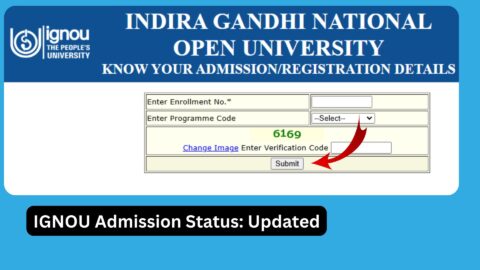
2. Admission Status Portal
Students can check whether their admission has been confirmed by entering the enrollment number.
3. IGNOU Grade Card Portal
Students use their enrollment number to view their:
- Assignment marks
- Practical marks
- Theory marks
- Completed status
4. Hall Ticket Portal
The hall ticket for the Term-End Exam can be downloaded using the enrollment number.
5. Result Portal
Students can check their TEE results using their enrollment number.
6. Assignment Status Portal
The assignment submission status and marks can be checked using the enrollment number.
7. Re-Registration Portal
Students use their enrollment number to re-register for the next semester or year.
8. ID Card Download Portal
IGNOU provides digital ID cards that can be downloaded using the enrollment number.
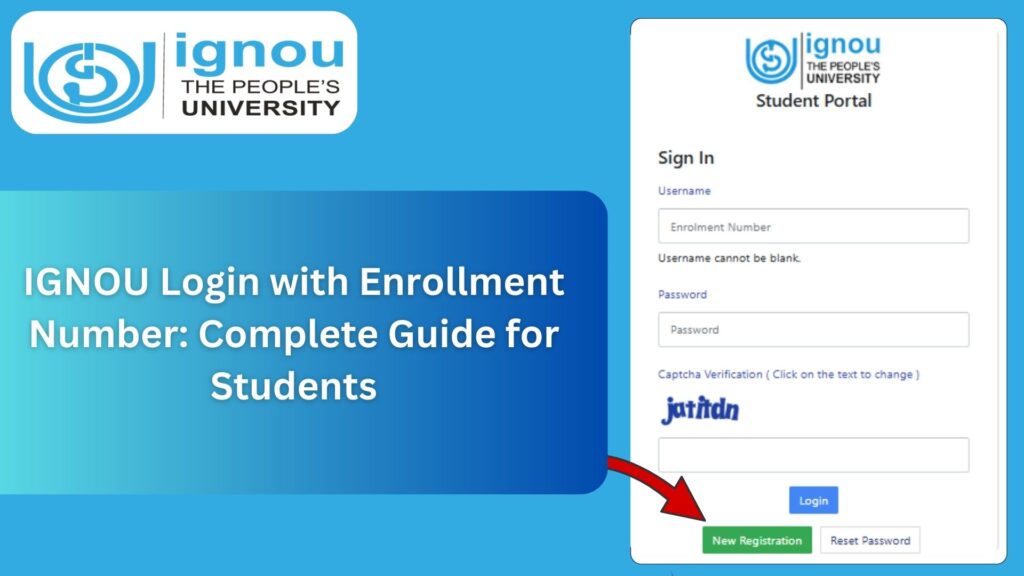
How to Login to IGNOU Using Enrollment Number? Step-by-Step Guide
IGNOU login using an enrollment number is simple and can be done in several portals. Here is the general process:
Step 1: Visit the Appropriate IGNOU Portal
Depending on the service needed, visit the corresponding portal, such as:
- Samarth Portal
- Grade Card Portal
- Result Portal
- Hall Ticket Portal
- Admission Status Portal
Step 2: Enter Enrollment Number
You will see a field labeled:
- Enrollment Number
- Enter Your Enrollment Number
- Enrollment ID
Type your 10-digit enrollment number correctly.
Step 3: Select Programme Code (If Required)
Some portals require selecting your programme code, such as:
- BAG
- BCOMG
- BCA
- MCA
- MAH
- MPA
- MSW
- Diploma Programmes
Step 4: Submit Details
Click on:
- Submit
- Login
- Search
Depending on the portal.
Step 5: Access Your Dashboard or Information
Once logged in, you can access:
- Results
- Grade Card
- ID Card
- Profile
- Fees Details
- Assignment Status
- Hall Ticket
- Certificate Download
Common Problems Students Face During IGNOU Login Using Enrollment Number
Many students face login issues because of incorrect information or technical problems. Below are common errors and solutions.
1. Wrong Enrollment Number
Double-check if:
- You typed the correct number
- There are no missing digits
- You are not using an older or incomplete number
2. Portal Not Updated
Some portals may not have your data updated yet. In such cases, wait for a few days.
3. Admission Not Confirmed
If your admission is still under verification, the portal will not reflect your details.
4. Server Down or Maintenance
If the portal is not loading, it may be due to heavy traffic or maintenance.
5. Incorrect Programme Code
Choosing the wrong programme code often results in login failure.
How to Retrieve Lost or Forgotten IGNOU Enrollment Number?
Students may sometimes forget or misplace their enrollment number. Here’s how to recover it.
Method 1: Check Email
IGNOU sends the enrollment number to your registered email after admission confirmation.
Method 2: Check SMS
IGNOU may send the enrollment number through SMS.
Method 3: Use Samarth Portal
If you created a Samarth account earlier, log in using email to retrieve the enrollment number.
Method 4: Contact Regional Center
Your regional center can help retrieve your enrollment number using your:
- Name
- Registered Email
- Mobile Number
- Date of Birth
Method 5: Admission Confirmation Page
If you saved or printed your admission form, it will contain the enrollment number.
Services Accessible Through IGNOU Login with Enrollment Number
Here is a complete list of services that can be accessed using your enrollment number.
1. Student Profile Information
Check your name, programme, admission details, session, and center details.
2. Grade Card
View your marks for every subject.
3. Assignment Status
Check if your assignments are evaluated, submitted, or pending.
4. Hall Ticket Download
Download hall tickets for theory and practical exams.
5. Result Checking
Get your term-end exam results using enrollment number.
6. ID Card Download
Access your digital student ID card.
7. Certificate Download
Download provisional certificate, marksheet, migration certificate, degree certificate, etc.
8. Exam Form Submission
Use enrollment number to apply for TEE exams.
9. Re-Registration
Use enrollment number to register for the next academic cycle.
Important Guidelines for Using IGNOU Login with Enrollment Number
To avoid login issues, follow these guidelines:
- Always enter the correct enrollment number.
- Use updated and modern browsers.
- Avoid using mobile browsers for heavy portals like Samarth.
- Make sure your enrollment number is activated after admission confirmation.
- Do not share your enrollment number or password with others.
- Check IGNOU notifications regularly for updates.
IGNOU Enrollment Number vs Username Login
| Feature | Enrollment Number Login | Username Login |
|---|---|---|
| Used For | Most portals such as grade card, results | Samarth login only |
| Login Credentials | Enrollment number only | Email + Password |
| Ease of Use | Very simple | Requires account creation |
| Availability | All students | Only students using Samarth portal |
| Security | Basic | High |
IGNOU Login and Student Support Channels
IGNOU offers multiple support systems for login issues:
- Regional Centers
- Student Service Centres
- IDGRAM Portal
- IGNOU Helpdesk
- Email support
- Phone helplines
Students are advised to contact their regional center if they face continuous login problems.
Important Links and Information
| Purpose | Link / Information |
|---|---|
| IGNOU Samarth Portal Login | https://ignou.samarth.edu.in |
| IGNOU Official Website | https://ignou.ac.in |
| IGNOU Grade Card | https://ignou.ac.in/gradecard |
| IGNOU Result Portal | https://termendresult.ignou.ac.in |
| IGNOU Hall Ticket | https://hall_ticket.ignou.ac.in |
| IGNOU Assignment Status | https://admission.ignou.ac.in/changeadmdata/StatusAssignment.ASP |
| IGNOU Admission Status | https://admission.ignou.ac.in |
| IGNOU Re-Registration Portal | https://onlinerr.ignou.ac.in |
| IGNOU Student ID Card | Available on Samarth Portal |
| IGNOU Certificate Download | https://ignou.samarth.edu.in |
| Student Grievances | https://igram.ignou.ac.in |
| Regional Center Contacts | https://ignou.ac.in/regionalcentres |
FAQ about IGNOU Login with Enrollment Number
Can I log in to IGNOU portals using only my enrollment number?
Yes, most IGNOU portals, including the grade card, results, hall ticket, and assignment status portals, allow login using the enrollment number.
What if my enrollment number is not working?
Check whether your admission is confirmed. If confirmed, try again or contact your regional center.
How can I find my enrollment number?
You can find it through your email, SMS, admission form, or by contacting the regional center.
Is the Samarth portal login possible with an enrollment number?
Yes, you can log in using your enrollment number and password.
Do old students with 9-digit enrollment numbers face login issues?
Some portals may require updated details. Contact your regional center if issues continue.
Can I check my IGNOU result with my enrollment number?
Yes, results are available through enrollment number login.
Does the enrollment number change for re-registration?
No, the enrollment number remains the same for the entire duration of the program.
Can I download my ID card using the enrollment number?
Yes, the Samarth portal allows ID card downloads using your enrollment number.
Is it safe to share my enrollment number?
Do not share it unnecessarily, especially along with your password.
Can I access all IGNOU services online with my enrollment number?
Yes, almost all student-related services can be accessed through it.
Conclusion
The IGNOU enrollment number plays a vital role in accessing academic services. Whether a student needs to check results, download the ID card, view the grade card, verify admission status, submit assignments, or access certificates, the enrollment number serves as the gateway to almost every IGNOU portal. With IGNOU’s adoption of digital systems like the Samarth portal, student services have become more efficient, transparent, and accessible.
Logging in with the enrollment number simplifies the entire process for learners by eliminating the need for multiple login credentials. By understanding how to use the enrollment number correctly, students can smoothly navigate their academic journey without facing login issues.
This comprehensive guide should help every IGNOU student understand how to make the best use of the enrollment number for all academic needs. If you need similar articles such as IGNOU ID Card Download, Admission Status, Study Material, Hall Ticket, Grade Card, Re-Registration, and more, you can request anytime.