IGNOU ID Card Download: The Indira Gandhi National Open University (IGNOU) provides millions of learners across India and abroad with an opportunity to pursue higher education through distance and online learning. As part of its student services, the university offers a digital ID card that serves as an important document for identification, examinations, library use, practical sessions, academic counseling, and other university-related activities.
In recent years, IGNOU has shifted most of its operations to the online mode. One of the most crucial online services is the facility to download the IGNOU ID Card from the official Samarth Portal. Every student who completes the admission process successfully and whose admission has been confirmed by IGNOU can download their digital ID card using simple online steps.
This article provides a complete guide on how to download the IGNOU ID Card, its uses, requirements, troubleshooting methods, frequently asked questions, and a detailed overview of the entire process.
The official link for downloading the ID card is:
Download IGNOU ID Card: https://ignou.samarth.edu.in/
What Is the IGNOU ID Card?
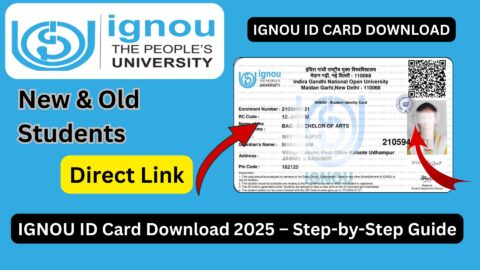
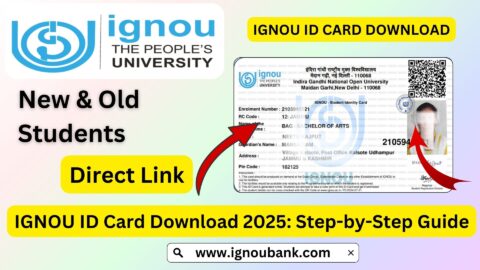
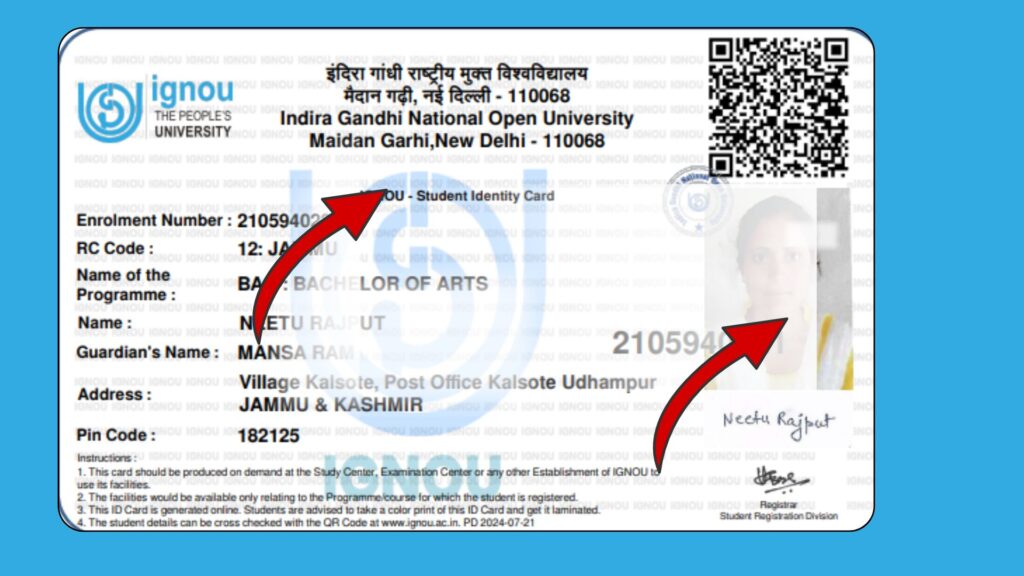
The IGNOU ID Card is an official digital identity card issued to every admitted student by the Indira Gandhi National Open University. Earlier, IGNOU provided a printed ID card with proper attestation from the regional center. However, after the introduction of the Samarth Portal, the ID card is available in online PDF format and can be downloaded immediately after login.
Key Components of the IGNOU ID Card
The ID card contains the following details:
- Student’s full name
- Program name (e.g., BA, BSc, BCom, MA, MBA, BCA, etc.)
- Enrollment number
- Admission year and session
- Photograph of the student
- QR code for verification
- Signature of the student
- IGNOU official seal
- Other identification details related to the course
It is a valid legal document that students must carry during examinations and university activities.
Importance of the IGNOU ID Card
The IGNOU ID Card holds great significance throughout the student’s academic journey. Some major uses include:
1. Mandatory for Term-End Examinations
The ID card must be shown along with the hall ticket during the Term-End Exams. Without the ID card, students may not be allowed to enter the exam center.
2. Required for Practical Classes
Programs like BSc, BCA, MCA, MLIS, and certain PG diplomas require practical sessions. Students cannot attend practical classes without a valid ID card.
3. Needed for Counseling Sessions
For practice-based programs, counseling sessions are conducted at study centers. Students must present their ID card.
4. Useful for IGNOU Library Access
The ID card is required to access IGNOU library facilities and borrow books.
5. Online Verification
The ID card has a QR code that institutions and officials can use to verify your student details.
6. Identity Proof for Assignments and Exams
Many study centers ask for ID card verification when students submit assignments.
7. Admission Confirmation
Downloading the ID card often indicates that your admission has been officially approved by IGNOU.
Eligibility for IGNOU ID Card Download
You can download the IGNOU ID card only if:
- Your admission has been approved by IGNOU.
- You have received a confirmation email or SMS.
- Your enrollment number has been generated.
- You have access to the Samarth Student Login Portal.
If your admission status is still pending, you will not be able to download the ID card.
How to Download IGNOU ID Card? Step-by-Step Guide
Downloading the IGNOU ID Card is now fully online. Follow the steps below carefully:
Step 1: Visit the Official IGNOU Samarth Portal
Go to the official IGNOU login portal: https://ignou.samarth.edu.in/
Step 2: Enter Your Login Details
Use the credentials that were sent to your registered email ID.
- Username: Your registered email
- Password: Your created password (or the default password provided by IGNOU)
If you forgot the password, click “Forgot Password” to reset it.
Step 3: Access the Student Dashboard
Once logged in, your student dashboard will appear showing your admission details, program information, and profile.
Step 4: Click on “Download ID Card”
On the dashboard, you will see the option “ID Card”. Click on it.
Step 5: Enter Your Password
A popup will appear asking for your password again. Enter the same password used during login.
Step 6: Download the ID Card PDF
Your ID card will automatically download as a PDF file. You can save it on your device for future use.
How to Open the IGNOU ID Card PDF?
The ID card is password-protected. The password is usually your Enrollment Number or the password used during login.
Try the following:
- Your Enrollment Number
or - Your Samarth Portal Login Password
Use a PDF reader such as Adobe Reader or any mobile PDF app to open it.
Common Problems While Downloading the IGNOU ID Card and Solutions
Let’s look at the most common issues faced by students and how to resolve them.
1. Password Not Working
If the password does not work:
- Try using your enrollment number.
- Try your date of birth in DDMMYYYY format.
- Reset your password on the Samarth portal.
2. ID Card Not Showing in the Dashboard
This usually happens when:
- Your admission has not been approved.
- The regional center has not uploaded your photograph.
Solution:
Check your admission status and wait for approval.
3. Wrong Photograph on the ID Card
If your uploaded photo is incorrect, submit a request to your regional center.
4. Unable to Log in to Samarth Portal
Reset your password using the “Forgot Password” option.
If the problem remains, contact your regional center.
5. ID Card PDF Not Opening
Use a different device or PDF reader. Also check if you are entering the correct password.
Offline Method to Get IGNOU ID Card
Although IGNOU now issues only digital ID cards, students who require a physical copy can follow this method:
- Download the digital ID card from the Samarth portal.
- Print it in color.
- If required, visit your regional center to get it attested.
Some regional centers may still verify and stamp the ID card, especially for examination or practical requirements.
Details Mentioned on the IGNOU ID Card
The ID card typically includes the following:
- Name of the student
- Enrollment number
- Program code
- Session year
- Photograph
- Digital signature
- QR code
- Official IGNOU emblem
Always recheck the details for accuracy.
Tips for Keeping Your IGNOU ID Card Safe
- Keep a digital copy on your phone.
- Store the PDF in cloud storage such as Google Drive.
- Print two or three copies for backup.
- Never share your ID card publicly to avoid misuse.
- Laminate the printed copy to prevent damage.
Important Links and Information
| Purpose | Link / Information |
|---|---|
| IGNOU ID Card Download | https://ignou.samarth.edu.in/ |
| IGNOU Admission Status | https://admission.ignou.ac.in/ |
| IGNOU Student Zone | https://ignou.ac.in/ |
| Assignment Submission | Depends on regional center |
| IGNOU Hall Ticket | https://ignou.ac.in/ |
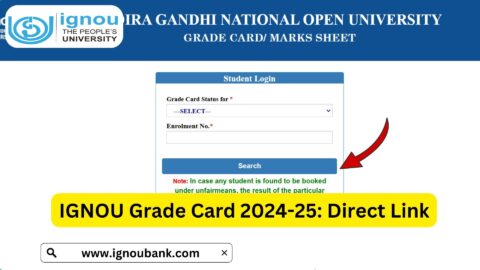
| IGNOU Grade Card | https://gradecard.ignou.ac.in/ |
| Student Support Email | ssc@ignou.ac.in |
Why IGNOU Students Must Download the ID Card Early?
Many students wait until exams approach before downloading their ID cards. This often leads to unnecessary problems.
Downloading the ID card early ensures:
- You confirm your admission status.
- You correct errors in your profile.
- You use it for academic counseling at study centers.
- You avoid exam-time delays.
Thus, it is recommended to download the ID card immediately after your admission is confirmed.
IGNOU ID Card for Online Programs (OL and ODL)
IGNOU offers two types of admissions:
- ODL (Open and Distance Learning)
- OL (Online Programs)
Both categories can download ID cards from the same Samarth portal. However, the online programs have additional digital verification features.
Specifically for Online Programs:
- The portal login is mandatory for attending online classes.
- The ID card is needed for online examination verification.
- The QR code ensures digital authentication.
IGNOU ID Card for Fresh and Re-Registered Students
1. Fresh Admission Students
They can download the ID card after:
- Admission approval
- Photograph upload
- Enrollment number generation
2. Re-Registration Students
If you already have an IGNOU ID card from your previous session, you do not need to download a new one. Your ID card remains valid until you complete your full program.
How to Verify If Your Admission Is Approved Before ID Card Download?
Follow these steps:
- Visit the admission status portal.
- Enter your enrollment number or registered mobile number.
- Check if your profile shows the program details.
- If the status shows “Confirmed”, you can download your ID card.
IGNOU Regional Centers and ID Card Issues
Your regional center plays a major role in resolving ID card problems.
Contact your RC if:
- Your photograph is wrong
- Your name is misspelled
- Your program details are incorrect
- Your admission is still pending
- Your ID card is not visible in the dashboard
Always keep a scanned copy of your original documents while contacting the RC.
IGNOU ID Card for International Students
International students enrolled through IGNOU’s overseas study centers also receive digital ID cards. They must contact their international division if facing problems.
FAQ about IGNOU ID Card Download
When can I download my IGNOU ID card?
You can download it once your admission is approved and the enrollment number is generated.
Where can I download the IGNOU ID card?
From the official IGNOU Samarth portal: https://ignou.samarth.edu.in/
What is the password to open the IGNOU ID card PDF?
Try the following:
Enrollment number
Samarth portal login password
Is the printed ID card valid for exams?
Yes. A printed color copy is valid. Some students also get it attested at their regional center for safety.
Do re-registered students need a new ID card?
No. The same ID card remains valid for the entire program duration.
What if my photo is incorrect on the ID card?
Contact your regional center immediately to update it.
How long does IGNOU take to approve admission?
Typically between 15 to 45 days, depending on the session and regional center workload.
Can I download the ID card without login?
No. Login to the Samarth portal is mandatory.
What if I forget my login password?
Use the “Forgot Password” option and reset it using your registered email.
Is the IGNOU ID card mandatory for assignment submission?
Some study centers ask for it, so it is safer to carry it.
Can I use the ID card for online exams?
Yes. It is used for identification and verification.
Conclusion
The IGNOU ID Card is one of the most important documents for every IGNOU student, whether enrolled in ODL or online programs. It is required for examinations, practicals, library access, counseling sessions, and verification. The digital ID card has made the process simple, quick, and easily accessible. Using the official Samarth portal, students can download their ID cards anytime using their login credentials.
Remember to keep the ID card safe, print a hard copy, and verify the details immediately after downloading. If any issue arises, contact your regional center without delay.
By understanding the process outlined in this article, students can confidently download and use their IGNOU ID card throughout their academic journey.