IGNOU Assignment Status 2026: Assignments are an essential component of the academic structure at Indira Gandhi National Open University (IGNOU). Every student must submit assignments for each subject to become eligible for the Term-End Examination (TEE). However, submitting assignments is only one part of the process. Tracking your IGNOU Assignment Status is equally important to ensure that your work has been received, evaluated, and updated correctly.
Many students often face confusion regarding how to check their assignment status, why their marks are not updated, or what steps to take if something goes wrong. This detailed guide explains everything you need to know about IGNOU Assignment Status 2026, including how to check it, how marks are calculated, common issues, and solutions.
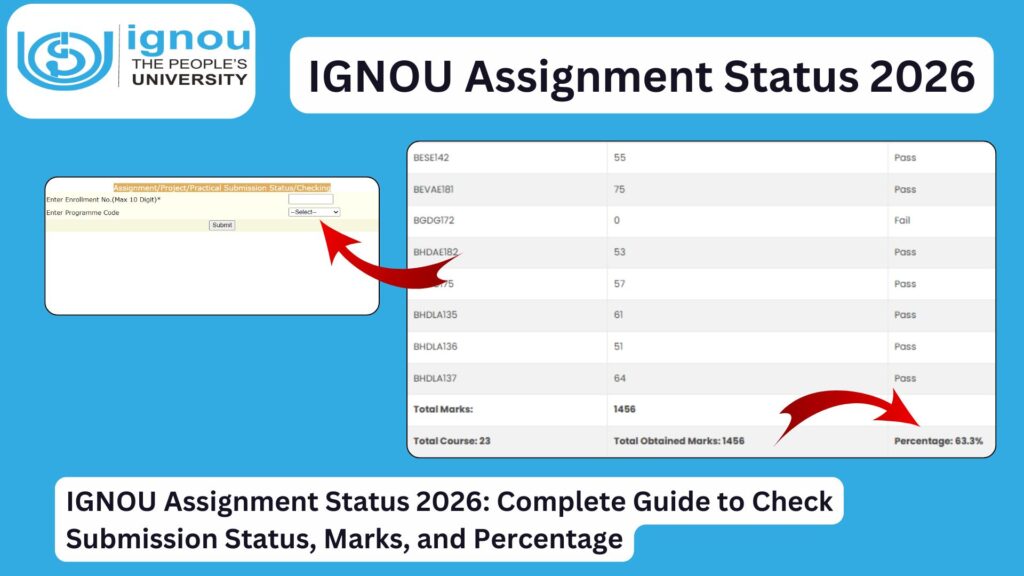
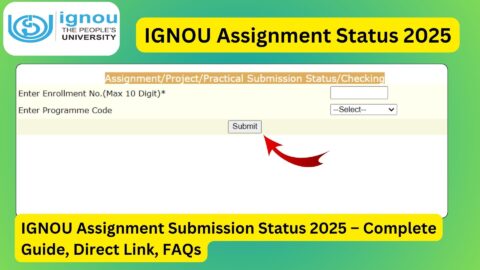
To check your IGNOU assignment status, use the official link:
https://isms.ignou.ac.in/changeadmdata/StatusAssignment.asp
To check your assignment marks and percentage, use this link:
https://ignoubank.com/ignou-percentage/
What is IGNOU Assignment Status?
IGNOU Assignment Status refers to the current progress of your submitted assignments. It shows whether:
- Your assignment has been received
- It has been evaluated
- Marks have been updated
- The subject is marked as completed
It is an online tracking system that helps students monitor their assignment progress.
Importance of Checking Assignment Status
Tracking your assignment status is critical for several reasons:
- Confirms successful submission
- Ensures marks are updated on time
- Helps identify missing or pending assignments
- Prevents delays in result processing
- Ensures eligibility for examinations
Ignoring assignment status can lead to incomplete results or delays in course completion.
Key Highlights of IGNOU Assignment Status 2026
- Available online for all students
- Updated after assignment evaluation
- Includes marks and completion status
- Linked to grade card updates
- Essential for final result calculation
Important Links and Information
| Purpose | Details / Link |
|---|---|
| Check Assignment Status | https://isms.ignou.ac.in/changeadmdata/StatusAssignment.asp |
| Check Assignment Marks & Percentage | https://ignoubank.com/ignou-percentage/ |
| Official IGNOU Website | https://www.ignou.ac.in |
| Student Zone | https://www.ignou.ac.in/ignou/studentzone |
| Grade Card Status | https://gradecard.ignou.ac.in |
| Term-End Results | https://termendresult.ignou.ac.in |
| Assignment Questions | https://webservices.ignou.ac.in/assignments/ |
| Exam Form Portal | https://ignou.samarth.edu.in |
How to Check IGNOU Assignment Status 2026?
Follow these steps to check your assignment status:
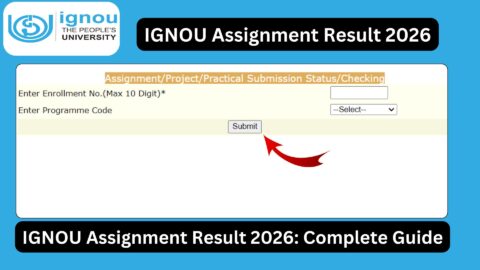
Step 1: Visit the Status Portal
Open the official link:
https://isms.ignou.ac.in/changeadmdata/StatusAssignment.asp
Step 2: Enter Enrollment Number
- Input your correct enrollment number
Step 3: Select Program Code
- Choose your course
Step 4: Submit Details
- Click on submit
Step 5: View Status
- Check whether your assignment is marked as received or updated
How to Check Assignment Marks and Percentage
To check your marks and overall percentage:
- Visit the link:
https://ignoubank.com/ignou-percentage/ - Enter required details
- View marks and calculated percentage
This helps you understand your performance and overall score.
Understanding Assignment Status
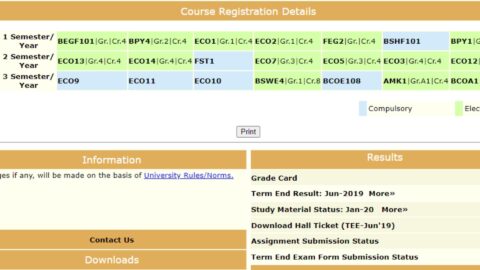
The status displayed may include the following:
1. Received
Your assignment has been successfully submitted and recorded.
2. Under Evaluation
The assignment is being checked by evaluators.
3. Marks Updated
Marks have been uploaded and will reflect in the grade card.
4. Not Found
Your assignment has not been recorded yet.
How Long Does It Take to Update Assignment Status?
Assignment status is not updated immediately. The timeline usually follows:
- Submission: Recorded within a few days
- Evaluation: May take several weeks
- Marks Update: Reflected after evaluation
Students should regularly check status updates.
Common Issues in IGNOU Assignment Status
Many students face issues while checking their assignment status:
1. Assignment Not Showing
Even after submission, status may not appear immediately.
2. Marks Not Updated
Evaluation delays can cause missing marks.
3. Incorrect Status
Sometimes status may show incomplete despite submission.
4. Data Entry Errors
Mistakes in enrollment number or course code.
How to Resolve Assignment Status Issues
If you face any issues, follow these steps:
1. Wait for Updates
IGNOU updates data in phases. Wait for a few weeks.
2. Contact Study Centre
Reach out to your study centre for confirmation.
3. Keep Proof of Submission
Always keep receipts or acknowledgment.
4. Email Regional Centre
Provide details such as:
- Enrollment number
- Course code
- Submission proof
Importance of Assignment Marks
Assignments contribute significantly to your final result:
- Carry approximately 30% weightage
- Must be passed separately
- Required for course completion
Failing in assignments means you must resubmit them.
IGNOU Assignment Status vs Grade Card
| Assignment Status | Grade Card |
|---|---|
| Shows submission and evaluation | Shows final marks |
| Updated earlier | Updated later |
| Helps track progress | Reflects final performance |
Both are important and should be checked regularly.
Tips to Ensure Assignment Status is Updated
- Submit assignments before deadlines
- Use correct enrollment and course codes
- Keep submission proof
- Follow guidelines strictly
- Check status regularly
What If Assignment Status Shows “Not Found”?
If your status shows “Not Found”:
- Wait for a few weeks
- Verify submission details
- Contact study centre
- Provide proof if required
When is Assignment Status Considered Complete?
Your assignment status is complete when:
- Marks are updated
- Reflected in grade card
- Subject marked as completed
Only then is your assignment successfully processed.
FAQ
How can I check my IGNOU assignment status?
You can check it online using your enrollment number through the provided link.
Why is my assignment status not showing?
It may take time to update after submission.
How long does it take to update marks?
Usually several weeks after evaluation.
What should I do if marks are missing?
Contact your study centre or regional centre.
Is assignment submission mandatory?
Yes, it is required for exams and course completion.
Can I check assignment percentage online?
Yes, using the provided percentage link.
What if I fail in assignment?
You must resubmit it in the next session.
Is assignment status linked to grade card?
Yes, marks are updated in the grade card after evaluation.
Can I edit assignment after submission?
No, once submitted, changes are not allowed.
What if I lose submission proof?
Contact your study centre immediately.
Conclusion
The IGNOU Assignment Status 2026 is a crucial tool that helps students track the progress of their submitted assignments. It ensures that your hard work is properly recorded, evaluated, and reflected in your academic performance.
Students should regularly check their assignment status, verify marks, and take immediate action in case of discrepancies. Timely submission, proper documentation, and continuous monitoring can help avoid delays and ensure smooth academic progress.
To check your IGNOU assignment status, visit:
https://isms.ignou.ac.in/changeadmdata/StatusAssignment.asp
To check your assignment marks and percentage, visit:
https://ignoubank.com/ignou-percentage/
By staying informed and proactive, you can successfully manage your IGNOU assignments and move closer to completing your course without complications.