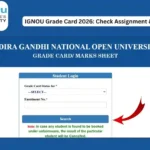
The IGNOU Grade Card is one of the most important academic records for students enrolled in Indira Gandhi National Open University. It allows students to check the marks and status of different components of their courses, including assignments, Term-End Examination theory marks, practical marks, and overall course completion status.
IGNOU follows a system in which students are evaluated through different academic components depending on their programme. These may include assignments, Term-End Examinations, practical examinations, projects, dissertations, internships, fieldwork and other prescribed activities. IGNOU’s Student Evaluation Division is responsible for examination and evaluation-related activities, including processing results and issuing final grade cards.
If you have recently submitted an assignment or appeared in the IGNOU June or December Term-End Examination, you may want to check whether your marks have been updated in your grade card.
Students can check their IGNOU Grade Card status online using their enrolment number and programme details.
What is IGNOU Grade Card?
The IGNOU Grade Card is an online academic record that displays the marks and completion status of courses for an IGNOU student.
Depending on the programme, the grade card can contain information such as:
- Course code
- Assignment marks
- Term-End Examination theory marks
- Term-End Examination practical marks
- Project or other applicable components
- Course status
- Completed or Not Completed status
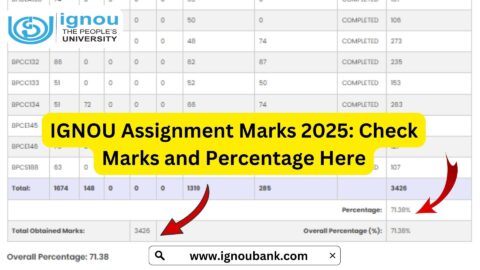
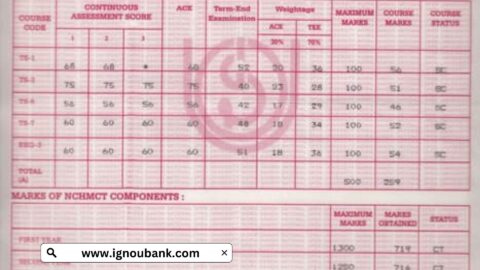
The official IGNOU Grade Card portal displays these components according to the student’s programme. A typical grade card can show columns such as Assignment 1, Assignment 2, Assignment 3, Assignment 4, Term End Theory, Term End Practical and Status. Not every column applies to every course or programme.
The grade card is particularly useful because it allows students to identify whether their assignment marks and examination marks have been updated.
IGNOU Grade Card 2026: Important Information
Students should understand that the grade card is updated as evaluation data becomes available. Therefore, all marks may not necessarily appear immediately after an examination or assignment submission.
The official IGNOU grade card portal also states that the displayed information is indicative and should not be treated as a substitute for the final grade card. The final grade card is issued after completion of the programme and updating of all prescribed components.
Here is a quick overview of the important information:
| Information | Details |
|---|---|
| University | Indira Gandhi National Open University |
| Grade Card | IGNOU Grade Card |
| Required Information | Enrolment Number and Programme Code |
| Assignment Marks | Available when updated |
| TEE Theory Marks | Available when result is processed |
| Practical Marks | Available for applicable courses |
| Course Status | Completed / Not Completed |
| Grade Card Website | Official IGNOU Grade Card Portal |
| Easy Grade Card Check | IGNOU Bank Grade Card Page |
| Examination Sessions | June and December |
| Final Grade Card | Issued after required components are completed |
Important IGNOU Links and Information
The following table contains useful links that IGNOU students may need while checking their academic records.
| Purpose | Link / Information |
|---|---|
| Check IGNOU Grade Card | IGNOU Grade Card Status |
| Official IGNOU Grade Card Portal | Official IGNOU Grade Card Portal |
| IGNOU Term-End Result | IGNOU Term-End Result |
| IGNOU Main Website | IGNOU Official Website |
| Assignment Information | IGNOU Assignment Portal |
| Student Portal | IGNOU Samarth Student Portal |
| Examination Sessions | June and December |
How to Check IGNOU Grade Card Online?
Checking the IGNOU Grade Card is a simple online process. Students generally need their enrolment number and programme information.
Follow these steps to check your IGNOU Grade Card.
Step 1: Visit the Grade Card Page
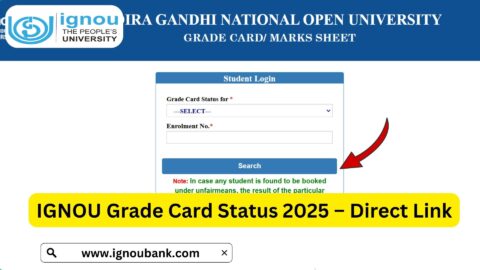
First, visit the IGNOU Grade Card checking page:
You can also use the official IGNOU Grade Card portal.
Step 2: Select Your Programme
Depending on the grade card portal, select the appropriate programme or programme code.
For example, students may have different programme codes for undergraduate, postgraduate, diploma, certificate and other programmes.
Make sure that you select the programme in which you are currently enrolled.
Step 3: Enter Your Enrolment Number
Enter your correct IGNOU enrolment number.
The enrolment number is an important identification number provided to students after admission. Check the number carefully before submitting the form.
An incorrect enrolment number may result in an error or prevent the grade card from being displayed.
Step 4: Select the Relevant Grade Card Status
The official portal may provide options for selecting the type of grade card or status you want to view.
Choose the appropriate option based on your programme and examination session.
Step 5: Submit the Details
After entering the required information, submit the form.
If your evaluation records are available, your grade card should be displayed.
Step 6: Check Your Marks
Once the grade card appears, carefully check each course.
Look for:
- Course code
- Assignment marks
- Term-End Examination marks
- Practical marks, if applicable
- Course status
- Completed or Not Completed status
If any expected marks are missing, do not immediately assume that you have failed. Marks can be updated at different stages depending on the evaluation and data processing.
What Details Are Shown on IGNOU Grade Card?
The exact information can vary according to the programme. However, the grade card generally provides course-wise academic information.
Course Code
The course code identifies a particular subject.
For example, an IGNOU programme can contain multiple courses, each represented by a unique code.
Students should compare the course codes shown on the grade card with the courses they have registered for.
Assignment Marks
Assignment marks represent the marks awarded for submitted assignments.
IGNOU considers assignments as part of continuous evaluation in many programmes. The assignment marks are subsequently incorporated into the student’s academic record.
IGNOU’s regional centre guidance explains that assignment awards can be checked through the grade card after they have been uploaded.
Term-End Examination Theory Marks
The grade card can also display marks obtained in the written Term-End Examination.
IGNOU conducts Term-End Examinations generally twice a year, in June and December, subject to the applicable programme and examination schedule.
Term-End Practical Marks
Some courses include practical examinations or other practical components.
Where applicable, practical marks can appear separately in the grade card.
The official grade card examples show separate columns for Term End Theory and Term End Practical.
Status
The status column is particularly important.
It can indicate whether a course has been completed or whether some requirement remains incomplete.
For example:
COMPLETED: The available academic components indicate that the course has been successfully completed.
NOT COMPLETED: One or more required components have not yet been successfully completed or processed.
Students should always consider their programme-specific rules when interpreting the status.
IGNOU Grade Card Not Updated
One of the most common questions among IGNOU students is why their grade card has not been updated even after submitting an assignment or appearing in the Term-End Examination.
There can be several reasons.
First, the evaluation process may still be underway. IGNOU processes a very large number of examination and assignment records, so updates may occur in stages.
Second, the assignment marks may not yet have been transmitted or uploaded by the relevant study centre or regional centre.
Third, the Term-End Examination result may not yet have been processed.
IGNOU guidance states that students whose assignment awards have not been updated should contact their Study Centre Coordinator to ensure that the awards have been properly transmitted to the University. After confirmation, students may contact their Regional Centre if necessary.
Therefore, students should avoid assuming that missing marks automatically mean that their submission was rejected.
IGNOU Assignment Marks Not Showing in Grade Card
If you submitted your assignment but cannot see the marks in your grade card, first check whether sufficient time has passed for evaluation and data updating.
If the marks are still missing, keep proof of your assignment submission.
Useful proof can include:
- Assignment submission receipt
- Online submission confirmation
- Email confirmation
- Study Centre acknowledgement
- Screenshots
- Other official submission records
You can then contact the relevant Study Centre and request clarification.
IGNOU programme guidance also advises students to contact the Study Centre Coordinator and Regional Centre when assignment marks have not been correctly reflected in the grade card.
IGNOU TEE Marks Not Showing
If you appeared in the June or December Term-End Examination but your marks are not yet visible in the grade card, the result may still be under processing.
The IGNOU Term-End Result portal itself states that online result information is indicative and that results can be incomplete while further results are being processed.
Therefore, students should check the grade card again after the university updates the relevant examination records.
What Does “Completed” Mean in IGNOU Grade Card?
When the status of a course is shown as COMPLETED, it generally means that the required academic components recorded for that course have been successfully fulfilled according to the applicable evaluation rules.
A completed course is an important part of progressing toward completion of the IGNOU programme.
Students should still check the complete grade card to ensure that all required courses and components have been completed.
What Does “Not Completed” Mean in IGNOU Grade Card?
If a course is shown as NOT COMPLETED, it means that the course has not yet been recorded as successfully completed.
This may happen because:
- Assignment marks are insufficient
- Assignment marks are missing
- TEE marks are insufficient
- TEE result is not yet updated
- Practical or project marks are pending
- Another prescribed component remains incomplete
- The evaluation record is still being processed
For example, the official IGNOU grade card can display some courses as COMPLETED while others are shown as NOT COMPLETED.
Students should identify which component is missing before deciding what action to take.
How Assignment and TEE Marks Are Used?
IGNOU follows a multi-component evaluation system. The exact evaluation rules can differ by programme.
For example, IGNOU programme documentation describes evaluation through continuous assessment such as assignments and Term-End Examinations, with specific weightages and minimum requirements applicable to the relevant programme.
Students should therefore avoid applying a single calculation method to every IGNOU programme.
Always check your programme guide for the exact evaluation and passing requirements.
Can I Check IGNOU Grade Card Without Enrolment Number?
The enrolment number is generally required to retrieve an individual student’s grade card.
If you do not remember your enrolment number, check your IGNOU admission documents, student ID, registration information or other official records.
You should not enter another student’s enrolment number because the grade card is associated with the individual student’s academic record.
When Is IGNOU Grade Card Updated?
There is no single date on which every student’s grade card is updated.
Updates depend on factors such as:
- Assignment evaluation
- Assignment award submission
- Term-End Examination evaluation
- Result processing
- Practical examination evaluation
- Project or dissertation evaluation
- Data verification and processing
IGNOU’s regional guidance notes that assignment awards for June TEE may be expected around August/September, while December TEE assignment awards may be updated around February/March, although students should treat such timelines as indicative rather than guaranteed.
IGNOU Grade Card for June TEE
Students who appear in the June Term-End Examination can check their grade card after the relevant examination and evaluation records are processed.
The grade card may be updated in stages.
For example, assignment marks may appear separately from Term-End Examination marks. Therefore, students should check the grade card periodically rather than expecting every component to appear at the same time.
IGNOU Grade Card for December TEE
Students appearing in the December Term-End Examination can similarly check their grade card after the university processes the relevant results.
Assignment marks and TEE marks may be updated at different times.
If a December examination result has been declared but some assignment marks are missing, students should check with their Study Centre and Regional Centre when appropriate.
Is IGNOU Online Grade Card Final?
The online grade card should be treated as an academic status record rather than automatically assuming that it is the final printed grade card.
The official IGNOU grade card portal specifically states that the online status is indicative and that the final grade card is issued after completion of the programme and updating of all prescribed components.
This distinction is important for students who have completed only part of their programme.
What Should You Do If There Is an Error in Your Grade Card?
If you notice an error in your IGNOU grade card, first identify exactly what appears to be incorrect.
For example:
- Assignment marks may be missing
- Assignment marks may be incorrect
- TEE marks may not be displayed
- Practical marks may be missing
- A completed course may appear incomplete
- A course may not appear in the record
Keep the relevant supporting documents and contact the appropriate IGNOU authority.
For assignment-related issues, students are generally advised to contact their Study Centre Coordinator first and then approach the Regional Centre where necessary.
Tips for Checking IGNOU Grade Card
Students can follow these simple tips when checking their grade card:
- Keep your enrolment number ready.
- Select the correct programme code.
- Check every course individually.
- Compare assignment marks with your submission records.
- Check Term-End Examination marks after the result is declared.
- Look carefully at the status column.
- Do not panic if one component is temporarily missing.
- Keep assignment submission proof safely.
- Contact the Study Centre if assignment awards are missing.
- Check the grade card periodically until all required components are updated.
Why Is the IGNOU Grade Card Important?
The grade card is important because it provides students with a consolidated view of their academic progress.
Instead of checking only individual examination results, students can use the grade card to see different components associated with their courses.
It can help students determine:
- Which courses have been completed
- Which assignments have been updated
- Which examination marks have been recorded
- Which practical components are available
- Which courses may require further action
- Whether their academic record is progressing toward programme completion
IGNOU’s Student Evaluation Division is responsible for processing results and issuing final Statement of Marks/Grade Cards and provisional certificates.
FAQ
What is IGNOU Grade Card?
IGNOU Grade Card is an academic record that shows course-wise assignment marks, Term-End Examination marks, practical marks where applicable, and course completion status.
How can I check my IGNOU Grade Card?
You can check it online using your enrolment number and programme details. For a convenient checking page, visit:
Check IGNOU Grade Card Status
You can also use the official IGNOU Grade Card portal.
Is the IGNOU Grade Card updated after every examination?
The grade card is updated as evaluation and result data becomes available. Different components may be updated at different times.
Why are my assignment marks not showing in the IGNOU Grade Card?
Your assignment marks may not have been evaluated, transmitted or uploaded yet. If the marks remain missing after the expected processing period, contact your Study Centre and, if necessary, your Regional Centre.
What does COMPLETED mean in IGNOU Grade Card?
COMPLETED generally indicates that the course has been successfully completed according to the applicable requirements and the records currently available in the grade card.
What does NOT COMPLETED mean?
NOT COMPLETED indicates that the course has not yet been recorded as successfully completed. A required component may be incomplete, insufficient or still awaiting processing.
Can I check my IGNOU Grade Card online?
Yes. IGNOU provides an online grade card portal where students can check their academic records.
Is the online IGNOU Grade Card final?
The online status is indicative. IGNOU states that the final grade card is issued after completion of the programme and updating of all prescribed components.
Do assignment marks appear in the grade card?
Yes, assignment awards can appear in the grade card once they have been evaluated and uploaded to the University’s system.
What should I do if my TEE marks are missing?
First check whether the relevant Term-End Examination result has been declared and processed. If the result has been released but the grade card remains incomplete, check again later and contact the appropriate IGNOU authority if the issue continues.
Can I use the IGNOU Grade Card to track my academic progress?
Yes. The grade card is useful for checking course-wise marks and completion status throughout your programme.
Does every IGNOU course have practical marks?
No. Practical components apply only to programmes and courses where they are prescribed. The official grade card also notes that certain columns, such as practical marks, do not apply to all courses.
How often should I check my IGNOU Grade Card?
You can check it periodically after submitting assignments and after the declaration of Term-End Examination results, particularly if you are waiting for marks to be updated.
Conclusion
The IGNOU Grade Card is an important record for students because it provides a course-wise view of assignments, Term-End Examination marks, practical components and completion status. Since IGNOU processes a large volume of evaluation records, different components may be updated at different times.
If you are waiting for assignment marks, TEE marks or practical marks, check your grade card periodically. If a required mark remains missing for an extended period, keep your submission or examination records and contact the relevant Study Centre or Regional Centre for assistance.
To check your IGNOU Grade Card status online, you can use the following page: Check IGNOU Grade Card Status
Students should also remember that the online grade card is indicative and that the final grade card is issued after the required components of the programme have been completed and updated.
By regularly checking the grade card, students can keep track of their academic progress and identify missing or incomplete components in time.