IGNOU Student Portal: The Indira Gandhi National Open University (IGNOU) has adopted digital platforms to make academic and administrative services accessible to millions of learners across India and abroad. One of the most important digital platforms introduced by IGNOU is the IGNOU Student Portal. This portal acts as a single-window system through which students can access academic records, manage admissions, submit forms, and track their progress throughout their academic journey.
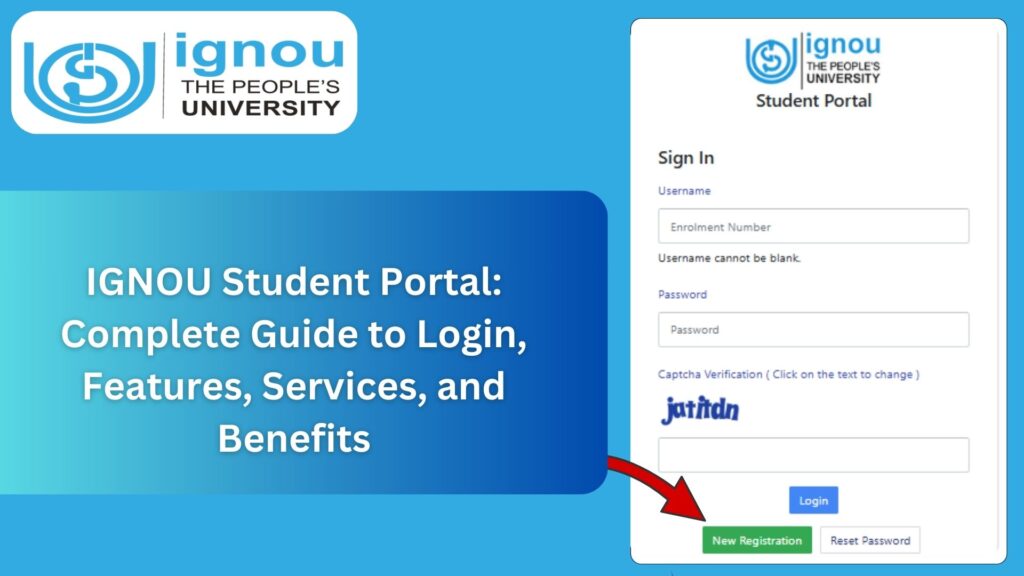
In this detailed blog article, you will find everything you need to know about the IGNOU Student Portal, including how to access it, its features, benefits, common issues, and solutions. This guide is especially useful for new admissions as well as continuing learners who regularly interact with IGNOU’s online systems.
What Is the IGNOU Student Portal?
The IGNOU Student Portal is an official online platform designed to provide students with easy access to their academic and administrative information. Through this portal, students can manage their profiles, check admission status, download study materials, submit assignments (where applicable), track grade cards, and apply for various services without visiting regional or study centres physically.
The portal has been developed to streamline processes and improve transparency, accuracy, and efficiency in student services.
Official Link to Access IGNOU Student Portal
Students can access the IGNOU Student Portal using the official link below: https://ignou.samarth.edu.in
This portal is commonly referred to as the Samarth IGNOU Student Portal and is used for multiple student-related services.
Important Links and Information
| Purpose | Link / Details |
|---|---|
| IGNOU Student Portal Login | https://ignou.samarth.edu.in/ |
| Platform Name | Samarth Student Portal |
| Used For | Admission, Re-registration, Academic Services |
| Login Credentials | Enrollment Number / Registered Email |
| Accessible On | Desktop and Mobile Browsers |
| Applicable For | All IGNOU Students |
Key Features of IGNOU Student Portal
The IGNOU Student Portal offers a wide range of features that support students throughout their academic lifecycle.
1. Student Login and Profile Management
Once logged in, students can:
- View and update personal details
- Check enrollment information
- Verify registered email and mobile number
This ensures that all communication from IGNOU reaches the student correctly.
2. Admission and Re-Registration Services
Through the student portal, students can:
- Apply for fresh admission
- Complete re-registration for the next semester or year
- Track admission status
This digital system has replaced many offline processes, saving time and effort.
3. Academic Information Access
Students can access:
- Programme and course details
- Registered subjects
- Academic session information
This helps students stay informed about their academic structure.
4. Assignment and Examination Services
Depending on the regional centre’s guidelines, the portal may be used to:
- Upload assignments
- Check assignment submission status
- Apply for Term End Examinations
The centralized system improves record accuracy and transparency.
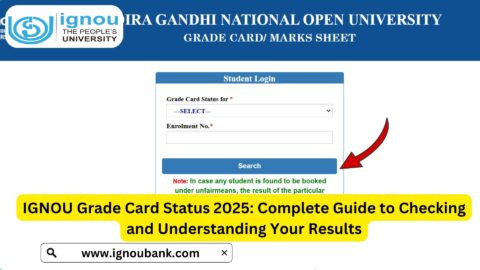
5. Grade Card and Result Tracking
Students can use the portal to:
- Check grade card status
- View course-wise marks
- Track completion of program requirements
Grade card information is updated in phases as evaluations are completed.
6. Download Study Material and Documents
The portal allows students to:
- Download digital study materials
- Access official notifications
- Retrieve important academic documents
This reduces dependency on physical materials.
How to Login to IGNOU Student Portal?
Step-by-Step Login Process
- Open the official portal at https://ignou.samarth.edu.in/
- Click on the Login option
- Enter your registered username or enrollment number
- Enter your password
- Click on Sign In
Once logged in, students can access all available services linked to their profile.
How to Register on IGNOU Student Portal?
For first-time users, registration is required.
Registration Steps
- Visit the student portal
- Click on New Registration
- Enter required personal and academic details
- Verify your email and mobile number
- Create login credentials
After successful registration, students can use the portal for admissions and other services.
Benefits of Using IGNOU Student Portal
The student portal offers several advantages:
- 24/7 access to academic services
- Reduced need for physical visits
- Faster processing of requests
- Centralized academic records
- Transparent and reliable system
The portal significantly improves the student experience by making services accessible from anywhere.
Common Issues Faced by Students on the Portal
Despite its usefulness, students may sometimes face issues.
Login Problems
- Forgotten password
- Incorrect login credentials
- Email or mobile number mismatch
Technical Issues
- Slow loading during peak periods
- Session timeout
- Browser compatibility problems
Most issues can be resolved using the portal’s support options.
How to Recover Password on IGNOU Student Portal?
If a student forgets the password:
- Click on Forgot Password
- Enter registered email or enrollment number
- Follow verification steps
- Reset password using the provided link
Always keep login details secure.
Safety and Security of Student Data
The IGNOU Student Portal uses secure systems to protect student information. Students are advised to:
- Avoid sharing login credentials
- Logout after using public devices
- Update passwords regularly
Following these practices ensures data safety.
Role of IGNOU Student Portal in Digital Education
The introduction of the student portal reflects IGNOU’s commitment to digital education and administrative efficiency. It bridges the gap between students and university services, especially for distance learners who may not have easy access to physical centres.
The portal supports:
- Online education systems
- Paperless administration
- Faster service delivery
Tips for Effective Use of IGNOU Student Portal
- Check portal notifications regularly
- Keep profile information updated
- Download important documents timely
- Monitor grade card and assignment status
- Follow official deadlines displayed on the portal
Regular usage helps students stay academically organized.
FAQ about IGNOU Student Portal
What is the IGNOU Student Portal?
It is an official online platform for managing academic and administrative services for IGNOU students.
What is the official link to access the IGNOU Student Portal?
You can access it at: https://ignou.samarth.edu.in/
Who can use the IGNOU Student Portal?
All IGNOU students enrolled in any program can use the portal.
Can I apply for re-registration through the portal?
Yes, re-registration services are available on the student portal.
What should I do if I face login issues?
Use the “Forgot Password” option or verify your registered email and mobile number.
Is the IGNOU Student Portal available on mobile?
Yes, it is accessible through mobile browsers.
Conclusion
The IGNOU Student Portal is a powerful and essential digital platform that simplifies academic management for distance learners. From admissions and re-registration to grade card tracking and document access, the portal provides a centralized solution for almost every student need.
By using the official portal link https://ignou.samarth.edu.in/, students can stay updated, manage their academic records efficiently, and reduce dependence on offline processes. Regular use of the portal ensures smoother communication with the university and helps students stay on track throughout their IGNOU academic journey.
Understanding and utilizing the IGNOU Student Portal effectively is a key step toward a successful and organized distance learning experience.