IGNOU Login with Enrollment Number: Indira Gandhi National Open University (IGNOU) operates one of the largest distance education systems in the world. With students spread across urban, rural, and international locations, IGNOU provides a digital student portal to manage academic activities effectively. For every enrolled student, the IGNOU login with enrollment number is a crucial step to access a wide range of services—from checking assignment status and exam forms to downloading grade cards.
If you are a new or continuing IGNOU student, understanding how to log in using your enrollment number and password will help you stay updated with academic requirements and university notifications. This article offers a complete, detailed, and easy-to-understand guide on how to access the IGNOU student portal, along with tips, common problems and solutions, important links, FAQs, and a conclusion.
What is IGNOU Student Login?
IGNOU Student Login is an online interface where enrolled learners can access university-related services. These include:
- Assignment status
- Exam form submission
- Grade card and result status
- Study material access
- Program details
- Status of registration and re-registration
- Learner support and communication from IGNOU
This portal acts as a centralized hub for academic management.
Official IGNOU Student Portal
You can access the portal using this official link:
The gateway requires your 10-digit IGNOU enrollment number and a password (created during first login or assigned by default).
Why Use the IGNOU Student Login with Enrollment Number?
The enrollment number is your unique identity in IGNOU academic records. It is issued once you complete the admission process for any program (BA, BSc, MA, MBA, etc.). Logging in with your enrollment number offers these advantages:
2.1 Centralized Access
All academic and administrative features are available in one place.
2.2 Transparent Tracking
You can monitor your progress, including assignment status, grade card release, and examination updates.
2.3 Secure and Personalized
Your academic data is secure and personalized via login credentials.
2.4 Easy Updates
Any change in student data (email, phone, address) can be tracked easily through the portal.
What You Need Before You Login?
Before attempting to log in to the IGNOU portal using your enrollment number, make sure you have:
- Your 10-digit IGNOU enrollment number
- Your password
- Registered mobile number or email (for OTP-based login features)
- A stable internet connection
If you don’t remember your password, IGNOU offers recovery options on the portal. Make sure your enrollment number is entered correctly, as any mismatch can lead to login failure.
How to Login to IGNOU Portal with Enrollment Number
Here’s a detailed, step-by-step guide to help you navigate the login process:
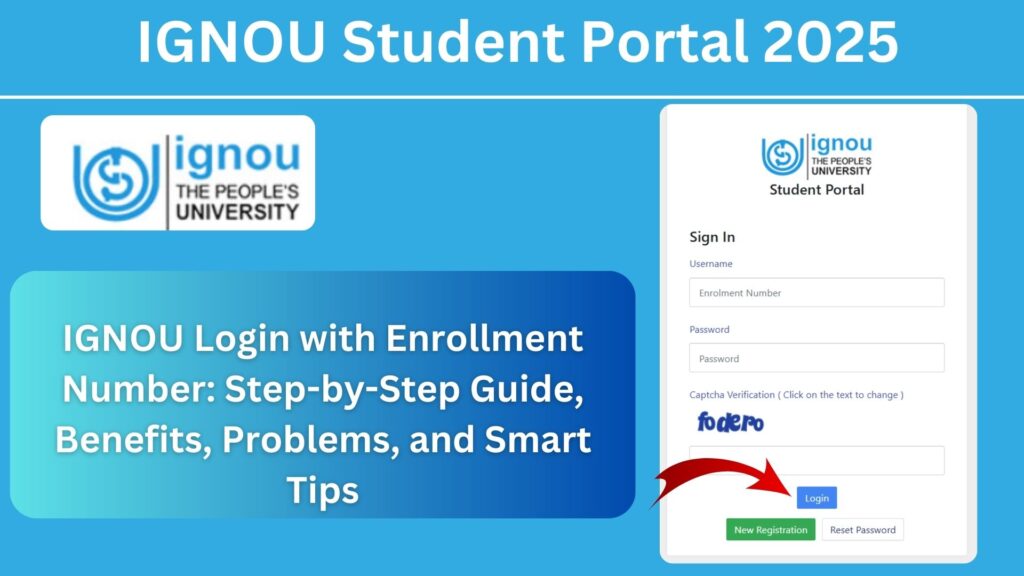
Step 1: Visit the Official Portal
Open your browser and enter the official IGNOU login link:
https://ignou.samarth.edu.in/
Step 2: Choose “Student Login”
You will be directed to the main login page. Click the student login option.
Step 3: Enter Your Enrollment Number
Input your 10-digit enrollment number in the provided field.
Step 4: Enter Your Password
Enter the password you created at the time of registration. If this is your first login and you haven’t set a password, use the default password sent via email or SMS.
Step 5: Submit and Access Dashboard
Once your credentials are entered correctly, click “Login.” You will see your personalized IGNOU dashboard displaying academic options.
You are now ready to use the portal for managing all your IGNOU-related academic tasks.
What You Can Do After Logging In?
Once logged in successfully with your enrollment number, the IGNOU portal provides multiple academic features:
5.1 Check Registration Status
Confirm whether your admission or re-registration has been accepted.
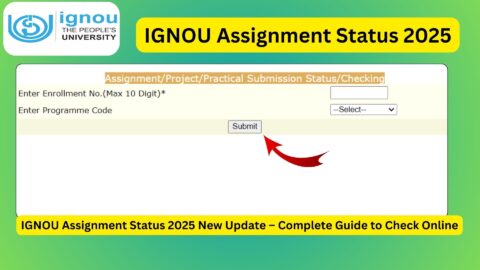
5.2 Assignment Submission Status
View whether the assignments you’ve submitted have been accepted or rejected.
5.3 Exam Form Submission
Fill and submit your term-end exam form and download confirmation receipts.
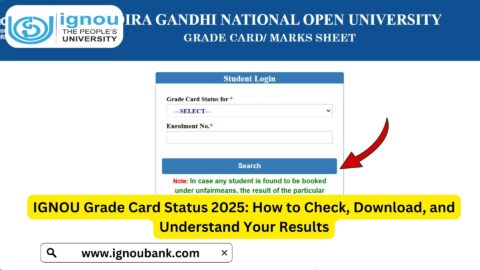
5.4 Download Grade Card
After results are declared, download your grade card.
5.5 View Study Material Status
If you opted for printed study materials, track the dispatch status.
5.6 Messages from IGNOU
Important notifications related to admission, exams, or fees may be available on your dashboard.
5.7 Change Password or Update Profile
Update your login password or personal profile details if required.
How to Recover or Reset Your IGNOU Password?
For many students, the biggest challenge is forgetting or misplacing the login password. IGNOU provides easy options to recover or reset your password.
Password Recovery Options
- Forgot Password Link: Use the link on the login page to receive an OTP or reset link in your registered email.
- Verify Using Enrollment and Email: Enter your enrollment number and registered email ID to receive password recovery instructions.
- Contact Support: If standard methods fail, reach out to IGNOU support for help.
Make sure your registered email and mobile number are active and accessible for receiving recovery codes.
Common Login Errors and How to Solve Them
Despite clear steps, students sometimes face problems trying to login.
Problem 1: Invalid Enrollment Number
Double-check that your enrollment number is correct. It must be exactly 10 digits.
Problem 2: Wrong Password
Re-enter carefully and use the “Forgot Password” link if needed.
Problem 3: Portal Not Loading
Sometimes IGNOU servers slow down due to heavy traffic. Try again after some time or use a different browser.
Problem 4: Browser Cache Issues
Clear browser cache or try incognito mode if the portal is not responding.
Problem 5: Registration Not Completed
If your admission is under process, your login may not work. Wait for confirmation.
Security and Privacy Tips for IGNOU Login
To protect your student account and personal information, follow these tips:
Use a Strong Password
Include alphabets, numbers, and special characters where allowed.
Do Not Share Password
Never share your password with friends or public forums.
Logout After Use
Always log out after accessing your dashboard, especially on shared devices.
Enable Email or SMS Alerts
Activate notification alerts to receive updates from IGNOU directly.
Tips for Smooth IGNOU Login Experience
To avoid login hurdles in urgent tasks like exam form submission or assignment checks:
Update Contact Information
Ensure your mobile number and email are updated in the IGNOU system.
Use Compatible Browsers
Use modern browsers like Chrome, Edge, Firefox, or Safari.
Keep Credentials Handy
Store your enrollment number and password securely.
Check Portal Updates
IGNOU may announce portal maintenance or downtime—watch for alerts.
Important Links and Information
Below is a handy table with essential IGNOU links related to student login and academic tasks.
Important IGNOU Links and Information
| Purpose | Link / Details |
|---|---|
| IGNOU Student Login Portal | https://ignou.samarth.edu.in/ |
| Official IGNOU Website | https://www.ignou.ac.in |
| Assignment Submission / Guidelines | Check your Regional Centre portal |
| Term-End Exam Forms | Through IGNOU login dashboard |
| IGNOU Study Material | https://egyankosh.ac.in |
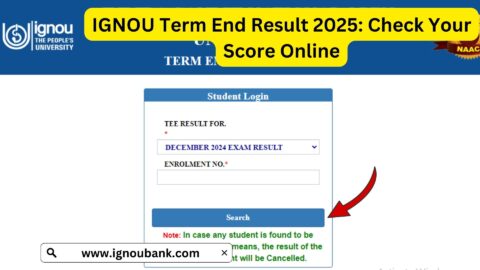
| IGNOU Exam Results | Through Samarth or official result portal |
| Password Recovery | Link available inside IGNOU login page |
| Regional Centre Details | Available on IGNOU official portal |
Best Practices for IGNOU Students Using the Login Portal
Successfully navigating IGNOU’s online system requires efficiency and planning. Here are best practices:
1. Log In Regularly
Check the portal often for new updates and deadlines.
2. Bookmark Important Pages
Save links to assignment status, exam forms, and results for quicker access.
3. Maintain Password Security
Change passwords periodically and avoid simple credentials.
4. Act Before Deadlines
IGNOU deadlines for exam forms and assignments are strict; log in early.
5. Use a Dedicated Email
Use a primary email that you check regularly for IGNOU notifications.
FAQ about IGNOU Login with Enrollment Number
Can I login to IGNOU portal using enrollment number only?
Yes. The enrollment number combined with your password is sufficient for login.
What if I forgot my enrollment number?
You can retrieve it from your admission confirmation email or IGNOU support.
How many times can I attempt login?
There is no fixed limit, but multiple failed attempts may temporarily block access.
Can I change my IGNOU password after login?
Yes. The portal provides a profile section where you may change the password.
Is the IGNOU login portal free to use?
Yes, it is free for all enrolled students.
Can I submit exam forms after logging in?
Yes, the portal allows submission and tracking of term-end exam forms.
What if my login shows “No data found”?
It may be due to pending registration confirmation. Wait for admission processing or contact support.
Can I access IGNOU results after login?
Yes, you can view and download your grade card from the dashboard once results are declared.
Conclusion
For every IGNOU learner, the student login with an enrollment number is more than just a digital gateway. It is the central hub that connects admissions, academic progress, exam participation, and performance tracking. With the right information and clear steps, every student can confidently access the IGNOU portal using their enrollment number.
From submitting assignments and filling exam forms to downloading study materials and grade cards, the IGNOU student portal is an indispensable resource. While login issues may occur occasionally, understanding the causes and solutions ensures uninterrupted access.
By following this guide, IGNOU students can streamline their online experience, stay updated with academic activities, and manage their distance learning journey with ease. Mastering the IGNOU login process is not just about technology—it’s about taking control of your education.
Make sure you have your enrollment number and password handy, bookmark the portal link, and use your IGNOU login to take full advantage of the services provided for academic success.