IGNOU ID Card Download 2026: The IGNOU ID Card is one of the most important documents for every student enrolled at the Indira Gandhi National Open University (IGNOU). Whether you are pursuing an undergraduate, postgraduate, diploma, certificate, or doctoral programme, your ID card serves as proof of admission and student identity throughout your academic journey.
Students are required to carry their IGNOU ID card while visiting their Study Centre, Regional Centre, practical examinations, counselling sessions, workshops, library, and Term-End Examinations (TEE). Without a valid ID card, students may face difficulties in accessing university services or appearing for examinations.
If you are searching for the official method to download your IGNOU ID Card, this guide explains everything you need to know, including the download process, login steps, common issues, required details, and frequently asked questions.
Important Links and Information
| Particular | Details |
|---|---|
| University | Indira Gandhi National Open University (IGNOU) |
| Document | Student ID Card |
| Download Mode | Online |
| Official Login Portal | https://ignou.samarth.edu.in/index.php/site/login |
| Login Required | Username and Password |
| Applicable For | UG, PG, Diploma, Certificate and Doctoral Students |
| File Format | |
| Required for | Examinations, Study Centre, Practicals, Library and Student Verification |
| Official Website | https://www.ignou.ac.in |
What is the IGNOU ID Card?
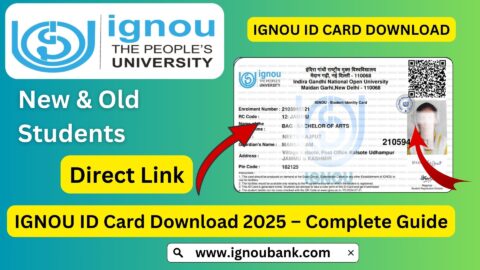
The IGNOU ID Card is an official student identity document issued after successful admission confirmation. It contains important student information that helps verify your enrollment in the university.
The ID card acts as proof that you are officially registered with IGNOU and is required during various academic activities.
Generally, the ID card contains the following information:
- Student Name
- Enrollment Number
- Programme Name
- Programme Code
- Photograph
- Regional Centre
- Study Centre
- Admission Session
- Student Signature (if applicable)
Students should carefully verify all details after downloading the ID card.
Why is the IGNOU ID Card Important?
The IGNOU ID card is required throughout your academic programme.
Some major uses include:
- Entry into the examination hall
- Assignment submission verification
- Practical examination attendance
- Project submission
- Viva examination
- Academic counselling sessions
- Library access
- Student verification
- Regional Centre visits
- Study Centre services
Students are advised to keep both digital and printed copies of their ID card.
Official IGNOU ID Card Download Link
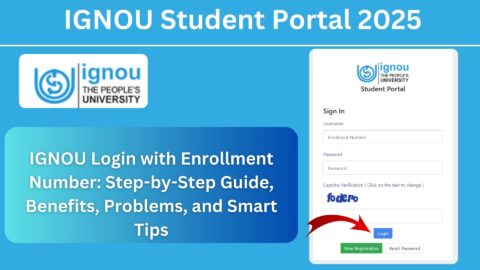
Students can download their ID card by logging into the official IGNOU Samarth Student Portal.
Official Login Portal:
https://ignou.samarth.edu.in/index.php/site/login
Always use the official portal to access your student account and download your ID card.
Who Can Download the IGNOU ID Card?
Students enrolled in the following programmes can download their ID card after admission confirmation:
- Bachelor’s Degree Programmes
- Master’s Degree Programmes
- Diploma Courses
- Post Graduate Diploma Programmes
- Certificate Courses
- Doctoral Programmes
- Professional Courses
Your ID card becomes available after your admission is successfully confirmed by IGNOU.
How to Download IGNOU ID Card?
Downloading your ID card is simple if you have your login credentials.
Step 1
Visit the official IGNOU Samarth Login Portal.
Step 2
Enter your Username.
Step 3
Enter your Password.
Step 4
Complete the security verification if prompted.
Step 5
Click on the Login button.
Step 6
Open your Student Dashboard.
Step 7
Locate the ID Card option.
Step 8
Click on Download ID Card.
Step 9
Save the PDF file on your mobile or computer.
Step 10
Take a printout for future use.
Information Available on the IGNOU ID Card
After downloading your ID card, verify the following details carefully:
- Student Name
- Enrollment Number
- Programme Name
- Programme Code
- Student Photograph
- Regional Centre
- Study Centre
- Admission Session
- University Details
If any information is incorrect, contact your Regional Centre immediately for assistance.
Login Credentials Required
To download your ID card, you generally need:
- Username
- Password
These credentials are created during the admission process through the IGNOU Samarth Portal.
Keep your login details secure and do not share them with others.
What Should You Do After Downloading the ID Card?
After downloading your ID card:
- Save a PDF copy on your device.
- Print at least two copies.
- Laminate one copy for regular use.
- Keep one soft copy in cloud storage.
- Verify all details carefully.
- Carry the printed copy during examinations and university visits.
Having multiple copies can be helpful if one is misplaced or damaged.
Common Problems While Downloading the IGNOU ID Card
Some students may face issues while accessing their ID card.
Common problems include:
Incorrect Username or Password
Double-check your login credentials. If you have forgotten your password, use the password recovery option available on the login page.
Admission Not Confirmed
Your ID card may not be available until your admission is officially confirmed.
Slow Website
During admission or examination periods, the portal may experience heavy traffic. Try accessing it after some time.
Browser Issues
If the portal does not load properly:
- Refresh the page.
- Clear your browser cache.
- Try another browser.
- Use a desktop or laptop if possible.
PDF Not Opening
Download the file again and ensure you have a PDF reader installed on your device.
When Will the ID Card Be Available?
Generally, the ID card becomes available after:
- Successful admission confirmation
- Verification of submitted documents
- Completion of the admission process
Students should regularly check their Samarth dashboard if the ID card is not immediately visible after applying for admission.
Can You Download the ID Card on Mobile?
Yes. The IGNOU Samarth Portal is accessible on smartphones as well as desktop computers.
Students can:
- Download the ID card on Android devices.
- Download the ID card on iPhones.
- Save the PDF to cloud storage.
- Print the document later.
For the best experience, using a laptop or desktop is recommended, especially when printing the PDF.
What If You Lose Your IGNOU ID Card?
If you lose your printed ID card, you can simply log in to the Samarth Portal and download it again. Since the ID card is available in PDF format, you can reprint it whenever required, provided your account remains accessible.
Tips for Keeping Your ID Card Safe
To avoid inconvenience during your studies:
- Keep a laminated printed copy.
- Store a digital copy on your phone.
- Save a backup in cloud storage.
- Do not fold or damage the card.
- Carry it whenever visiting an IGNOU office or examination centre.
Proper care of your ID card ensures you always have proof of your student status when needed.
FAQ about IGNOU ID Card Download 2026
Where can I download my IGNOU ID Card?
You can download your IGNOU ID Card by logging into the official Samarth Student Portal:
https://ignou.samarth.edu.in/index.php/site/login
Is the IGNOU ID Card mandatory?
Yes. Students are generally required to carry their ID card during examinations, practicals, assignment-related activities, and visits to Study or Regional Centres.
What login details are required?
You need your Username and Password to access the Samarth Student Portal and download your ID card.
Can I download my ID card multiple times?
Yes. You can log in and download the PDF again whenever required.
Can I use a digital copy of my ID card?
A digital copy is useful for reference, but students should also keep a printed copy available, especially for examinations and official university activities.
What should I do if my ID card contains incorrect information?
Contact your Regional Centre as soon as possible and request correction of the incorrect details.
Is the ID card available immediately after registration?
The ID card is usually available after your admission has been verified and confirmed by IGNOU.
Can I download the ID card on my mobile phone?
Yes. The Samarth Portal can be accessed through most modern mobile browsers, allowing you to download the PDF directly.
Conclusion
The IGNOU ID Card is an essential document that every student should download and keep safely throughout their academic journey. It serves as your official identity within the university and is required for examinations, assignment submissions, practical sessions, library access, counselling, and various administrative services. Once your admission is confirmed, you should log in to the official IGNOU Samarth Portal, download the ID card, verify all the details, and keep both digital and printed copies for future use.
By using the official login portal, maintaining secure access to your account, and preserving your ID card carefully, you can avoid unnecessary delays and ensure a smooth experience during your studies at IGNOU. Always carry your ID card whenever you visit your Study Centre, Regional Centre, or appear for any university-related activity.