IGNOU Certificate Download 2026: Indira Gandhi National Open University (IGNOU) is one of the largest distance learning universities in the world. Every year, lakhs of students enroll in various undergraduate, postgraduate, diploma, and certificate programs. After successfully completing a course, students eagerly wait to receive their certificates as proof of qualification.
In recent years, IGNOU has streamlined its processes by offering digital access to certificates through its online portal. This has made it easier for students to download their certificates without waiting for physical delivery.
In this comprehensive guide, you will learn everything about IGNOU certificate download, including eligibility, step-by-step process, common issues, important links, and frequently asked questions.
What is an IGNOU Certificate?
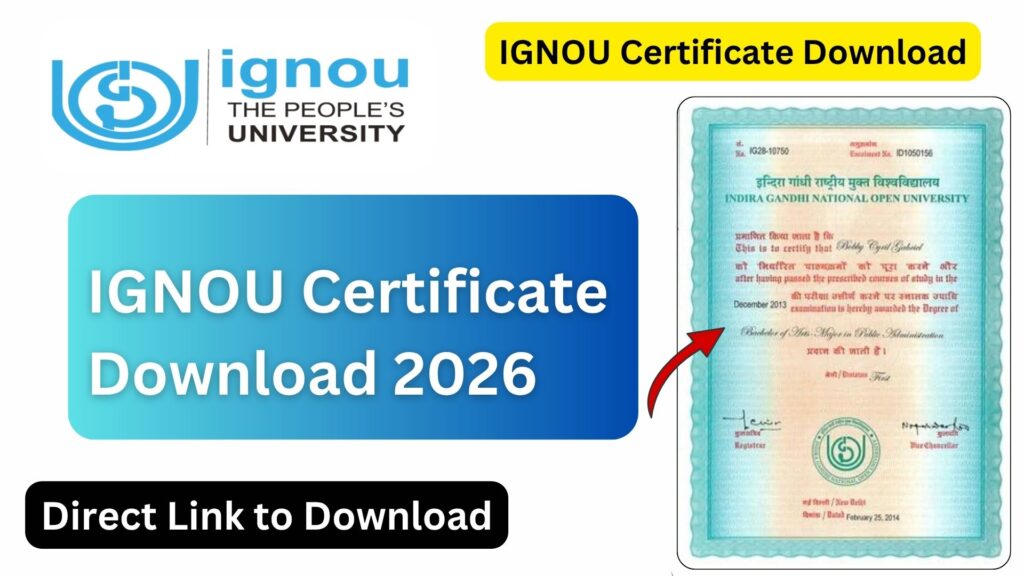
An IGNOU certificate is an official document issued by the university confirming that a student has successfully completed a course or program. It serves as valid proof for employment, higher education, and other academic purposes.
There are different types of certificates issued by IGNOU:
- Provisional Certificate
- Degree Certificate
- Diploma Certificate
- Marksheet / Grade Card
- Migration Certificate
Each of these documents has its own importance depending on your academic or professional requirements.
Types of IGNOU Certificates Explained
1. Provisional Certificate
This is issued immediately after the completion of your course. It acts as temporary proof until you receive your original degree.
2. Original Degree Certificate
This is the final certificate awarded during the IGNOU convocation. It is the most important academic document.
3. Marksheet / Grade Card
This contains subject-wise marks or grades obtained during the course.
4. Migration Certificate
Required when a student wants to move to another university for further studies.
5. Course Completion Certificate
Issued for short-term and certificate programs.
IGNOU Certificate Download – Overview
IGNOU now allows students to download their certificates online through the Samarth portal. This digital system ensures faster access and reduces dependency on postal delivery.
You can download your certificate if:
- You have successfully completed your program
- Your final results have been declared
- Your records are updated in the IGNOU system
Important Links and Information
Below is a table containing essential links and details related to IGNOU certificate download:
| Purpose | Details / Link |
|---|---|
| IGNOU Certificate Download Portal | https://ignou.samarth.edu.in/index.php/site/login |
| Official IGNOU Website | https://www.ignou.ac.in |
| Grade Card Status | https://gradecard.ignou.ac.in |
| IGNOU Student Zone | https://www.ignou.ac.in/ignou/studentzone |
| Convocation Portal | https://convocation.ignou.ac.in |
| Assignment Status | https://admission.ignou.ac.in/changeadmdata/StatusAssignment.ASP |
| Student Support Email | ssc@ignou.ac.in |
| Helpline Number | 011-29572513 |
To directly download your certificate, visit the official portal here:
https://ignou.samarth.edu.in/index.php/site/login
Step-by-Step Process to Download IGNOU Certificate
Follow these steps carefully to download your IGNOU certificate online:
Step 1: Visit the Official Portal
Go to the IGNOU Samarth portal using the link:
https://ignou.samarth.edu.in/index.php/site/login
Step 2: Login to Your Account
- Enter your Username (Enrollment Number)
- Enter your Password
- Click on the Login button
If you do not have an account, you may need to register first.
Step 3: Access Student Dashboard
Once logged in, you will be redirected to your student dashboard where all your academic details are available.
Step 4: Navigate to Certificate Section
Look for options like:
- Certificates
- Documents
- Downloads
Click on the relevant section.
Step 5: Select Certificate Type
Choose the certificate you want to download:
- Provisional Certificate
- Degree Certificate
- Marksheet
Step 6: Download the Certificate
Click on the download button. The certificate will be available in PDF format.
Step 7: Save and Print
- Save the file on your device
- Take a printout if required
How to Register on the IGNOU Samarth Portal?
If you are a new user, follow these steps:
- Visit the portal
- Click on “New Registration”
- Enter your enrollment number and personal details
- Create a password
- Submit the form
- Verify your email or mobile number
After registration, you can log in and access your certificates.
Eligibility for Downloading IGNOU Certificate
You can download your certificate only if:
- You have passed all subjects
- Assignments are submitted and evaluated
- Term-End Examination results are declared
- Your grade card shows “Completed”
- Your records are updated in the system
IGNOU Convocation and Certificate Distribution
IGNOU conducts convocation every year where original degree certificates are awarded. However, if you cannot attend the convocation:
- You can request delivery by post
- Or download a provisional certificate online
Convocation registration is mandatory to receive the original degree.
Common Issues While Downloading IGNOU Certificate
Many students face problems during the download process. Here are some common issues and solutions:
1. Login Issues
- Check your enrollment number
- Reset your password if needed
2. Certificate Not Available
- Wait for official result declaration
- Ensure grade card is updated
3. Incorrect Details
- Contact regional center
- Submit correction request
4. Website Not Working
- Try during non-peak hours
- Use a different browser
Difference Between Provisional and Original Certificate
| Feature | Provisional Certificate | Original Degree |
|---|---|---|
| Issued | Immediately after result | During convocation |
| Validity | Temporary | Permanent |
| Usage | Job applications | Official verification |
| Format | Digital / Print | Physical |
Benefits of Online Certificate Download
The online system provides several advantages:
- Instant access to documents
- No need to wait for postal delivery
- Easy storage and sharing
- Reduced paperwork
- Environment-friendly
What to Do If You Don’t Receive Your Certificate?
If your certificate is not available online or not received physically:
- Contact your IGNOU Regional Centre
- Email IGNOU support
- Check convocation status
- Apply for duplicate certificate if required
Tips for Students
- Always keep your login credentials safe
- Download and store certificates immediately
- Verify all details on the certificate
- Keep both digital and printed copies
- Regularly check IGNOU portal for updates
IGNOU Certificate Download for Different Programs
The process remains similar for all programs, including:
- BA, BCom, BSc
- MA, MCom, MSc
- Diploma courses
- Certificate programs
However, availability may vary depending on course completion and result declaration.
Importance of IGNOU Certificate
An IGNOU certificate is widely recognized and accepted in:
- Government jobs
- Private sector employment
- Higher education institutions
- Competitive exams
It adds credibility to your academic profile and opens career opportunities.
FAQ about IGNOU Certificate Download 2026
How can I download my IGNOU certificate?
You can download it from the IGNOU Samarth portal by logging in with your enrollment number and password.
Is the online certificate valid?
Yes, the provisional certificate downloaded online is valid for most purposes until the original degree is issued.
When will I get my original degree?
The original degree is provided during the IGNOU convocation.
What if I forget my login password?
You can reset your password using the “Forgot Password” option on the portal.
Can I download my marksheet online?
Yes, marksheets or grade cards can also be accessed online.
What should I do if my certificate has errors?
Contact your regional center and request correction.
Is convocation registration mandatory?
Yes, it is required to receive the original degree certificate.
Can I get a duplicate certificate?
Yes, IGNOU allows students to apply for duplicate certificates.
Conclusion
IGNOU has made the certificate download process simple and efficient through its online system. Students no longer need to wait for months to receive their documents. By using the Samarth portal, you can easily access and download your certificates anytime.
It is important to ensure that your academic records are complete and updated before attempting to download your certificate. Always verify the details and keep copies for future use.
If you face any issues, do not hesitate to contact IGNOU support services or your regional center. With proper guidance and timely action, you can smoothly obtain your IGNOU certificate and move forward in your academic or professional journey.
To download your IGNOU certificate, use the official portal:
https://ignou.samarth.edu.in/index.php/site/login