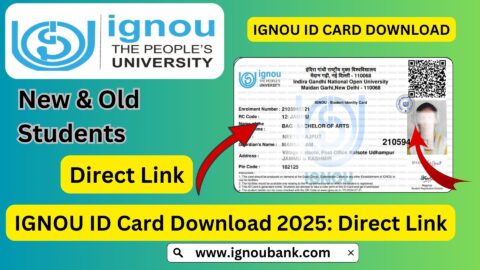
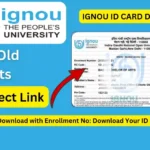
IGNOU ID Card Download with Enrollment No.: The IGNOU ID card is an important document for students enrolled in Indira Gandhi National Open University. Students can download their digital identity card online after their admission has been confirmed and their student account has been created on the IGNOU Samarth portal.
If you are searching for IGNOU ID card download with enrollment no, you can use your enrollment number to log in to the IGNOU student portal and access your Student Identity Card. The university provides the student ID card digitally, which means students do not necessarily have to wait for a physical identity card.
IGNOU’s official information confirms that the Student Identity Card can be downloaded through the Samarth student portal. The university also states that students should register on the Student Portal after admission confirmation to access various student services.
IGNOU ID Card Download with Enrollment No
Students who have received their IGNOU enrollment number can download their ID card through the student portal. The process is generally completed online and requires students to first create or access their student account.
Your enrollment number is an important identification number provided by IGNOU after admission confirmation. It is used for several student-related services, including checking admission details, accessing the student portal and downloading documents.
For downloading the ID card, students should make sure that their admission has been confirmed and that they have completed the required registration on the IGNOU Samarth student portal.
Important Links and Information
| Information | Details |
|---|---|
| University | Indira Gandhi National Open University |
| ID Card | IGNOU Student Identity Card |
| ID Card Download Portal | https://ignou.samarth.edu.in/ |
| Login Username | Enrollment Number |
| Required Details | Enrollment Number, registered email/mobile and portal password |
| ID Card Format | Digital/Online Student ID Card |
| Download Option | Available through student login |
| Official Website | https://www.ignou.ac.in/ |
| Admission/Registration Status | https://isms.ignou.ac.in/changeadmdata/AdmissionStatusNew.ASP |
| Main Purpose | Student identification and access to university services |
How to Download IGNOU ID Card with Enrollment Number?
The IGNOU ID card download process is simple if your admission has already been confirmed. Follow the steps below carefully.
Step 1: Visit the IGNOU Samarth Portal
First, open the official IGNOU student portal: https://ignou.samarth.edu.in
This is the portal that IGNOU provides for students to access various online services. The university’s official prospectus specifically lists the Samarth portal for downloading the Student I Card.
Step 2: Register on the Student Portal
If you have never created an account on the IGNOU Samarth student portal, look for the New Registration option.
You may need to provide details such as your program information, name, enrollment number and registered contact details.
According to IGNOU’s student FAQs, students whose admission has been confirmed should register on the Student Portal and create their own student account to access the available services.
Step 3: Enter Your Enrollment Number
During registration or login, enter your correct enrollment number.
Make sure that you enter the enrollment number exactly as provided by IGNOU. Avoid adding unnecessary spaces or changing any digits.
Your enrollment number is important because it identifies your student record in the university system.
Step 4: Verify Your Account
Depending on the portal process, you may receive an OTP or verification communication on your registered email address or mobile number.
Enter the required verification details and complete the registration process.
Students should use the email address and mobile number associated with their IGNOU admission whenever verification is required.
Step 5: Create or Use Your Password
After completing registration, create your student portal password if required.
If you have already registered, simply use your existing login credentials.
Keep your password secure because the same student portal may provide access to several important IGNOU services.
Step 6: Login to the IGNOU Student Portal
After registration, log in to:
Enter your enrollment number or registered login details and the password you created.
If your admission and student information have been successfully updated in the portal, you should be able to access the available student services.
Step 7: Open the ID Card Section
After logging in, look for the relevant Services or student services section.
Select the option related to the ID Card or Student ID Card.
The exact appearance of the portal can change when IGNOU updates its online systems, but the ID card service is provided through the student portal.
An IGNOU Regional Centre’s published instructions also describe accessing the Services section, selecting the ID Card option and downloading the ID card from the student portal.
Step 8: Download Your IGNOU ID Card
After opening the ID card section, select the option to download the ID card.
Your digital IGNOU ID card should be generated if your student information is available in the system.
Save the document on your mobile phone, computer or another secure location.
It is also a good idea to keep a printed copy of the ID card for situations where physical identification may be required.
Is Enrollment Number Required for IGNOU ID Card Download?
Yes, your enrollment number is an important part of the IGNOU student identification and login process.
Students receive their enrollment number after admission confirmation. The number is also used on several IGNOU services, including admission and registration-related services.
However, simply knowing the enrollment number may not be enough to download the ID card if you have not registered or logged in to the Samarth student portal. You generally need access to your student account.
Therefore, if you are searching for IGNOU ID card download with enrollment no, the correct approach is to use your enrollment number through the official IGNOU Samarth student portal rather than looking for an unofficial ID card download website.
What Information Is Available on the IGNOU ID Card?
The IGNOU student identity card is designed to identify a learner as an enrolled student of the university.
Depending on the version and student record, the ID card can contain information such as:
- Student name
- Enrollment number
- Programme information
- Photograph
- Student identification details
- University-related information
- Other details associated with the student’s admission record
IGNOU has previously described its online student identity card as a digitally generated card, including QR-code-based identification in its online admission system. The university has also stated that student information can be verified using the university’s online records.
What If My IGNOU ID Card Is Not Available?
Sometimes students may log in to the Samarth portal but find that their ID card is not immediately available.
There can be several reasons for this.
Admission May Not Be Confirmed
If your admission has not been confirmed, the ID card may not yet be available.
First, check your admission or registration status using the appropriate IGNOU service.
The official IGNOU admission status page allows students to enter their enrollment number and programme code to check their admission or registration details.
Student Portal Registration May Be Incomplete
If you have received your enrollment number but have not completed registration on the Samarth student portal, complete the registration process first.
IGNOU advises students to create a student account on the Samarth portal after admission confirmation.
Incorrect Login Details
Check whether you are entering the correct enrollment number and password.
If you recently created your account, make sure the registration process was completed successfully.
Student Details May Still Be Updating
In some cases, newly admitted students may have to wait until their admission and student information are properly reflected in the online system.
If your admission has been confirmed but the ID card is still unavailable after a reasonable period, you can contact IGNOU or your Regional Centre for assistance.
Can I Download the IGNOU ID Card on Mobile?
Yes. Students can access the IGNOU Samarth student portal through a mobile browser.
Open the official portal on your smartphone, log in with your student account and access the ID card section.
After downloading the ID card, you can save the file to your phone. It is recommended to keep a backup copy in cloud storage or another secure location.
If you need a physical copy, you can print the downloaded ID card.
What Should I Do If I Forget My IGNOU Portal Password?
If you have forgotten your Samarth student portal password, use the password recovery option available on the login page.
Follow the instructions provided by the portal to reset your password.
Do not create multiple accounts unnecessarily because your IGNOU student record is connected with your enrollment information.
If you are unable to recover your account through the available online process, contact IGNOU through its official student support channels.
Can I Download the IGNOU ID Card Without Enrollment Number?
Students should generally use their official enrollment details to access their student account and services.
If you have not received or cannot find your enrollment number, first check your admission confirmation communication and student records.
You can also use the official IGNOU admission or registration status service where applicable.
It is better to recover your correct enrollment number than to use an unofficial website claiming to download an IGNOU ID card without proper student verification.
Is the IGNOU ID Card Important?
Yes, students should keep their IGNOU ID card safely because it serves as an important student identification document.
It may be useful when dealing with university-related activities, Regional Centres, Learner Support Centres and other student services.
Students should save both a digital copy and, where useful, a printed copy.
Keeping the ID card readily available can also save time when a student needs to provide proof of enrollment.
IGNOU ID Card Download: Quick Steps
For students who want a short version of the process, the basic steps are:
- Visit https://ignou.samarth.edu.in/
- Complete New Registration if you have not registered.
- Enter your required student and enrollment details.
- Verify your account using the required verification method.
- Create or use your student portal password.
- Log in using your student credentials.
- Open the Services section.
- Select the ID Card option.
- Download your IGNOU Student ID Card.
- Save and print the downloaded ID card if required.
The published IGNOU instructions similarly describe registration, login, accessing Services, selecting the ID Card option and downloading the Student ID Card.
Important Tips for IGNOU Students
While downloading your ID card, keep the following points in mind:
Use the official portal: Always use the official IGNOU Samarth website instead of an unknown third-party website.
Check your enrollment number: Enter the enrollment number carefully because one incorrect digit can prevent you from accessing the correct student record.
Keep your password safe: Your student portal account may provide access to several important services.
Save a backup: After downloading the ID card, save another copy on your computer, phone or secure cloud storage.
Print a copy: Although the digital ID card is convenient, keeping a printed copy can be useful.
Check your details: After downloading the ID card, check your name, photograph, enrollment number and programme details. If you notice an error, contact the appropriate IGNOU support channel.
FAQ about IGNOU ID Card Download with Enrollment No
How can I download my IGNOU ID card with enrollment number?
You can download your IGNOU ID card through the official Samarth student portal at https://ignou.samarth.edu.in/. Register or log in using your student credentials and then access the ID Card section.
What is the official website for IGNOU ID card download?
The official portal for downloading the IGNOU Student I Card is the IGNOU Samarth student portal:
https://ignou.samarth.edu.in/
IGNOU’s official prospectus lists this portal specifically for downloading the Student I Card.
Can I download the IGNOU ID card using only my enrollment number?
Your enrollment number is an important student identifier, but you generally need to access your student account on the Samarth portal to download the ID card.
I have my enrollment number but cannot download my ID card. What should I do?
First, check whether your admission has been confirmed and whether you have completed registration on the IGNOU Samarth student portal. Also verify that you are using the correct login details.
Can I download my IGNOU ID card from my mobile phone?
Yes. You can access the Samarth student portal using a mobile browser and download the ID card if it is available in your account.
What if my name is incorrect on the IGNOU ID card?
If your personal information is incorrect, you should contact the appropriate IGNOU student support or Regional Centre and follow the university’s procedure for correcting student records.
Is the IGNOU ID card available online?
Yes. IGNOU provides a digital Student Identity Card through its online student/admission systems. The university states that the student identity card is generated online and can be downloaded and printed.
Do I need to register on the Samarth portal?
If you have not previously created your student account, you may need to complete New Registration on the Samarth student portal. IGNOU’s student FAQs specifically instruct students to register on the Student Portal after admission confirmation.
Can I print my downloaded IGNOU ID card?
Yes. After downloading the digital ID card, you can print it for your personal use and keep the printed copy safely.
Is the enrollment number the same as the programme code?
No. The enrollment number identifies the student, while the programme code identifies the academic programme. They are different pieces of information and should not be confused.
Conclusion
The process for IGNOU ID card download with enrollment no is straightforward once your admission has been confirmed and your student account is active. The main requirement is to use the official IGNOU Samarth student portal and access the ID card service through your student account.
To download your ID card, visit https://ignou.samarth.edu.in/, complete the required registration or login process, enter your enrollment details, open the relevant student services section and download your Student Identity Card.
Students should always use the official IGNOU portal and avoid relying on unofficial websites for important student documents. After downloading the ID card, save a digital backup and keep a printed copy if needed.
For the latest student services and university information, students can also visit the official IGNOU website at https://www.ignou.ac.in/. IGNOU’s Student Registration Division manages admission and registration-related services and provides online facilities for learners.