IGNOU Certificate Download 2026: The IGNOU certificate download process is one of the most important steps after completing your program at Indira Gandhi National Open University (IGNOU). Whether you have completed a degree, diploma, or certificate course, obtaining your certificate is essential for career growth, higher education, and official verification purposes.
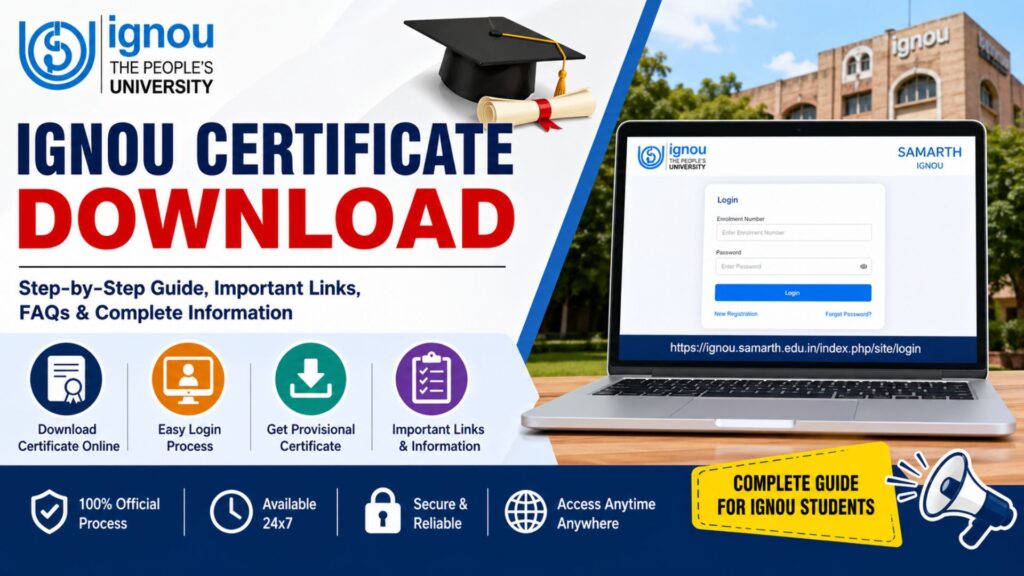
In this detailed guide, you will learn everything about the IGNOU certificate download process, including eligibility, steps to download, important links, common issues, solutions, and frequently asked questions. This article is designed to help students easily access their certificates without confusion.
What is IGNOU Certificate Download?
The IGNOU certificate download refers to the process of accessing your provisional or digital certificate online through the official IGNOU portal. After successfully completing your course, IGNOU provides certificates in both physical and digital formats.
The digital certificate is especially useful because:
- It is instantly accessible
- It can be used for job applications
- It serves as temporary proof until the original certificate arrives
Types of Certificates Issued by IGNOU
Before proceeding with the IGNOU certificate download process, it is important to understand the types of certificates provided:
1. Provisional Certificate
This is issued immediately after program completion and is available online.
2. Original Degree Certificate
This is provided during the convocation ceremony or sent via post.
3. Diploma/Certificate Course Certificate
Issued for short-term programs and can also be downloaded online.
Eligibility for IGNOU Certificate Download
You can access your certificate online if you meet the following conditions:
- You have successfully completed all assignments, term-end exams, and practicals
- Your final results have been declared
- Your grade card shows “Completed”
- Your enrollment number is active
Important Links and Information
Below is a table containing essential links and details related to the IGNOU certificate download process:
| Purpose | Details |
|---|---|
| IGNOU Certificate Download Portal | https://ignou.samarth.edu.in/index.php/site/login |
| Official IGNOU Website | https://www.ignou.ac.in |
| Grade Card Status | Available on IGNOU student portal |
| Convocation Registration | Available via IGNOU website |
| Required Credentials | Enrollment Number and Password |
| Certificate Type | Provisional / Final |
| Mode of Access | Online (Digital Download) |
| Support | Regional Centre / IGNOU Helpdesk |
Step-by-Step Process for IGNOU Certificate Download
Follow these simple steps to complete your IGNOU certificate download successfully:
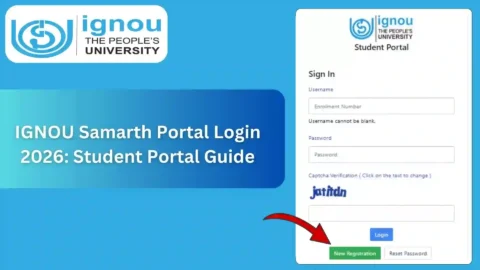
Step 1: Visit the Official Login Portal
Go to the official IGNOU Samarth portal using the link below:
https://ignou.samarth.edu.in/index.php/site/login
Step 2: Enter Login Credentials
- Enter your Enrollment Number
- Enter your Password
If you are a new user, you may need to register first.
Step 3: Access Dashboard
Once logged in, you will see your student dashboard.
Step 4: Navigate to Certificate Section
Look for options such as:
- “Certificates”
- “Downloads”
- “Academic Records”
Step 5: Select Certificate Type
Choose the certificate you want to download:
- Provisional Certificate
- Course Completion Certificate
Step 6: Download the Certificate
Click on the download option and save the PDF file.
Step 7: Print the Certificate
Take a printout for official use if needed.
How to Register on IGNOU Portal? (If Not Registered)
If you are unable to log in, follow these steps:
- Click on “New Registration”
- Enter your Enrollment Number
- Provide your email ID and mobile number
- Create a password
- Verify using OTP
- Complete registration
Common Issues in IGNOU Certificate Download
Many students face problems while downloading their certificates. Here are some common issues and solutions:
1. Certificate Not Available
Reason: Results not fully updated
Solution: Wait for official confirmation or check grade card
2. Login Issues
Reason: Incorrect credentials
Solution: Use “Forgot Password” option
3. Website Not Working
Reason: Server load
Solution: Try during non-peak hours
4. Incorrect Details in Certificate
Reason: Data entry error
Solution: Contact regional centre
Importance of IGNOU Certificate
The IGNOU certificate plays a crucial role in your academic and professional journey:
- Proof of qualification
- Required for job applications
- Needed for higher education admissions
- Valid for government and private sector jobs
IGNOU Convocation and Certificate Distribution
While the IGNOU certificate download gives you digital access, the original certificate is distributed during the convocation.
Key Points:
- Students must register for convocation
- A fee may be applicable
- Certificates are sent via post if not collected
Tips for Smooth IGNOU Certificate Download
- Always keep your enrollment number handy
- Use a stable internet connection
- Check your result status before downloading
- Save multiple copies of your certificate
- Verify details immediately after download
IGNOU Certificate vs Degree: What’s the Difference?
| Feature | Certificate | Degree |
|---|---|---|
| Type | Digital/Provisional | Original |
| Availability | Online | Convocation/Post |
| Use | Temporary proof | Permanent document |
| Format | Printed |
What to Do If You Haven’t Received Your Certificate?
If you are unable to access your certificate:
- Contact your regional IGNOU centre
- Raise a complaint via IGNOU support
- Check convocation status
- Verify address details for postal delivery
FAQ about IGNOU Certificate Download 2026
How can I complete IGNOU certificate download?
You can download your certificate from the official portal by logging in with your enrollment number and password.
Is IGNOU certificate download free?
Yes, downloading the digital certificate is completely free.
Can I use the downloaded certificate for jobs?
Yes, the provisional certificate is valid for most job applications.
What if I forget my login password?
You can reset it using the “Forgot Password” option on the portal.
When will I get the original certificate?
You will receive it during convocation or via post.
Why is my certificate not showing?
It may not be generated yet. Wait until your results are fully updated.
Can I download the certificate multiple times?
Yes, you can download it anytime from your account.
Is the digital certificate valid internationally?
Yes, IGNOU certificates are recognized globally.
Do I need to pay for the original certificate?
Yes, a convocation fee may be required.
Conclusion
The IGNOU certificate download process is simple, efficient, and essential for every student who has completed their program. With the availability of the online portal, students can now access their certificates anytime without waiting for physical delivery.
By following the step-by-step guide provided in this article, you can easily download your certificate and use it for academic and professional purposes. Always ensure that your academic records are complete and accurate before attempting to download.
If you face any issues, do not hesitate to contact IGNOU support or your regional centre. Keeping your documents ready and staying updated with official announcements will make the entire process smooth and hassle-free.
Downloading your IGNOU certificate is the final step in your academic journey with the university, and it marks the beginning of new opportunities ahead.