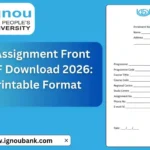
IGNOU Assignment Front Page PDF Download 2026: If you are an IGNOU student looking for the IGNOU Assignment Front Page PDF, you can download a ready-to-use front page and use it while preparing your Tutor Marked Assignment (TMA). The front page is important because it contains the basic details required to identify your assignment, including your enrolment number, name, programme, programme code, course title, course code, regional centre, study centre and assignment number.
IGNOU’s assignment instructions require students to provide important learner and course details on the title or front page. Official IGNOU assignment instructions commonly mention details such as enrolment number, name, address, signature, date, programme title, course code, course title, assignment code and study/work centre.
IGNOU Assignment Front Page PDF Download
The IGNOU assignment front page PDF provided above is a convenient format that students can download, print and fill in before attaching it to their assignment.
The PDF contains fields for:
- Enrolment Number
- Name
- Address
- Programme
- Programme Code
- Course Title
- Course Code
- Regional Centre
- Study Centre
- Assignment Number
- Phone Number
- Email ID
- Date
- Signature
The downloadable PDF contains these fields on a single front page.
Download Link
IGNOU Assignment Front Page PDF: Click Here to Download IGNOU Assignment Front Page PDF
You can download the PDF, take a printout and enter your details carefully.
Important Links and Information for IGNOU Assignment
| Information | Details |
|---|---|
| Front Page PDF | Download IGNOU Assignment Front Page PDF |
| IGNOU Current Assignments | IGNOU Current Assignments |
| IGNOU Assignment Portal | IGNOU Assignment Portal |
| IGNOU Assignment Status | Assignment Status Portal |
| Enrolment Number | Your IGNOU enrolment number |
| Programme | Your enrolled programme name |
| Programme Code | Code of your programme |
| Course Code | Code of the course for which the assignment is being submitted |
| Course Title | Full name of the course |
| Regional Centre | Regional Centre associated with your admission |
| Study Centre | Your allotted study/learner support centre |
| Assignment Number | Assignment number/code mentioned in the assignment |
| Signature | Student’s signature |
| Date | Date on which the assignment is prepared/submitted |
IGNOU’s official website provides current, old and archived assignment resources through its Student Services/Downloads section.
What Is an IGNOU Assignment Front Page?
The IGNOU assignment front page is the first page attached to an assignment submitted by an IGNOU student. It provides identification and course-related information to help the concerned centre or evaluator identify the student and the particular course assignment.
Students should not treat the front page as just a decorative cover. It contains information that connects the assignment with the correct student, programme and course.
IGNOU assignment instructions specify that important student and assignment information should be provided on the title page. For example, official IGNOU instructions for current assignments require information such as enrolment number, name, address, signature, date, programme title, course code and title, assignment code and work centre.
The exact format can vary depending on the programme or assignment instructions. Therefore, students should also check the instructions supplied with their particular assignment.
How to Fill IGNOU Assignment Front Page?
After downloading the PDF, fill each field carefully. Avoid spelling mistakes and make sure the information matches your IGNOU records.
1. Enrolment Number
Enter your complete IGNOU enrolment number in the enrolment number field.
The enrolment number is important because it identifies your student record. Check your ID card or official IGNOU documents before writing it.
Do not accidentally enter another number such as a control number or registration-related number if the assignment specifically asks for the enrolment number.
2. Name
Enter your full name as recorded in your IGNOU admission or student records.
It is better to keep the spelling consistent with your official IGNOU documents.
3. Address
Enter your complete address in the address field.
If the provided space is not sufficient, write the address clearly on the available lines without making the information difficult to read.
4. Programme
Write the name of your programme.
For example, if you are enrolled in a bachelor’s, master’s, diploma or certificate programme, enter the appropriate programme name as mentioned in your IGNOU records.
5. Programme Code
Enter the correct programme code.
The programme code is different from the course code. Make sure you do not interchange these two fields.
6. Course Title
Enter the complete title of the course for which you are submitting the assignment.
Check the assignment PDF or official IGNOU assignment listing to confirm the course title.
7. Course Code
Enter the correct course code.
For example, an assignment may have a course code such as a particular three-, four-, six- or seven-character code depending on the programme.
The course code should match the assignment you are submitting.
8. Regional Centre
Enter the name or code of your IGNOU Regional Centre.
Your Regional Centre is associated with your IGNOU student services and academic administration. If you are unsure about the exact details, check your official student documents.
9. Study Centre
Enter your allotted Study Centre details.
The Study Centre is important because assignment submission arrangements can depend on the applicable instructions of your Regional Centre or Learner Support Centre.
IGNOU’s official assignment instructions have referred to submission at the assigned study/work centre, although submission procedures can vary by programme and current instructions.
10. Assignment Number
Write the assignment number or assignment code mentioned in the assignment document.
This helps identify which assignment you are submitting.
Do not confuse the assignment number with the course code.
11. Phone Number
Enter your active mobile number.
Use a number that you can access if the centre needs to contact you regarding your assignment.
12. Email ID
Enter your active email address carefully.
Check the spelling before submitting the assignment.
13. Date
Enter the date on which you are preparing or submitting the assignment, according to the applicable submission instructions.
14. Signature
Sign in the designated space.
If you are submitting a physical handwritten assignment, use a consistent and clear signature.
Why Is the IGNOU Assignment Front Page Important?
The front page helps provide the evaluator or concerned centre with the information needed to identify the assignment.
IGNOU states that assignments are part of the continuous assessment of students, and students pursuing a programme are required to submit assignments for the courses that constitute their programme.
Therefore, students should make sure that their assignment is properly identified before submission.
A missing or incorrectly completed front page can create unnecessary confusion, particularly when several assignments are being submitted together. Students should therefore carefully check all details before submitting.
IGNOU Assignment Front Page Format
There is no need to create a complicated design for an IGNOU assignment front page.
A simple and clearly formatted page containing the required information is generally preferable.
The downloadable front page provided in this article contains the major fields students commonly need to provide, including enrolment number, name, address, programme, programme code, course title, course code, Regional Centre, Study Centre, assignment number, phone number, email ID, date and signature.
However, students should always follow any specific format or additional requirements mentioned in their programme guide or assignment instructions.
Should the IGNOU Assignment Front Page Be Handwritten?
Whether the front page should be handwritten or printed can depend on the submission method and instructions applicable to your programme.
For handwritten assignments, students may print the front page and fill in the required information manually. Some programme instructions also specify handwritten assignment responses. For example, IGNOU programme guidance has instructed students in some programmes to submit handwritten assignments and retain a copy for their records.
If your current assignment instructions specify a particular method, follow those instructions.
How to Prepare an IGNOU Assignment?
Preparing an assignment involves more than simply downloading the question paper and writing answers.
A basic process can be followed:
- Download the correct assignment for your programme and course.
- Check that the assignment is valid for your admission/session.
- Read all instructions carefully.
- Download and print the assignment front page if required.
- Fill in your student and course details.
- Write your answers according to the assignment instructions.
- Check that every question has been answered.
- Arrange the pages in the correct order.
- Sign and date the required sections.
- Submit the assignment using the method specified by IGNOU or your concerned centre.
IGNOU’s official assignment instructions emphasize reading the assignment carefully and following the instructions provided with it.
Use the Correct Assignment Before Submission
One of the most important things students should check is whether they are using the correct assignment for their course and session.
IGNOU’s current assignment guidance says students should search for assignments using the programme or course code and check the validity of the assignment before downloading it.
The official archived assignment page also provides session information and due-date information for listed assignments.
Therefore, do not simply use an old assignment because the course code looks similar. Always check the applicable session and validity.
IGNOU Assignment Front Page for Online Submission
Many IGNOU students now submit assignments through online submission systems where applicable. The exact procedure can vary according to the programme, Regional Centre and current submission instructions.
If you are required to upload your assignment as a PDF, make sure the front page is included in the final file if the applicable instructions require it.
Before uploading, check:
- Your enrolment number
- Name
- Programme code
- Course code
- Course title
- Assignment number
- Regional Centre
- Study Centre
- Mobile number
- Email address
- Date
- Signature
Make sure the scanned pages are readable and that the complete assignment is included in the correct order.
Keep a Copy of Your Submitted Assignment
It is advisable to keep a copy of your completed assignment after submission.
For online submission, save the final PDF and any submission confirmation or receipt.
For physical submission, keep a photocopy or scanned copy of the completed assignment and proof of submission wherever available.
This can be useful if you later need to verify what was submitted.
Where Can Students Download IGNOU Assignments?
Students can access assignments through IGNOU’s official assignment resources. IGNOU provides a current assignment section where students can search for assignments by programme or course.
The official assignment portal also organizes assignments programme-wise, including master’s, bachelor’s, postgraduate diploma, diploma and certificate programmes.
Students should use the course code and programme information to locate the appropriate assignment.
IGNOU Assignment Front Page PDF Download Link
If you are specifically searching for a ready-made IGNOU Assignment Front Page PDF, you can download it using the link below:
Download IGNOU Assignment Front Page PDF
The PDF contains the student-information fields needed for preparing an assignment front page, including enrolment number, name, address, programme, programme code, course title, course code, Regional Centre, Study Centre, assignment number, phone number, email, date and signature.
FAQ about IGNOU Assignment Front Page PDF Download 2026
What is an IGNOU assignment front page?
The IGNOU assignment front page is the first page of an assignment that contains important student, programme and course information. It helps identify the assignment and connect it with the correct student and course.
Where can I download the IGNOU assignment front page PDF?
You can download the front page PDF provided in this article here:
Download IGNOU Assignment Front Page PDF
What details are required on the IGNOU assignment front page?
The provided PDF includes fields for enrolment number, name, address, programme, programme code, course title, course code, Regional Centre, Study Centre, assignment number, phone number, email ID, date and signature.
Is the IGNOU front page compulsory?
Students should follow the instructions applicable to their particular programme and assignment. IGNOU assignment instructions commonly require important student and course details on the title page.
Can I print the IGNOU assignment front page?
Yes. You can download the PDF, print it and fill in the required information, subject to the submission instructions applicable to your programme.
Do I need to write my enrolment number on the front page?
Yes, where the assignment instructions require it. The enrolment number is one of the key identification details specified in IGNOU assignment instructions.
What is the difference between programme code and course code?
The programme code identifies your overall IGNOU programme, while the course code identifies the specific course for which you are submitting an assignment. Both should be entered in their respective fields.
What should I write in the Assignment Number field?
Enter the assignment number or assignment code provided in the assignment document. Check the assignment carefully before filling out this field.
Should I mention my Regional Centre and Study Centre?
If those fields are included in the applicable front-page format, provide the correct Regional Centre and Study Centre details. The downloadable format provided here includes both fields.
Can I use an old IGNOU assignment front page?
The basic identification fields may remain similar, but students should follow the latest instructions applicable to their programme and assignment. The assignment itself must also be valid for the relevant session.
Where can I find the latest IGNOU assignments?
IGNOU provides current assignment resources through its official Student Services/Downloads pages. Students can search for assignments using their programme or course code.
Conclusion
The IGNOU Assignment Front Page PDF makes it easier for students to prepare the first page of their assignments with the required student and course information. Before submitting an assignment, carefully enter your enrolment number, name, programme, programme code, course title, course code, Regional Centre, Study Centre, assignment number and other required details.
You can download the ready-to-use front page PDF here:
IGNOU Assignment Front Page PDF Download
Remember to check the current IGNOU assignment instructions for your programme and session because specific submission requirements can vary. IGNOU also advises students to check the validity of an assignment before downloading and submitting it.