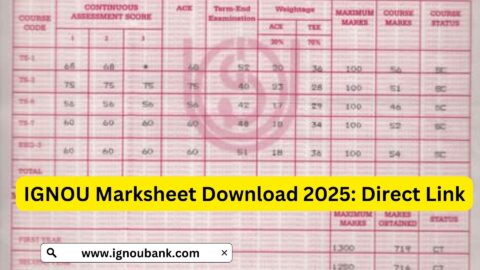
IGNOU Assignment Result 2026 is an important update for students of Indira Gandhi National Open University (IGNOU) who have submitted their assignments for the current academic session. Assignments are an essential part of many IGNOU programmes, and students need to check whether their submitted work has been evaluated and whether the marks have been updated in their grade cards.
After submitting an assignment, students often want to know whether it has been received by their study centre, evaluated by the university and updated in the online result system. IGNOU provides online student services through which learners can check their grade cards and other academic information.
Students should understand that assignment marks may not appear immediately after submission. Evaluation and mark updates can take time, and the status may differ between subjects and programmes. If marks are missing, students should first check their submission records and then contact the appropriate study centre or regional centre.
In this article, you will learn how to check the IGNOU Assignment Result 2026, understand assignment status, download the grade card, resolve missing marks and find important official links.
Important: This article explains the general process for checking IGNOU assignment marks. It does not confirm that assignment results for every programme or session have been declared. Students should check the latest information through IGNOU’s official student services.
IGNOU Assignment Result 2026 Overview
| Particulars | Details |
|---|---|
| University Name | Indira Gandhi National Open University |
| Popular Name | IGNOU |
| Article Topic | IGNOU Assignment Result 2026 |
| Academic Session | 2026 |
| Result Type | Assignment Marks and Evaluation Status |
| Mode of Checking | Online |
| Official Website | https://www.ignou.ac.in/ |
| Student Portal | https://ignou.samarth.edu.in/index.php/site/login |
| Grade Card Information | Assignment, theory and practical marks, where applicable |
| Enrollment Number | Required for student-related services |
| Result Availability | Updated according to the university’s evaluation process |
What Is IGNOU Assignment Result 2026?
IGNOU Assignment Result 2026 refers to the marks awarded to students for assignments submitted as part of their academic programmes.
IGNOU follows a distance and open learning system in which assignments are an important component of assessment. Students are generally required to complete and submit assignment responses for their registered courses according to the instructions issued by the university.
After submission, assignments are checked and evaluated through the prescribed university process. The marks are then updated in the student’s academic record or grade card.
Assignment marks are important because they contribute to the overall performance of students. Depending on the programme and course requirements, students may also need to complete term-end examinations, practical examinations, projects or other assessment activities.
Students should therefore check their assignment marks regularly and ensure that all required academic components are completed.
How to Check IGNOU Assignment Result 2026 Online?
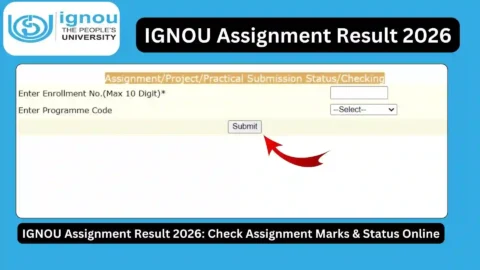
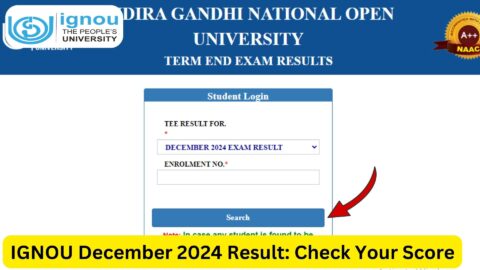
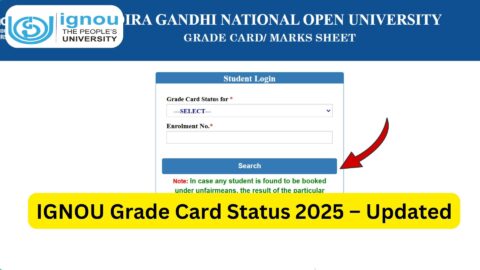
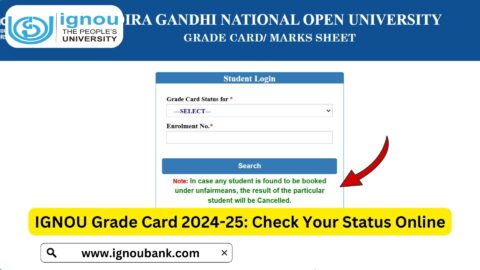
Students can generally check their assignment marks through the IGNOU grade card service. Follow these steps to view your updated academic information.
Step 1: Visit the IGNOU Grade Card Page
Open the IGNOU grade card service or the relevant student result page.
You can also use this resource: https://www.ignoubank.com/ignou-grade-card/
Step 2: Enter Your Enrollment Number
Enter your correct IGNOU enrollment number in the required field. Make sure that there are no typing errors.
Step 3: Select Your Programme
Choose your programme from the available list, if the portal asks you to select one.
Examples of IGNOU programmes include:
- BA
- BCom
- BSc
- BCA
- MCA
- MA
- MCom
- MBA
- MSW
- Other undergraduate and postgraduate programmes
Step 4: Submit the Details
Click the submit or search option to view your grade card.
Step 5: Check Assignment Marks
Look for the assignment marks column or the relevant assessment details. Depending on the programme and portal, the grade card may also display theory examination and practical marks.
Step 6: Download or Save Your Grade Card
If the information is available, download or print the grade card for future reference.
Students should remember that the grade card may show incomplete information while the university is still processing assignment or examination marks.
How to Check IGNOU Assignment Status 2026?
Assignment status and assignment result are related, but they do not always mean the same thing.
Assignment status generally refers to the progress of a submitted assignment, while assignment result refers to the marks awarded after evaluation.
Students can follow these steps to check their assignment-related updates:
- Visit the official IGNOU website.
- Open the student services or relevant assignment information section.
- Look for the assignment or grade card update relevant to your programme.
- Enter the requested enrollment or programme details, if required.
- Check whether the assignment marks have been updated.
- Save a copy of the displayed information for future reference.
If the assignment marks are not available, it does not automatically mean that the assignment has been rejected. The evaluation or data update may still be pending.
IGNOU Assignment Result 2026: Understanding Different Statuses
Students may see different types of information when checking their grade cards. Understanding these details can help avoid unnecessary confusion.
1. Assignment Marks Updated
If assignment marks are displayed against a course, it generally means that the marks have been entered into the relevant academic record.
Students should verify that the course code and marks correspond to the assignment they submitted.
2. Assignment Marks Not Updated
If the assignment marks are missing, the evaluation or mark-entry process may not have been completed.
Students should allow time for processing and contact their study centre if the marks remain unavailable beyond the expected period.
3. Assignment Submission Pending
A pending status may indicate that the university or relevant centre has not completed the required processing. Students should check their submission receipt and contact the appropriate centre if necessary.
4. Assignment Not Received
If the assignment is shown as not received or no submission record is available, students should verify the submission details.
Keep the assignment receipt, email confirmation or other proof of submission available when contacting the study centre.
5. Assignment Marks Updated but Grade Card Incomplete
Sometimes one component of the grade card is updated while another remains pending.
For example, assignment marks may be available while term-end examination marks are not yet updated. Students should check each course separately.
Why Are IGNOU Assignment Marks Not Showing?
Many IGNOU students face situations in which assignment marks do not appear in their grade cards. There can be several reasons for this.
1. Assignment Evaluation Is Pending
The assignment may have been received but not yet evaluated. The evaluation process can take time, particularly when a large number of students have submitted assignments.
2. Marks Have Not Been Uploaded
After evaluation, marks may still need to be entered or uploaded to the university’s online system.
3. Assignment Submission Details Need Verification
Incorrect enrollment numbers, course codes or other details can create problems during processing.
Students should check the details mentioned on their assignment submission receipt.
4. Study Centre Processing Delay
The study centre or relevant evaluation authority may take additional time to process assignment records.
5. Grade Card Update Is Pending
Even after an assignment has been evaluated, the online grade card may not immediately reflect the marks.
6. Assignment Was Not Submitted Correctly
If the assignment was not submitted according to the prescribed instructions, the submission may not be processed as expected.
Students should confirm the submission method, deadline and acceptance status with the relevant centre.
What to Do If IGNOU Assignment Marks Are Missing?
If your assignment marks are not showing in the IGNOU grade card, follow these steps.
1. Check Your Enrollment Number
Make sure that you are checking the correct enrollment number and programme.
2. Verify the Course Code
Confirm that the course code in your grade card matches the assignment you submitted.
3. Keep Submission Proof
Save your assignment submission receipt, acknowledgement, email or other proof.
4. Contact Your Study Centre
Contact the study centre where you submitted the assignment. Ask whether the assignment has been received and evaluated.
5. Contact the Regional Centre
If the issue is not resolved through your study centre, contact the relevant IGNOU regional centre.
6. Use Official Student Support
If required, use the official IGNOU website and student support channels to raise your concern.
When contacting the university, provide your enrollment number, programme code, course code and assignment submission details. Avoid sharing personal information on unofficial websites or social media pages.
IGNOU Assignment Marks and Grade Card
The IGNOU grade card is an important academic record. It provides information about a student’s performance in different assessment components.
Depending on the programme, the grade card may contain:
| Grade Card Component | Information |
|---|---|
| Enrollment Number | Student identification number |
| Programme Code | Registered academic programme |
| Course Code | Individual subject or course |
| Assignment Marks | Marks awarded for assignments |
| Term-End Examination | Theory examination marks |
| Practical Marks | Practical assessment marks, where applicable |
| Project Marks | Project evaluation details, where applicable |
| Status | Available assessment or completion information |
Students should check the grade card carefully after each result update.
It is also important to understand that assignment marks alone do not necessarily mean that a student has completed a course. Other required components, such as theory examinations and practical assessments, may also need to be completed.
Difference Between IGNOU Assignment Result and Term-End Examination Result
Students sometimes confuse assignment results with term-end examination results. Both are important, but they represent different assessment components.
| Particulars | Assignment Result | Term-End Examination Result |
|---|---|---|
| Assessment Type | Internal assignment assessment | University examination |
| Evaluation | Assignment evaluation process | Examination evaluation process |
| Marks | Assignment marks | Theory examination marks |
| Course Coverage | Depends on programme requirements | Registered examination courses |
| Result Display | May appear in grade card | May appear in grade card and result services |
| Importance | Contributes to course assessment | Contributes to course assessment |
Students should check both components to understand their complete academic performance.
Important Links for IGNOU Assignment Result 2026
The following links can help students access IGNOU services and other useful academic resources.
| Description | Important Link |
|---|---|
| IGNOU Official Website | https://www.ignou.ac.in/ |
| IGNOU Student Portal | https://ignou.samarth.edu.in/index.php/site/login |
| IGNOU Samarth Portal | https://ignou.samarth.edu.in/ |
| Check IGNOU Grade Card | https://www.ignoubank.com/ignou-grade-card/ |
| IGNOU Assignment Front Page | https://ignoubank.com/ignou-assignment-front-page/ |
| IGNOU Book Status | https://www.ignoubank.com/ignou-book-status/ |
| IGNOU Hall Ticket Portal | https://ignou.samarth.edu.in/ |
Note: The IGNOU official website and student portal should be treated as the primary sources for university updates. The additional resources listed above are informational resources and are not substitutes for official university records.
How to Download IGNOU Assignment Result or Grade Card PDF?
Students who want to save their assignment marks can follow these general steps:
- Open the IGNOU grade card service.
- Enter your enrollment number.
- Select the appropriate programme.
- View the displayed grade card.
- Check the assignment marks and other assessment details.
- Use the download or print option if available.
- Save the document on your device.
If the portal does not provide a direct PDF download option, students can use the browser’s print function and select the option to save the page as a PDF.
Always keep a copy of the latest available grade card for academic reference.
Important Instructions for IGNOU Students
Students should remember the following points when checking their assignment results:
- Use the correct enrollment number.
- Select the correct programme.
- Check course codes carefully.
- Do not assume that missing marks mean assignment rejection.
- Keep assignment submission proof safe.
- Check the grade card regularly for updates.
- Contact the study centre if marks remain missing.
- Follow official university instructions regarding assignment evaluation.
- Do not rely on unofficial messages claiming that results have been declared.
- Avoid sharing enrollment details and other personal information on untrusted websites.
FAQ about IGNOU Assignment Result 2026
How can I check IGNOU Assignment Result 2026?
You can check your assignment marks through the IGNOU grade card service. Enter your enrollment number, select your programme and check the assignment marks displayed against your courses.
Where can I check IGNOU assignment marks online?
Students can use the IGNOU grade card service and the relevant official student services. You can also visit the IGNOU official website at https://www.ignou.ac.in/.
Are IGNOU assignment results and grade cards the same?
No. Assignment results refer to the marks awarded for submitted assignments. A grade card is a broader academic record that may include assignment marks, theory examination marks, practical marks and other assessment information.
Why are my IGNOU assignment marks not showing?
Assignment marks may not appear because evaluation is pending, marks have not been uploaded, or the online grade card has not been updated. Contact your study centre if the issue continues.
How long does IGNOU take to update assignment marks?
There is no single processing time that applies to every programme and study centre. The time required depends on assignment evaluation and the university’s mark-entry process.
Can I check IGNOU assignment results using my enrollment number?
Yes. The enrollment number is generally required to access your grade card and other student-related academic information.
What should I do if my assignment marks are incorrect?
If you believe your marks are incorrect, contact your study centre or the relevant regional centre. Provide your enrollment number, course code and assignment submission details, and follow the university’s instructions for raising the issue.
Can I download the IGNOU grade card?
Students can view their grade card online and save or print it. If a direct PDF option is unavailable, the browser’s print function may allow you to save it as a PDF.
Do assignment marks appear separately from theory marks?
Yes. Assignment marks and term-end examination marks are separate assessment components. They may be displayed in different columns in the grade card.
What if my assignment submission is not showing?
First, check your submission receipt and confirm that the assignment was submitted to the correct centre using the prescribed method. Then contact your study centre with the available proof of submission.
Can I pass an IGNOU course without submitting assignments?
Assignment requirements depend on the programme and course rules. Where assignments are compulsory, students must complete and submit them according to university instructions to fulfil the assessment requirements.
Conclusion
IGNOU Assignment Result 2026 is an important update for students who have submitted their assignments and are waiting for their marks. Students can generally check their assignment performance through the IGNOU grade card service by entering their enrollment number and selecting the correct programme.
If assignment marks are missing, there is no need to panic immediately. Evaluation, mark entry and online updates may take time. Students should keep their submission receipts, verify course details and contact their study centre or regional centre if the marks remain unavailable.
For accurate academic information, always use the official IGNOU website and authorised student services. Check your grade card regularly, complete all required assessment components and keep a copy of your updated academic record for future reference.