IGNOU Admission Status 2026: If you have recently applied for admission to Indira Gandhi National Open University (IGNOU), one of the most important things to do after submitting your application is to check your IGNOU admission status. The admission status helps students verify whether their admission and registration details have been updated in the university’s online system.
IGNOU provides an official online facility called “Know Your Admission/Registration Details”, where students can check their admission and registration information by entering their enrollment number, programme code and verification code.
This article explains how to check IGNOU admission status online, what information is required, what to do if the status is not showing, and answers some frequently asked questions.
What Is IGNOU Admission Status?
IGNOU admission status refers to the admission and registration information available in the university’s student information system. After submitting an admission application, students can use the official status service to check details associated with their IGNOU enrollment.
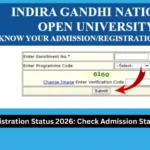
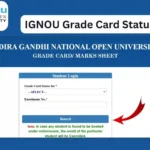
The official IGNOU status page is titled “Know Your Admission/Registration Details.” It asks students to enter their enrollment number, select their programme code and enter the verification code displayed on the page.
Checking admission status is particularly useful for students who have recently completed the admission process and want to confirm that their details have been updated in the university system.
IGNOU also states that after an admission application is submitted, students can track the progress of their application. Once admission is confirmed, communication may be sent to the registered mobile number and email address.
IGNOU Admission Status Important Links and Information
| Information | Details |
|---|---|
| University | Indira Gandhi National Open University |
| Service | IGNOU Admission/Registration Status |
| Admission Status Link | https://isms.ignou.ac.in/changeadmdata/AdmissionStatusNew.ASP |
| Status Page Name | Know Your Admission/Registration Details |
| Details Required | Enrollment Number |
| Programme Information | Programme Code |
| Verification | Verification Code |
| Mode | Online |
| Admission System | IGNOU Online Admission System |
| Official University Website | https://www.ignou.ac.in/ |
| Purpose | Check admission and registration details |
How to Check IGNOU Admission Status Online?
Students can check their admission status online by following a few simple steps.
Step 1: Visit the IGNOU Admission Status Website
First, open the official IGNOU admission and registration status page:
https://isms.ignou.ac.in/changeadmdata/AdmissionStatusNew.ASP
The page is provided through the IGNOU information system and is specifically designed to display admission and registration details.
Step 2: Enter Your Enrollment Number
On the admission status page, you will find a field asking for your Enrollment No.
Enter your IGNOU enrollment number carefully.
The enrollment number is an important identification number associated with your IGNOU student record. Make sure that you do not accidentally enter an incorrect number.
If you have recently received your enrollment number through email, SMS or the admission process, use the same number while checking your status.
Step 3: Select Your Programme Code
The next step is to select your Programme Code.
Choose the programme code associated with the admission for which you want to check the status.
For example, students enrolled in different undergraduate, postgraduate, diploma or certificate programmes should select the relevant programme code from the available options.
Selecting the correct programme code is important because the admission status system uses it along with the enrollment number to retrieve the relevant information.
Step 4: Enter the Verification Code
The admission status page also displays a verification image.
Enter the verification code shown in the image into the appropriate field.
If the image is difficult to read, use the available option to change the image and enter the newly displayed verification code.
Step 5: Submit the Details
After entering your enrollment number, programme code and verification code, submit the form.
The system will process the information and display the available admission or registration details associated with your record.
If your information has already been updated in the IGNOU system, you should be able to view the relevant details.
What Details Can Students Check?
The IGNOU admission and registration status facility is designed to provide students with information related to their admission and registration records.
Depending on the student’s record and the information available in the university system, the status service can help students verify information associated with their enrollment and programme.
IGNOU’s official information explains that its student services include facilities related to registration details and other admission-related information.
Students should carefully check the information displayed after submitting their details. If there is an issue with important information, they should contact the appropriate IGNOU support or Regional Centre.
Why Should You Check IGNOU Admission Status?
Checking your admission status after completing the admission process is important for several reasons.
First, it allows you to verify that your admission information has been entered into the university’s system.
Second, it provides students with a way to check their registration details without having to visit an IGNOU Regional Centre simply to make an initial status enquiry.
Third, checking the status can help identify problems with the admission record at an early stage.
Students can also keep a copy or screenshot of their admission-related information for their personal records.
IGNOU provides several online student services, including registration status and other academic services through its website.
What If IGNOU Admission Status Is Not Showing?
Sometimes students submit an admission application but do not immediately see the expected information on the status page.
This does not automatically mean that the admission application has been rejected.
There can be a difference between the time when an application is submitted and the time when the relevant information becomes available in the student information system. IGNOU’s admission information states that students can track the progress of their application and that confirmation communication is sent once admission is confirmed.
If your admission details are not showing, first make sure that:
- You have entered the correct enrollment number.
- You have selected the correct programme code.
- You have entered the verification code correctly.
- You are using the official IGNOU status website.
- Your admission application has actually been submitted.
- You have checked your registered email and mobile number for IGNOU communication.
If the information still does not appear after an appropriate period, students can contact IGNOU or their concerned Regional Centre for assistance.
Reasons Why IGNOU Admission Status May Not Be Available
There can be several reasons why a student cannot immediately see the expected admission information.
1. Recent Admission Application
If you have recently submitted your application, the information may not yet be reflected in the status system.
2. Incorrect Enrollment Number
Entering an incorrect enrollment number can prevent the system from finding your record.
Always verify the enrollment number from your IGNOU admission communication or official records.
3. Incorrect Programme Code
The programme code must correspond to your admission record. Selecting an incorrect programme can result in unexpected or incomplete information.
4. Verification Code Error
The verification code must be entered correctly. If the displayed code is difficult to read, refresh or change the verification image and try again.
5. System or Website Issue
Online services can occasionally experience technical problems. If the website does not respond correctly, try again later.
6. Admission Record Processing
The admission application may still be going through the relevant processing stages. Students should therefore avoid assuming that a temporarily unavailable status means that the admission has been rejected.
IGNOU Admission Confirmation
Admission confirmation is an important stage after submitting an application.
According to IGNOU’s admission information, once an admission is confirmed, a message may be sent to the mobile number and email address registered with the admission system.
Therefore, students should regularly check:
- Their registered mobile number
- Their registered email address
- IGNOU admission status
- Their enrollment and programme details
- Official IGNOU announcements
It is also advisable to keep the admission application acknowledgement, payment receipt and other admission documents safely stored.
IGNOU Admission Status for January and July Sessions
IGNOU generally conducts admissions in different admission cycles, including January and July sessions for applicable programmes.
Students should make sure that they check information related to the admission session in which they applied.
The exact admission schedule, programmes available and applicable requirements can vary by admission cycle. Students should therefore rely on official IGNOU announcements and admission portals for session-specific information.
The official IGNOU website provides admission services and links to different admission-related facilities.
Difference Between IGNOU Admission Status and Re-Registration Status
IGNOU students should understand that fresh admission and re-registration are different processes.
Fresh admission is generally applicable when a student is taking admission into a programme.
Re-registration, on the other hand, is generally used by existing students who need to register for the next semester or year of their programme.
Therefore, if you have recently applied for a new IGNOU programme, you should check the admission/registration details associated with your new admission rather than confusing the process with re-registration.
IGNOU’s student services separately provide information related to admission and re-registration.
What to Do After Your IGNOU Admission Is Confirmed?
Once your admission is confirmed, you should keep your important information safely.
Some useful things to do include:
- Save your enrollment number.
- Keep your admission confirmation information.
- Save your fee payment receipt.
- Check your programme details.
- Check your Regional Centre and study centre information when available.
- Download your IGNOU identity card when it becomes available.
- Keep checking official IGNOU announcements.
- Check assignment-related information when required.
- Follow the examination schedule when applicable.
- Keep your registered email address and mobile number active.
IGNOU provides online student services covering various stages of the student journey, including admission, registration, study materials and examinations.
IGNOU Admission Status Direct Link
Students who want to check their admission status can use the direct link below:
Check IGNOU Admission Status:
https://isms.ignou.ac.in/changeadmdata/AdmissionStatusNew.ASP
The official page asks for the enrollment number, programme code and verification code before displaying the available admission or registration information.
It is recommended that students use the official IGNOU website and official student services rather than relying on unofficial websites for their admission records.
Important Tips for IGNOU Students
While checking your admission status, keep the following points in mind.
Keep Your Enrollment Number Safe
Your enrollment number can be required for several IGNOU services. Store it somewhere safe so that you can access it whenever required.
Use the Correct Programme Code
Always select the programme code corresponding to your admission.
Check Your Email and Mobile
IGNOU may communicate important admission-related information through the contact details provided during the admission process.
Use Official Websites
For admission-related information, students should use official IGNOU websites and services.
Keep Payment Records
Keep your fee payment receipt and admission acknowledgement until your admission and registration are fully confirmed.
Do Not Panic If the Status Takes Time
If your application was submitted recently and the information is not immediately visible, check again later and monitor official communication.
FAQ about IGNOU Admission Status 2026
What is the IGNOU admission status?
IGNOU admission status allows students to check their admission and registration information through the university’s online status service.
Where can I check my IGNOU admission status?
You can check it through the official IGNOU admission/registration status page:
https://isms.ignou.ac.in/changeadmdata/AdmissionStatusNew.ASP
What details are required to check IGNOU admission status?
The official status page requires your enrollment number, programme code and verification code.
Is the IGNOU admission status available online?
Yes. IGNOU provides an online facility through which students can check their admission and registration details.
Why is my IGNOU admission status not showing?
If your status is not showing, check that your enrollment number and programme code are correct. If you recently submitted your application, the relevant information may also take time to become available in the system.
Does a missing admission status mean my admission is rejected?
No. A status not appearing online by itself should not be treated as confirmation that an admission application has been rejected. Check your application details, official communication and IGNOU updates, and contact the appropriate IGNOU office if necessary.
Do I need an enrollment number to check admission status?
Yes. The official IGNOU admission/registration status page provides a field for entering the enrollment number.
Do I need a programme code?
Yes. The official status page asks students to select their programme code before checking the available information.
Can I check IGNOU admission status from my mobile phone?
Yes. The admission status page is an online service, so you can access it using a compatible mobile browser or computer.
What should I do after my admission is confirmed?
After confirmation, save your enrollment and admission details, check your registered email and mobile number, and follow the relevant IGNOU student services and academic notifications.
Does IGNOU send admission confirmation by SMS or email?
IGNOU states that once admission is confirmed, a message is sent to the registered mobile number and an email may also be sent to the registered email address.
Conclusion
IGNOU admission status is an important online service for students who have applied for admission and want to verify their admission or registration details. IGNOU provides an official “Know Your Admission/Registration Details” page where students can enter their enrollment number, select their programme code and provide the verification code to check the available information.
If you have recently completed your IGNOU admission application, keep your enrollment number, programme code, payment receipt and admission documents safe. You should also regularly check your registered email address, mobile number and official IGNOU announcements for important updates.
Direct link to check IGNOU admission status:
https://isms.ignou.ac.in/changeadmdata/AdmissionStatusNew.ASP
Using the official status portal is the most direct way to check the admission and registration information available for your IGNOU record.