IGNOU Students Portal: The Indira Gandhi National Open University (IGNOU) is one of the largest open universities in the world, offering flexible distance and online education to millions of students. As part of its digital transformation, IGNOU has developed the IGNOU Students Portal, a centralized online platform where learners can access academic resources, course materials, results, assignments, ID cards, and numerous other services.
This portal is especially important for students enrolled under the ODL (Open and Distance Learning) and Online programs. Whether you are newly admitted or a re-registered learner, the IGNOU Students Portal is your primary gateway to all academic activities.
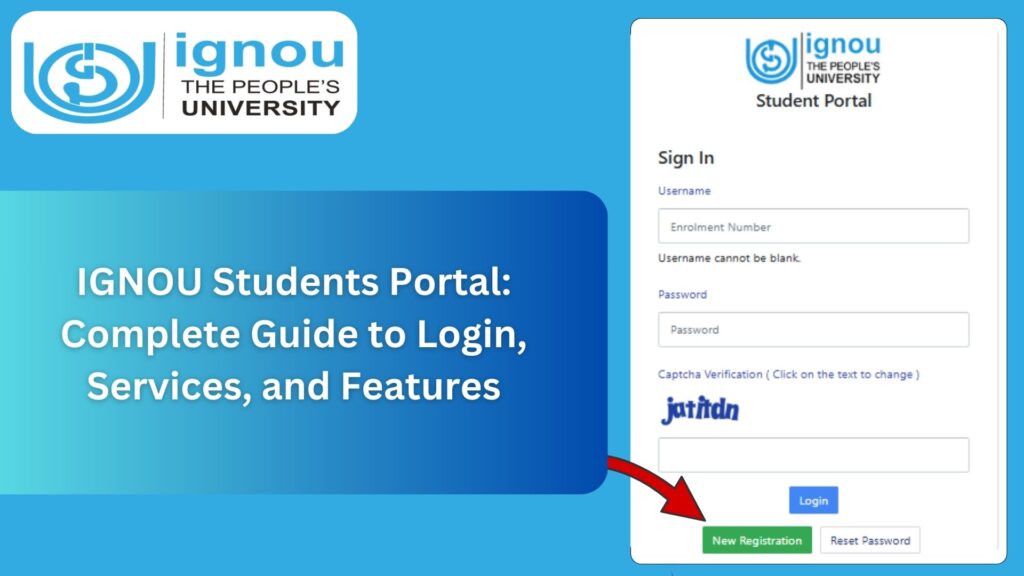
The official link to access the IGNOU Students Portal is:
IGNOU Students Portal: https://ignou.samarth.edu.in/
This comprehensive article explores everything about the portal, including its features, login steps, services offered, importance, troubleshooting, and a detailed FAQ section. It serves as a complete guide for students who wish to understand and use the portal effectively.
What Is the IGNOU Students Portal?
The IGNOU Students Portal is an online web-based system specially designed to provide important academic and administrative services to IGNOU learners. Through this portal, students can access essential features such as:
- Admission details
- Program information
- Study materials
- ID card download
- Assignment submission status
- Grade card
- Term-end exam results
- Hall tickets
- Re-registration
- Fee payment
- Profile updates
It is an integrated system hosted under the Samarth platform, which is used by many universities across India for student information management.
Purpose of the IGNOU Students Portal
The main purpose of the portal is to enhance student support services by digitizing everything that earlier required physical visits to regional or study centers. The portal ensures:
- Transparency in academic records
- Faster access to documents
- Reduced administrative delays
- Better communication between the university and students
- Seamless online learning support
Through this single portal, a student can manage their entire academic cycle from admission to completion.
How to Access the IGNOU Students Portal?
IGNOU provides an easy login system for students using their registered email and password.
Here are the steps:
Step 1: Visit the Official Student Portal
Go to: https://ignou.samarth.edu.in/
Step 2: Enter Login Details
You need:
- Registered email ID
- Password (created during admission or provided by IGNOU)
Step 3: Access Dashboard
After a successful login, students will be redirected to their personalized dashboard where all academic information is available.
Step 4: Use the Services
From the dashboard, you can navigate through various sections such as:
- ID card
- Profile
- Courses
- Assignments
- Study material
- Results
- Exam information
Make sure to keep your login details safe for future use.
Features and Services Available on the IGNOU Student Portal
The portal provides a wide range of services essential for the student’s academic progress. Each feature is designed to simplify processes and reduce the need for physical visits.
Below are the most important services:
1. Student Profile Information
Students can view and edit their:
- Name
- Address
- Email ID
- Mobile number
- Regional center
- Study center
- Program details
If corrections are needed, students must follow the official process through their regional centers.
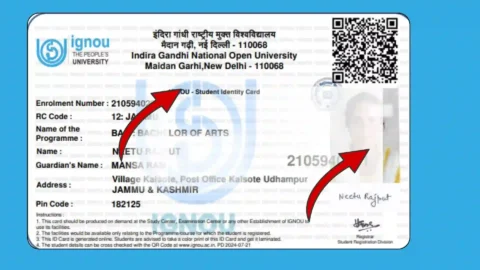
2. Download IGNOU ID Card
Students can download their digital ID card directly from the portal. This ID card is needed for:
- Term-end exams
- Practical sessions
- Library access
- Verification at study centers
To download, click on the “ID Card” option in your dashboard.
3. Access to Digital Study Materials
IGNOU provides study materials in digital format (PDF) under the eGyanKosh portal, but students can also access course materials from the Student Portal under their program section.
This includes:
- Course books
- Supplementary reading materials
- Audio and video lectures
- Course handbooks
4. Assignment Submission and Status
Students can:
- Download assignment questions
- Check assignment submission status
- Verify marks uploaded by evaluators
Although the submission method varies by regional center, the portal keeps track of assignment status.
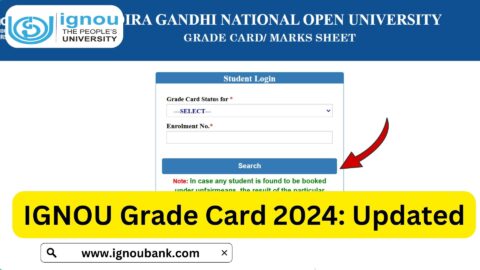
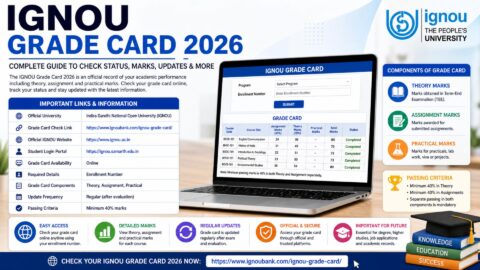
5. Grade Card
The Grade Card section shows:
- Assignment marks
- Term-end exam marks
- Practical marks
- Project marks
It is updated regularly after evaluation.
6. Hall Ticket Download
During Term-End Exams, students can download their hall ticket directly through the portal.
Hall tickets are mandatory for entering the exam center.
7. Term-End Exam Results
The portal provides access to the latest examination results. Students can view and download their detailed scorecards.
8. Re-Registration
For the next semester or year, students can re-register online through the portal.
This includes:
- Choosing courses
- Paying fees
- Confirming re-registration status
9. Fee Payment and Receipts
Students can pay fees online for:
- Re-registration
- Exam form
- Project submission
- Other charges
Receipts can be downloaded from the dashboard.
10. Communication and Notices
The portal displays important updates, including:
- Exam notifications
- Assignment deadlines
- Re-registration dates
- Course updates
- Academic announcements
Students should check their dashboard regularly for updates.
Importance of the IGNOU Students Portal
The portal is essential for all IGNOU learners because it centralizes every student-related activity. Its importance can be seen in the following ways:
1. Enhances Transparency
Students can track their marks, admission status, and course details without relying on physical centers.
2. Saves Time
Earlier, getting ID cards, results, or grade cards required visiting regional centers. The portal saves time and effort.
3. Provides 24×7 Accessibility
Students can access their academic details from anywhere and at any time.
4. Reduces Errors
Since all data is digital, there are fewer chances of manual errors.
5. Supports Distance Learning
The portal strengthens online learning by providing digital study materials and online resources.
Who Can Use the IGNOU Students Portal?
The following categories of learners can use the portal:
- Fresh admission students
- Re-registered students
- Online program students
- International division students (with Samarth access)
- Learners from all regional centers
The portal is not limited to any specific program or center.
Documents Required to Use the Portal
For a smooth login process, students must have:
- Registered email ID
- Enrollment number
- Password
- Valid photo ID (for verification during exams)
How to Reset Password on IGNOU Student Portal?
If you forget your password:
- Visit https://ignou.samarth.edu.in/
- Click on “Forgot Password”
- Enter registered email
- Check your inbox for reset link
- Create a new password
Use the new password to log in again.
Common Problems and Solutions for IGNOU Student Portal
Students may face certain issues while using the portal. Here are the common problems and their solutions:
1. Cannot Login
Possible reasons:
- Wrong email
- Incorrect password
- Server down
Solution:
Reset password or retry after some time.
2. ID Card Not Visible
This happens when:
- Admission not yet approved
- Photograph not uploaded by RC
Solution:
Wait for approval or contact your regional center.
3. Portal Not Opening
Possible reasons:
- High traffic
- Browser issues
Solution:
Clear cache or use another browser.
4. Study Material Not Available
Sometimes materials are uploaded late. Students should check again after a few days or visit eGyanKosh.
5. Assignment Marks Not Updated
Marks may take time to reflect. Regional centers upload marks in phases.
Tips to Use the IGNOU Students Portal Effectively
- Always use your registered email for login
- Check your dashboard regularly
- Keep multiple copies of your downloaded ID card
- Save digital study material for offline use
- Do not share your login password publicly
- Ensure details are correct in your profile
Important Links and Information
The table below provides quick access to essential IGNOU services.
| Purpose | Link / Information |
|---|---|
| IGNOU Students Portal | https://ignou.samarth.edu.in/ |
| IGNOU Official Website | https://ignou.ac.in/ |
| IGNOU Admission Status | https://admission.ignou.ac.in/ |
| IGNOU Grade Card | https://gradecard.ignou.ac.in/ |
| Hall Ticket | https://ignou.ac.in/ |
| Assignment Status | Depends on regional center system |
| Re-registration | https://onlinerr.ignou.ac.in/ |
| Student Support Email | ssc@ignou.ac.in |
| eGyanKosh | https://egyankosh.ac.in/ |
Why IGNOU Students Should Regularly Access the Portal?
To avoid missing important deadlines such as:
- Assignment submission
- Re-registration
- Exam form filling
- Hall ticket download
- Result announcements
Using the portal regularly ensures you stay updated with your academic progress.
IGNOU Student Portal for Online Degree Programs
Students enrolled in online programs also use the same portal. However, they get additional features like:
- Online classes
- Virtual learning environment
- Digital course interactions
FAQ about IGNOU Students Portal
What is the IGNOU Student Portal used for?
It is used for accessing academic records, ID cards, study materials, results, assignments, and more.
How do I login to the IGNOU Student Portal?
Visit https://ignou.samarth.edu.in/ and enter your registered email and password.
I forgot my password. What should I do?
Use the “Forgot Password” option on the login page.
Is the IGNOU Student Portal available 24×7?
Yes, it can be accessed anytime.
When can I download my ID card?
After your admission is approved.
What if my details are wrong in the profile?
Contact your regional center for correction.
How can I check my assignment status?
Through the assignment section or regional assignment portals.
Can foreign students use the IGNOU Student Portal?
Yes, if they are provided Samarth access.
Is the portal useful for offline students as well?
Yes, even ODL students must use it for exams and assignments.
Does the portal show exam results?
Yes, results are updated on the portal.
Conclusion
The IGNOU Students Portal is a powerful digital platform that plays a crucial role in the academic life of every IGNOU learner. From downloading the ID card to accessing study materials, checking results, monitoring assignment marks, and managing re-registration, the portal brings all essential services under one roof.
With the increased emphasis on digital learning, the IGNOU Student Portal is more important than ever before. Students should familiarize themselves with its features and use it regularly to stay updated with academic developments.