IGNOU Registration Details 2026: Indira Gandhi National Open University (IGNOU) provides students with an online system to manage admission, registration, re-registration, academic records, and other student services. After submitting an IGNOU admission application, students often want to know whether their admission has been confirmed, which programme has been allotted, and whether their registration details are correctly updated.
The IGNOU registration details service allows learners to check important information related to their admission and registration. Students can use their enrollment number and programme code to access their registration details through the official IGNOU status portal.
If you have already applied for admission to IGNOU and want to check your registration information, this guide explains the complete process, important links, required details, common problems, and frequently asked questions.
What Are IGNOU Registration Details?
IGNOU registration details refer to the information associated with a student’s admission and academic registration in the university’s database.
After an admission application is submitted and processed, IGNOU maintains the learner’s records through its Student Registration Division. The Student Registration Division is responsible for admission, re-registration, student databases, and several other registration-related services.
Depending on the student’s programme and admission status, registration information can include details such as:
- Enrollment number
- Student name
- Programme code
- Programme details
- Admission or registration information
- Regional Centre details
- Study Centre information
- Elective or course information
- Admission validity
- Other registration-related information
Students should keep their enrollment number and programme code available whenever they need to check their IGNOU registration details.
IGNOU Registration Details 2026: Important Information
The following table provides some of the most useful IGNOU registration-related information and links.
| Information | Details |
|---|---|
| University | Indira Gandhi National Open University |
| Short Name | IGNOU |
| Registration Service | Know Your Admission/Registration Details |
| Status Portal | https://isms.ignou.ac.in/changeadmdata/AdmissionStatusNew.ASP |
| Required Information | Enrollment Number and Programme Code |
| Fresh Admission Portal | https://ignouadmission.samarth.edu.in/ |
| Online Programme Portal | https://ignouiop.samarth.edu.in/ |
| Re-Registration Portal | https://onlinerr.ignou.ac.in/ |
| Student Portal | https://ignou.samarth.edu.in/ |
| Official Website | https://www.ignou.ac.in/ |
| University | Indira Gandhi National Open University |
| Location | Maidan Garhi, New Delhi |
IGNOU’s official Student Registration Division states that students can use the “Know Your Status” service to check their admission and registration information.
How to Check IGNOU Registration Details Online?
Checking IGNOU registration details is a relatively simple process. You do not need to visit an IGNOU Regional Centre merely to view your registration information online.
Follow these steps.
Step 1: Visit the IGNOU Registration Status Portal
Open the official IGNOU admission and registration status page:
Check IGNOU Registration Details
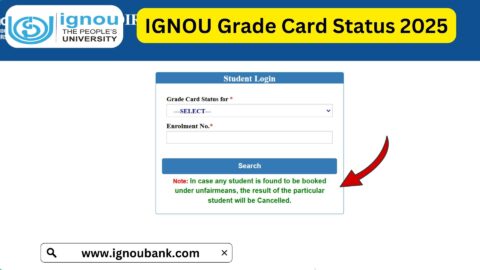
The page is titled “Know Your Admission/Registration Details.” The portal asks students to enter their enrollment number and programme code along with the verification code.
Step 2: Enter Your Enrollment Number
Enter your IGNOU enrollment number in the required field.
Make sure that you enter the enrollment number correctly. Avoid adding unnecessary spaces or characters.
Your enrollment number is an important identification number used for several IGNOU student services, so students should keep it safely for future use.
Step 3: Select the Programme Code
The registration status page also asks you to select your programme code.
Choose the programme that corresponds to your IGNOU admission. For example, if you have enrolled in a particular bachelor’s, master’s, diploma, or certificate programme, select the appropriate programme code.
Entering the correct programme code is important because the system uses it to retrieve the relevant registration information.
Step 4: Enter the Verification Code
The portal displays a verification image or captcha.
Enter the characters shown in the verification image into the appropriate field. If the image is difficult to read, use the option to change or refresh the image where available.
Step 5: Submit the Details
After entering the enrollment number, programme code, and verification code, submit the form.
The system will then process the information and display the available admission or registration details associated with the entered information.
What Information Can You Check Through IGNOU Registration Status?
The IGNOU “Know Your Status” facility is designed to provide students with access to their admission and registration information.
IGNOU’s Student Registration Division explains that learners can check registration information through the university’s online services. The service can also provide information related to areas such as admission, electives, study centre and other student-record information.
Depending on your programme and record, you may find information such as:
Enrollment Number
Your enrollment number is one of the most important identifiers associated with your IGNOU student record.
You may need this number when checking your admission status, downloading student-related documents, filling examination forms, checking results, accessing other services, or communicating with IGNOU.
Programme Code
The programme code identifies the academic programme in which you are registered.
Students should always make sure that the programme code shown in their registration information corresponds to the programme they selected during admission.
Admission Information
Your admission-related information can help you determine whether your application has been processed and whether your registration record has been created or updated.
Study Centre Information
Your registration record may also contain information related to the study centre assigned to you. IGNOU has a separate online service through which students can check their allotted study centre using their enrollment number.
Regional Centre
IGNOU students are associated with a Regional Centre that provides learner support and handles various academic and administrative services.
If you are unsure about your Regional Centre, checking your student records can help you identify the relevant centre.
IGNOU Registration vs Admission: What Is the Difference?
Students sometimes use the terms admission and registration interchangeably, but they can refer to different stages of the process.
Admission generally refers to the process of applying to an IGNOU programme, submitting documents and fees, and getting the application processed by the university.
Registration details refer to the student’s academic record maintained by IGNOU after the relevant admission or registration process.
Once admission is confirmed, IGNOU provides students with further access to its student services. The university states that students can track their application after submitting an online admission form and receive confirmation through their registered mobile number and email when admission is confirmed.
How to Apply for IGNOU Fresh Admission?
If you have not yet taken admission and are looking for the IGNOU registration process, you generally need to complete the fresh admission application first.
For ODL programmes, the official IGNOU admission information directs students to the Samarth admission portal.
The general process involves:
- Visit the appropriate IGNOU admission portal.
- Create a new account.
- Enter your personal information.
- Select your desired programme.
- Provide academic details.
- Select the appropriate Regional Centre and Study Centre where applicable.
- Upload the required documents.
- Review the application.
- Pay the applicable programme fee.
- Submit the application.
- Save or download the application acknowledgement.
IGNOU’s online admission system allows applicants to submit forms and upload required documents online. The university also states that programme fees can be paid through online payment methods.
What to Do After IGNOU Admission Is Confirmed?
Once your admission has been confirmed, there are several things you should do.
First, save your enrollment number and admission confirmation information. You should also keep copies of your submitted application and payment receipt.
IGNOU recommends that students use the Student Portal after admission confirmation. The university also provides an online identity card facility through its student services.
Students should then check their Regional Centre and Study Centre information and keep track of academic announcements.
You should also check:
- Study material information
- Assignment requirements
- Examination information
- Academic counselling schedules
- Regional Centre announcements
- Re-registration requirements
- Examination form deadlines
The IGNOU Common Prospectus also highlights important student services such as assignments, examination forms, study material, previous question papers and other academic services.
IGNOU Re-Registration
Fresh admission and re-registration are different processes.
If you are already an IGNOU student and need to continue your programme into the next applicable semester or year, you may need to complete re-registration.
The official re-registration portal is: IGNOU Re-Registration Portal
Students should check the applicable re-registration schedule and complete the process within the prescribed period.
As of the current July 2026 cycle, IGNOU’s re-registration portal states that the last date has been extended to 15 September 2026 with a late fee of Rs. 200.
Because deadlines can change, students should always verify the latest notification before submitting their re-registration form.
Why Is My IGNOU Registration Detail Not Showing?
Sometimes students may not immediately see the expected information on the registration status portal.
There can be several reasons.
Admission Processing May Still Be Pending
If you recently submitted your admission application, the university may still be processing your application and documents.
Incorrect Enrollment Number
Double-check the enrollment number you entered. Even one incorrect digit can prevent the system from finding your record.
Incorrect Programme Code
Make sure you select the programme code associated with your admission.
Recently Updated Information
Student records may take some time to reflect updates after admission processing, registration, programme changes, or other administrative actions.
Document Discrepancy
If IGNOU has identified a problem with one of your submitted documents, your admission processing may require further action. IGNOU’s FAQ explains that students may be asked to upload the required certificate through the relevant login if a discrepancy is raised.
What Should You Do If Your IGNOU Registration Details Are Incorrect?
If the information displayed in your IGNOU registration record appears incorrect, first verify your original admission application and submitted documents.
Check whether the issue relates to:
- Name
- Programme
- Regional Centre
- Study Centre
- Address
- Elective
- Course details
- Other registration information
If the issue cannot be resolved through the available online services, contact your Regional Centre or the appropriate IGNOU division.
IGNOU’s Student Registration Division manages student registration records and provides services related to admission, re-registration, elective changes, study centre updates and other student-record matters.
Keep Your IGNOU Registration Information Safe
Students should maintain a personal record of important IGNOU information.
It is useful to keep copies of:
- Enrollment number
- Admission application
- Payment receipt
- Admission confirmation
- Programme code
- Regional Centre
- Study Centre
- Student ID card
- Assignment submission records
- Examination form receipt
- Examination-related documents
Having these details available can make future IGNOU processes much easier.
FAQ about IGNOU Registration Details 2026
How can I check my IGNOU registration details?
You can check your IGNOU registration details through the official “Know Your Admission/Registration Details” portal. Enter your enrollment number, select your programme code, enter the verification code, and submit the information.
What is required to check IGNOU registration status?
Generally, you need your IGNOU enrollment number and programme code. The portal also requires you to enter the displayed verification code.
Where can I check IGNOU admission and registration details?
You can check them through the official IGNOU status portal:
IGNOU Registration Status Portal
Can I check my IGNOU registration details online?
Yes. IGNOU provides an online “Know Your Status” service for checking admission and registration information.
What if my registration details are not showing?
First, verify that your enrollment number and programme code are correct. If your admission was recently processed, allow the university’s records to update. If the issue continues, contact the appropriate IGNOU Regional Centre or student support service.
How do I check my IGNOU study centre?
IGNOU also provides an online study centre status service where students can enter their enrollment number to view their allotted study centre information.
Is IGNOU registration the same as re-registration?
No. Fresh admission registration is associated with joining a programme, while re-registration is generally required by existing students to continue into the next applicable semester or year.
Where can I complete IGNOU re-registration?
Students can use the official IGNOU re-registration portal at https://onlinerr.ignou.ac.in/. The applicable dates and fee conditions should be checked for the relevant admission cycle.
Can I check my IGNOU registration details without visiting the Regional Centre?
Yes. IGNOU provides an online service for checking admission and registration details, so students can check their records online using the required information.
What should I do after my IGNOU admission is confirmed?
After confirmation, save your enrollment and admission information, access the student portal, check your Regional Centre and Study Centre information, download your identity card when available, and keep track of assignments, study material, examinations and other academic requirements.
Conclusion
IGNOU registration details are important for every learner because they provide access to essential information associated with admission and academic registration. Instead of visiting an IGNOU office simply to check your registration record, you can use the university’s online “Know Your Admission/Registration Details” service.
To check your status, visit the official portal below and enter your enrollment number and programme code:
Check IGNOU Registration Details Online
Students should also keep their enrollment number, programme information, admission confirmation, payment receipts and other important documents safely stored. For future academic requirements, regularly check the official IGNOU website and relevant student portals for updates regarding re-registration, assignments, examinations, results and other services.
The IGNOU Student Registration Division is responsible for managing admission, registration and related student records, while IGNOU’s online services allow learners to access many of these facilities digitally.