IGNOU Grievance Portal 2026: The Indira Gandhi National Open University (IGNOU) provides an online grievance redressal facility to help students report academic, administrative and student-service-related problems. If you are facing an issue with admission, re-registration, assignment marks, examination forms, hall tickets, study materials, grade cards or other university services, you can use the official IGNOU Grievance Portal, also known as iGRAM.
The iGRAM portal stands for IGNOU Grievance Redressal and Management. It has been developed to provide students with an online platform where they can submit complaints, communicate their problems to the concerned university authorities and track the response.
Students do not always need to visit the IGNOU headquarters or their Regional Centre to report a problem. They can start the grievance process online by visiting the official portal and providing the required information.
In this article, you will learn how to access the IGNOU grievance portal, register a new complaint, check grievance status, understand the complaint process and find important contact details. We have also included useful official IGNOU links for students.
IGNOU Grievance Portal 2026: Overview
Students can check the important details of the IGNOU iGRAM portal in the following table.
| Particulars | Details |
|---|---|
| University | Indira Gandhi National Open University |
| Portal name | IGNOU Grievance Redressal and Management |
| Common name | iGRAM |
| Purpose | Submit and track student grievances |
| Portal type | Online grievance redressal system |
| Eligible users | Registered IGNOU students |
| Registration facility | New Query / Grievance |
| Status facility | Track Grievance Response Status |
| Official grievance portal | https://igram.ignou.ac.in/ |
| Student Service Centre email | ssc@ignou.ac.in |
| General enquiry numbers | 011-29572514, 011-29572513, 011-29572516 |
| University website | https://www.ignou.ac.in/ |
Important: The official iGRAM portal states that only registered IGNOU students are allowed to submit grievances. Students should use their correct enrolment and programme details when raising a complaint.
What Is the IGNOU Grievance Portal?
The IGNOU Grievance Redressal and Management portal, or iGRAM, is an online service created to help students communicate their problems to the university.
IGNOU has a large student population across different states and regions. Students receive academic and administrative services through the university headquarters, Regional Centres, Learner Support Centres and different operational divisions. Sometimes, students experience delays or difficulties while accessing these services.
For example, a student may complete the admission process but face an issue with admission confirmation. Another student may submit an assignment but find that the marks are not reflected in the grade card. Similarly, students may have questions about examination forms, hall tickets, study material delivery or certificates.
The iGRAM portal provides a common online platform for submitting such complaints. The grievance can then be forwarded to the relevant section for examination and response.
The main purpose of the portal is to improve communication between students and the university and provide a structured way to report problems.
IGNOU Grievance Portal Official Link
Students who want to register a complaint can visit the official iGRAM website using the following link:
IGNOU Grievance Portal: https://igram.ignou.ac.in/
After opening the website, students can find options related to submitting a new query or grievance and tracking the response status of an existing grievance.
Make sure you are using the official IGNOU domain. Avoid submitting personal information through unknown websites or links shared by unverified sources.
You can also visit the main university website at https://www.ignou.ac.in/ and open the Student Grievances section.
How to Register a Complaint on the IGNOU Grievance Portal?
If you are facing a problem related to your IGNOU admission, assignments, examination, results or other student services, you can follow these steps to submit a grievance.
Step 1: Visit the Official iGRAM Website
Open your browser and visit:
The official grievance portal will display information about the grievance redressal facility and the available options.
Step 2: Select New Query / Grievance
On the homepage, find the option labelled New Query / Grievance.
Select this option to begin the complaint registration process.
Step 3: Select the Grievance Category
The portal asks students to select a relevant grievance category.
Choose the category that best matches your problem. Selecting the correct category is important because it helps the university identify the section responsible for handling your complaint.
For example, if your problem concerns examination-related services, choose the relevant examination category where available.
Step 4: Select the Subject
After selecting the grievance category, choose the appropriate subject from the available options.
The subject should clearly represent the issue you want to report.
For example, if your assignment marks have not been updated, select the closest available assignment or evaluation-related subject.
Step 5: Enter Your Grievance Details
Provide a clear explanation of your problem in the available grievance details field.
Your complaint should include the relevant information needed by the university to understand the issue.
Depending on the nature of your complaint, you may need to provide:
- Full name.
- IGNOU enrolment number.
- Programme code.
- Regional Centre code.
- Study Centre code, where applicable.
- Relevant course code.
- Admission or examination session.
- Date of the transaction or submission, if relevant.
- A clear description of the problem.
Do not include unnecessary personal information. Provide only the details required to identify and investigate your case.
Step 6: Review and Submit
Before submitting your grievance, check the information you have entered.
Make sure your enrolment number, programme details and complaint description are correct. Follow the portal’s instructions to complete the submission.
If the portal provides a grievance reference number or acknowledgement, save it for future use.
How to Check IGNOU Grievance Status Online?
After submitting a complaint, students may want to know whether the university has received or responded to it.
The iGRAM portal provides an option to track the response status of an existing grievance.
Follow these steps:
- Visit the official iGRAM portal at https://igram.ignou.ac.in/.
- Find the Track Grievance Response Status option.
- Open the tracking facility.
- Enter the information requested by the portal, such as the grievance reference or other required details.
- Submit the information.
- Review the response or status displayed on the screen.
Keep your grievance acknowledgement or reference details safe. You may need them when checking the status or communicating with the university.
If the portal does not display an updated response, check again later or contact the Student Service Centre through the official contact details.
Common Problems You Can Report Through the IGNOU Grievance Portal
IGNOU students may face different academic and administrative problems during their programme. The iGRAM portal can be used to raise relevant student-service grievances.
Below are some common examples.
1. IGNOU Admission Problems
Admission-related problems can occur when students complete an application but do not receive the expected confirmation or encounter difficulties with their admission records.
Students may use the grievance facility to report issues such as:
- Admission confirmation not received.
- Incorrect programme information.
- Problems with admission-related records.
- Difficulty accessing student admission services.
- Correction-related queries.
Before submitting a complaint, check your admission status through the official admission portal and keep your application details available.
2. IGNOU Assignment Marks Not Updated
Assignment marks are important for students enrolled in programmes where assignments form part of the assessment process.
Sometimes, students submit their assignments but do not see the marks reflected in their grade cards.
If your assignment marks are missing, first check whether the assignment has been evaluated and whether the study centre has transmitted the marks to the university.
You can then raise a grievance if the problem remains unresolved.
Include the following details where relevant:
- Enrolment number.
- Programme code.
- Course code.
- Assignment submission date.
- Study Centre details.
- Assignment acknowledgement or receipt, if available.
You can also check your grade card through the official IGNOU grade card portal:
3. IGNOU Examination Form Problems
Students may experience difficulties while filling out or submitting the Term-End Examination form.
Examples include payment-related issues, incorrect course selection, submission errors or problems accessing the examination form.
If you face such a problem, keep your examination form details and payment confirmation available before submitting a grievance.
Official examination portal:
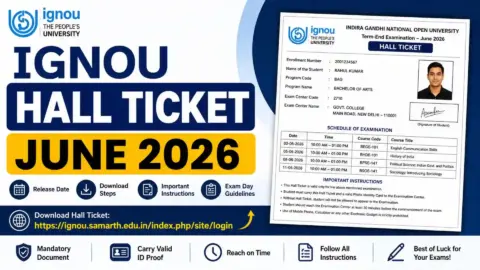
4. IGNOU Hall Ticket Problems
The hall ticket is an important document for appearing in the Term-End Examination.
If your hall ticket is unavailable after the university makes it available to eligible students, or if you find incorrect details, contact the appropriate examination authority.
Provide your enrolment number, programme code and relevant examination details.
5. IGNOU Study Material Problems
Students sometimes experience delays in receiving printed study materials or encounter difficulties checking their dispatch status.
If your books have not arrived, first check the official study material status service.
You can also use the following student guide: https://www.ignoubank.com/ignou-book-status/
If the issue continues, submit a grievance with your programme, enrolment and dispatch-related details.
6. IGNOU Grade Card Problems
Students may notice that assignment marks, theory examination marks or other assessment components are missing from their grade cards.
Before submitting a complaint, check whether the relevant evaluation process has been completed.
If the marks remain missing after the expected processing period, raise a grievance with the relevant course and examination information.
Official grade card link:
https://www.ignoubank.com/ignou-book-status/
7. IGNOU Re-Registration Problems
Students who are continuing their programmes may face difficulties while submitting re-registration forms or making payments.
If you experience a problem, retain your payment receipt, application details and transaction reference before contacting IGNOU.
Official re-registration portal:
8. Certificate and Other Student Service Problems
Students may also need assistance with certificates, migration documents, identity cards, name corrections, transcripts and other university services.
For these matters, select the most relevant grievance category and explain the issue clearly.
You should also check whether the relevant university division has provided a dedicated contact address for your particular request.
Tips for Writing an Effective IGNOU Complaint
A well-written complaint makes it easier for the concerned authority to understand the problem.
Instead of writing a very short message such as “My marks are not updated”, provide the relevant details in a clear and organised manner.
Consider the following suggestions:
Use a clear subject: Mention the main problem, such as assignment marks not updated or admission confirmation pending.
Provide accurate student details: Enter your correct enrolment number and programme information.
Explain the problem briefly: Describe what happened, when it happened and what action you have already taken.
Mention relevant dates: Include the assignment submission date, payment date or examination session where applicable.
Attach supporting documents if requested: Keep screenshots, receipts, acknowledgement slips or other relevant proof ready. Upload documents only through official facilities and in the format requested by the portal.
Avoid duplicate complaints: If you have already submitted a grievance about the same issue, check its status before creating another complaint.
Save the acknowledgement: Keep the grievance reference number and any response received from the university.
What Happens After Submitting an IGNOU Grievance?
Once a grievance is submitted, it can be reviewed and forwarded to the relevant university section.
The Student Service Centre and concerned operational divisions coordinate to examine student complaints. Depending on the issue, the grievance may involve admission, examination, student evaluation, assignment, project, practical or another university department.
The concerned section reviews the available information and takes the required action. The response is then communicated through the grievance redressal process.
The time required to resolve a complaint can vary depending on its nature, the documents required and the department involved.
Students should not assume that every complaint will be resolved within the same number of days. If there is no response or the issue remains unresolved, follow up through the official tracking facility or contact the appropriate authority.
IGNOU Student Service Centre Contact Details
Apart from the online grievance portal, IGNOU has a Student Service Centre (SSC) at its headquarters to assist students with queries and grievances.
The following contact details are provided in the university’s January 2026 Common Prospectus.
| Particulars | Contact details |
|---|---|
| Student Service Centre | IGNOU Headquarters, Maidan Garhi, New Delhi – 110068 |
| General enquiry | 011-29572514 |
| General enquiry | 011-29572513 |
| General enquiry | 011-29572516 |
| Director, Student Service Centre | 011-29572505 |
| General email | ssc@ignou.ac.in |
| Director’s email | directorssc@ignou.ac.in |
| Online grievance portal | https://igram.ignou.ac.in/ |
For a specific academic or administrative problem, students should check the official IGNOU website for the relevant department’s contact details.
Alternative Ways to Submit an IGNOU Grievance
Although iGRAM is IGNOU’s dedicated grievance portal, the university’s student support system also recognises other grievance channels.
Depending on the nature of the problem, students may be able to approach the following platforms or offices:
1. Student Service Centre
The Student Service Centre at IGNOU headquarters provides student support and coordinates with different university divisions.
Students can contact the centre using the official telephone numbers and email address listed above.
2. Regional Centre
Students can contact their Regional Centre for issues that fall within its responsibilities, such as local student support, study centre coordination or other regional services.
Official website:
Use the university’s Regional Network section to locate the relevant Regional Centre.
3. Government Public Grievance Portal
The Centralised Public Grievance Redress and Monitoring System (CPGRAMS) is another government platform for submitting eligible public grievances.
Official website:
Students should use the appropriate channel and follow its registration requirements. For ordinary IGNOU student-service complaints, starting with iGRAM is generally the most direct option.
4. UGC e-Samadhan
Students may also consult the University Grants Commission’s e-Samadhan grievance mechanism where the nature of the complaint falls within its scope.
Official website:
Read the portal’s instructions and eligibility requirements before submitting a complaint through an alternative channel.
Important Links for IGNOU Students
The following table contains useful links for students who want to access grievance services and other IGNOU facilities.
| Service | Official link |
|---|---|
| IGNOU Grievance Portal (iGRAM) | https://igram.ignou.ac.in/ |
| IGNOU official website | https://www.ignou.ac.in/ |
| IGNOU student services | https://www.ignou.ac.in/pages/4 |
| IGNOU Samarth portal | https://ignou.samarth.edu.in/ |
| Samarth student login | https://ignou.samarth.edu.in/index.php/site/login |
| IGNOU admission portal | https://ignouadmission.samarth.edu.in/ |
| IGNOU re-registration | https://onlinerr.ignou.ac.in/ |
| IGNOU examination portal | https://exam.ignou.ac.in/ |
| IGNOU grade card | https://gradecard.ignou.ac.in/ |
| IGNOU term-end examination result | https://termendresult.ignou.ac.in/ |
| IGNOU assignment question papers | https://webservices.ignou.ac.in/assignments |
| IGNOU study material | https://egyankosh.ac.in/ |
| IGNOU grievance alternative – CPGRAMS | https://pgportal.gov.in/ |
| UGC e-Samadhan | https://samadhaan.ugc.ac.in/ |
Students should always verify the correct portal before entering their enrolment number, payment information or other personal details.
FAQ about IGNOU Grievance Portal 2026
What is the official IGNOU grievance portal?
The official IGNOU grievance portal is called iGRAM, which stands for IGNOU Grievance Redressal and Management. Students can visit https://igram.ignou.ac.in/ to submit and track grievances.
How can I register a complaint on the IGNOU iGRAM portal?
Visit the official portal, select New Query / Grievance, choose the appropriate grievance category and subject, enter your complaint details and follow the instructions to submit it.
Who can submit a complaint on the IGNOU grievance portal?
According to the official iGRAM website, only registered IGNOU students are allowed to submit grievances through the portal.
How can I check my IGNOU grievance status?
Open the iGRAM website and select Track Grievance Response Status. Enter the information requested by the portal to check the response to your complaint.
Can I complain about IGNOU assignment marks not updated?
Yes. If your assignment marks have not been updated, you can raise a relevant grievance. Include your enrolment number, programme code, course code and assignment submission details.
Can I submit a complaint about IGNOU admission problems?
Yes. Students can report relevant admission-related problems through the iGRAM portal by selecting the appropriate grievance category and providing their admission details.
What should I do if my IGNOU grievance is not resolved?
Check the response status through iGRAM. If the issue remains unresolved, follow up with the Student Service Centre or the relevant Regional Centre. You may also consider another official grievance channel if appropriate.
What is the IGNOU Student Service Centre email address?
The general Student Service Centre email address is ssc@ignou.ac.in. Students can use it for relevant student support queries.
What are the IGNOU Student Service Centre contact numbers?
The general enquiry numbers listed in the January 2026 Common Prospectus are 011-29572514, 011-29572513 and 011-29572516.
Can I complain about an IGNOU examination form payment issue?
Yes. If you face a relevant payment or examination form problem, you can report it through the appropriate grievance category. Keep your transaction reference and payment receipt available.
Can I use the grievance portal for study material complaints?
Yes. Students can report relevant study material problems, such as delays or issues with dispatch information. Include the required programme and enrolment details.
Is there any fee for submitting an IGNOU grievance?
The iGRAM portal provides an online grievance submission facility. Check the official portal for its current instructions and any applicable requirements.
Can I submit the same complaint multiple times?
It is better to check the status of an existing grievance before submitting another complaint about the same issue. Use your existing reference details to follow up where possible.
Conclusion
The IGNOU Grievance Portal is a useful facility for students who need help with academic and administrative problems. Through the iGRAM platform, registered learners can submit complaints, provide relevant details and track responses from the university.
Whether your issue concerns admission, assignment marks, examination forms, hall tickets, grade cards, study materials or other student services, start by selecting the correct grievance category and explaining the problem clearly.
Students should save their grievance acknowledgement, check the response status regularly and contact the Student Service Centre or concerned Regional Centre when additional assistance is required.
For the latest information, always use the official IGNOU website and the iGRAM portal rather than relying on unverified links or unofficial claims.