IGNOU Grievance 2026: Students enrolled at Indira Gandhi National Open University (IGNOU) may sometimes face problems related to admission, assignments, examination forms, hall tickets, results, grade cards, re-registration, study materials, and other academic services. Although IGNOU provides several online facilities for students, delays and technical issues can occasionally create difficulties.
If you are facing any such problem, you can use the IGNOU Grievance Redressal System to submit your complaint and request assistance from the concerned department.
The IGNOU grievance facility allows students to report academic and administrative issues through an online platform. Instead of repeatedly visiting regional centres or contacting different departments, students can submit their complaints online and follow up on their requests.
In this article, you will learn how to register an IGNOU grievance online, which details you need, how to check your complaint status, what to do if your complaint remains unresolved, and how to contact the university for further assistance.
What Is IGNOU Grievance?
IGNOU Grievance is an online complaint-handling facility that helps students report problems related to university services and academic activities.
Students pursuing undergraduate, postgraduate, diploma, certificate, and other programmes can use the grievance redressal facility when they experience difficulties during their academic journey.
For example, if your admission status has not been updated, your assignment marks are missing, your examination result is incorrect, or your grade card is not showing the latest information, you can submit a complaint through the appropriate IGNOU grievance channel.
The purpose of the grievance system is to provide students with a formal way to communicate their problems to the university and seek a resolution.
Important Links and Information for IGNOU Grievance
Before registering a complaint, students should know the important official IGNOU websites and student support facilities.
| Particulars | Details |
|---|---|
| University Name | Indira Gandhi National Open University |
| Grievance Portal | https://igram.ignou.ac.in/ |
| Official IGNOU Website | https://www.ignou.ac.in/ |
| Student Services | https://www.ignou.ac.in/student-services |
| Student Login | https://ignou.samarth.edu.in/ |
| Admission Portal | https://ignouadmission.samarth.edu.in/ |
| Re-registration Portal | https://onlinerr.ignou.ac.in/ |
| Assignment Information | Available through the official IGNOU website and regional centres |
| Student Support | IGNOU’s official student support channels |
| Complaint Type | Academic, admission, examination, administrative and technical issues |
Important: Always use official IGNOU websites when submitting personal information, enrolment details, or academic documents.
Why Should You Register an IGNOU Grievance?
IGNOU provides different online facilities to manage student-related activities. However, sometimes students experience problems that cannot be resolved through the regular student login.
Registering a formal grievance can help bring the issue to the attention of the appropriate university authority.
Here are some common situations in which students may need to submit an IGNOU complaint.
1. IGNOU Admission-Related Problems
Admission-related problems are among the common concerns of IGNOU students.
You may experience issues such as:
- Admission application submitted but confirmation not received.
- Admission status showing pending for a long time.
- Incorrect programme or course details.
- Payment deducted but admission not confirmed.
- Re-admission or programme continuation problems.
- Incorrect personal information in the admission record.
If you have completed the admission process and your status has not been updated, you can submit a grievance with your application number, enrolment number (if available), payment receipt, and relevant screenshots.
2. IGNOU Assignment Marks Not Updated
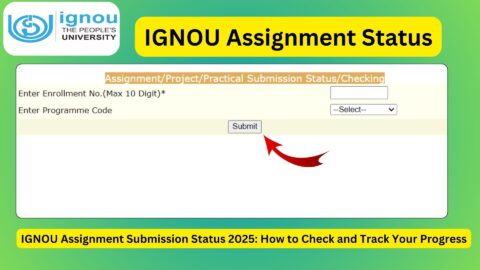
Assignments are an important part of the IGNOU evaluation process. Students submit their assignments through their respective study centres or designated submission channels.
Sometimes, students find that their assignment marks are not reflected in their grade cards even after submission.
Possible reasons include:
- Assignment marks not uploaded by the study centre.
- Evaluation still pending.
- Assignment submission details not updated.
- Incorrect marks displayed.
- Marks missing for one or more courses.
Before registering a complaint, contact your study centre and confirm whether your assignment marks have been forwarded to the university.
If the problem continues, submit a grievance with your assignment submission receipt and relevant course details.
3. IGNOU Grade Card Problems
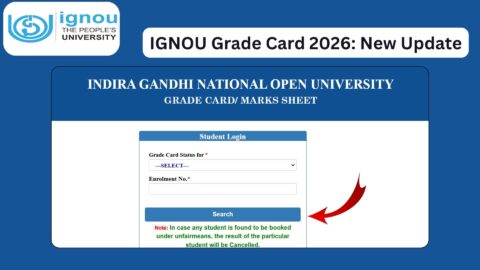
The IGNOU grade card displays the academic performance of students, including assignment marks, theory examination marks, and practical marks wherever applicable.
Students may encounter the following problems:
- Grade card not showing.
- Assignment marks missing.
- Theory marks not updated.
- Practical marks not reflected.
- Incorrect marks displayed.
- Grade card showing incomplete status despite completing examinations.
If your grade card contains incorrect or missing information, first verify the result and assignment details through the official university channels.
You can then submit a complaint explaining exactly which course or subject has an issue.
4. IGNOU Examination Form Problems
Students must complete the examination form process to appear in the Term-End Examination (TEE).
However, payment and technical issues may sometimes occur during submission.
Common examination form problems include:
- Examination fee deducted but form not submitted.
- Examination form showing pending status.
- Course not appearing in the examination form.
- Payment confirmation not received.
- Unable to download examination form confirmation.
If your payment has been deducted but the examination form is not confirmed, keep your transaction ID and payment receipt ready before contacting IGNOU.
Avoid making repeated payments without first checking the status of your existing transaction.
5. IGNOU Result and Marks-Related Complaints
IGNOU students may sometimes find discrepancies in their examination results.
For example, a student may have appeared in an examination but the result shows absent, or the marks displayed may not match the expected evaluation record.
Possible complaints include:
- Result not declared.
- Result showing absent incorrectly.
- Theory examination marks missing.
- Incorrect marks displayed.
- Practical examination result pending.
- Result not updated in the grade card.
For result-related problems, include your programme code, course code, examination session, and enrolment number in your complaint.
6. IGNOU Study Material Not Received
IGNOU provides study materials through different channels, including digital resources and applicable printed-material distribution facilities.
If you have not received your study material, verify your admission and study-material preferences first.
You can raise a complaint if:
- Printed study material has not arrived.
- Only some books have been delivered.
- The material received belongs to another programme.
- Your study-material dispatch information is incorrect.
Students can also explore IGNOU’s official digital learning resources while waiting for printed materials.
7. IGNOU Re-Registration Problems
Re-registration is necessary for eligible students who want to continue their studies in the next academic year or semester.
Some students experience issues such as:
- Re-registration payment deducted but status not updated.
- Course selection problems.
- Unable to submit the re-registration form.
- Previous academic details not appearing.
- Re-registration confirmation not received.
If you encounter any of these problems, collect your payment confirmation and application details before submitting a grievance.
How to Register IGNOU Grievance Online?
Students can use the IGNOU grievance portal to submit their complaints.
Follow these steps to register your complaint online.
Step 1: Visit the Official IGNOU Grievance Portal
Open your web browser and visit:
Make sure that you are using the official university website.
Step 2: Find the Complaint Registration Option
Explore the available options on the grievance portal and select the appropriate facility for registering a new grievance.
The portal interface and available options may change from time to time.
Step 3: Enter Your Student Details
Provide the information requested in the complaint registration form.
Depending on the complaint category, you may need to provide:
- Student name.
- Enrolment number.
- Programme code.
- Regional centre details.
- Study centre details.
- Registered email address.
- Mobile number.
- Complaint category.
Make sure that the information is correct before proceeding.
Step 4: Select the Appropriate Complaint Category
Choose the category that best describes your problem.
For example, select the relevant admission, examination, assignment, grade card, result, or administrative category.
Choosing an appropriate category can help direct your complaint to the concerned department.
Step 5: Describe Your Problem Clearly
Write a clear explanation of your issue.
Avoid writing a very short complaint such as “My result is not updated.”
Instead, explain the situation with relevant dates, course codes, and other information.
For example:
“My name is [Student Name], and my enrolment number is [Enrolment Number]. I appeared in the December Term-End Examination for course [Course Code]. However, my result has not been updated on the IGNOU website. I request the concerned department to verify my examination record and update my result.”
Use your actual details when submitting the complaint.
Step 6: Upload Supporting Documents
If the portal provides an option to upload documents, attach relevant evidence.
Depending on your complaint, supporting documents may include:
- Admission confirmation receipt.
- Examination fee receipt.
- Assignment submission receipt.
- Re-registration payment receipt.
- Screenshot of the grade card.
- Examination result screenshot.
- Previous communication with IGNOU.
Upload clear and readable documents in the accepted file format and size.
Step 7: Submit Your Grievance
Review all the information carefully and submit your complaint.
If the portal generates a grievance number or acknowledgement, save it for future reference.
You should also keep a screenshot or copy of your submitted complaint.
How to Check IGNOU Grievance Status Online?
After submitting a complaint, students may want to know whether their grievance has been received, processed, or resolved.
You should regularly check the official grievance portal for updates.
Follow these steps:
- Visit https://igram.ignou.ac.in/.
- Look for the grievance status or tracking option.
- Enter the required complaint reference number or other requested details.
- Submit the information.
- Check the displayed complaint status and any remarks.
The exact tracking process may depend on the current portal interface.
If your complaint status has not changed, keep your acknowledgement number and previous complaint details ready when contacting student support.
What to Do If Your IGNOU Grievance Is Not Resolved?
Sometimes, students do not receive an immediate response after submitting their complaints. In certain cases, the issue may require verification from the regional centre, study centre, examination department, or another university department.
If your complaint remains unresolved, consider the following steps.
1. Check Your Complaint Details
First, verify that your complaint was successfully submitted.
Check whether you received an acknowledgement or grievance reference number.
If the complaint was not submitted successfully, you may need to register it again through the appropriate portal.
2. Contact Your Regional Centre
Your regional centre may be able to help with issues related to admission records, study centres, assignment submissions, and other student services.
Explain your problem and share your enrolment number and grievance reference number.
3. Contact Your Study Centre
For assignment-related problems, practical marks, counselling, or other study-centre matters, contact your assigned study centre.
Ask whether the relevant academic information has been forwarded to the regional centre or university.
4. Submit a Follow-Up Complaint
If your original grievance has not been resolved, use the available follow-up facility or submit a properly referenced communication through the appropriate official channel.
Mention your previous grievance number so that the concerned authority can identify the earlier complaint.
5. Use the Appropriate Higher-Level Grievance Channel
If the issue remains unresolved through the regular university process, students can explore the applicable higher-level public grievance redressal mechanism, including the Centralised Public Grievance Redress and Monitoring System (CPGRAMS), where appropriate.
Official portal: https://pgportal.gov.in/
Before escalating, provide details of your earlier communication with IGNOU and attach relevant supporting documents.
Important Documents Required for IGNOU Grievance
Keeping the necessary documents ready can make the complaint process easier.
The documents you need depend on the nature of your problem.
| Complaint Type | Supporting Documents |
|---|---|
| Admission Problem | Admission application and payment receipt |
| Assignment Marks | Assignment submission receipt |
| Grade Card Problem | Grade card screenshot |
| Examination Form Problem | Examination form and payment receipt |
| Result Problem | Hall ticket and result screenshot |
| Re-Registration Problem | Re-registration confirmation and payment receipt |
| Study Material Problem | Admission confirmation and material details |
| Practical Marks Problem | Practical examination details and available supporting records |
Always provide only the documents relevant to your complaint. Avoid sharing passwords, OTPs, or unnecessary personal information.
Tips to Get Your IGNOU Complaint Resolved Faster
Submitting a complaint is only one part of the process. Providing accurate information and supporting documents can make it easier for the concerned department to understand your issue.
Here are some useful tips:
1. Provide Your Correct Enrolment Number: Your enrolment number helps identify your student record. Enter it carefully.
2. Select the Correct Complaint Category: Avoid submitting an examination complaint under an unrelated category.
3. Explain the Problem Clearly: Mention what happened, when it happened, and what action you expect from the university.
4. Attach Relevant Evidence: Payment receipts, assignment submission records, and screenshots can help establish your case.
5. Keep Your Complaint Number Safe: You may need it for checking status and following up.
6. Avoid Submitting Duplicate Complaints: Check your existing grievance before creating another complaint about the same issue.
7. Use Your Registered Contact Details: Ensure that your email address and mobile number are correct and accessible.
8. Follow Up Through the Correct Department: Some issues need action from a specific department or regional centre rather than general student support.
Difference Between IGNOU Grievance and IGNOU Student Support
Students sometimes confuse the grievance redressal system with regular student support services. Although both facilities help students, their purposes are slightly different.
| IGNOU Grievance | IGNOU Student Support |
|---|---|
| Used to register formal complaints | Used for general student assistance |
| Helps report unresolved problems | Helps answer student queries |
| Provides a complaint submission channel | Provides information about university services |
| Can be used for academic and administrative grievances | Can help with admission, examinations, and other queries |
| May provide grievance tracking | Depends on the specific support facility |
If you simply want information about an examination date or admission procedure, student support may be sufficient. However, if you have an unresolved problem with your academic record or university service, registering a formal grievance may be more appropriate.
FAQ
What is the official IGNOU grievance portal?
The official IGNOU grievance portal is https://igram.ignou.ac.in/. Students can visit this website to access the available grievance registration and related services.
How can I register an IGNOU grievance online?
Visit the official IGNOU grievance portal, select the appropriate complaint registration facility, enter your student details, choose the complaint category, describe your issue, upload supporting documents if required, and submit the complaint.
Can I complain about IGNOU assignment marks not updated?
Yes. If your assignment marks are missing from your grade card, first contact your study centre to verify the submission and evaluation records. If the issue remains unresolved, submit a grievance with your assignment submission proof and course details.
How can I check my IGNOU grievance status?
Visit the official grievance portal and look for its status-tracking facility. Enter the requested grievance reference number or other details to check the latest available update.
What should I do if my IGNOU grievance is not resolved?
Check your complaint acknowledgement and status first. You can then contact your regional centre or the concerned department and follow up using your existing grievance reference number. For appropriate unresolved public grievances, you may also explore CPGRAMS.
Can I register a complaint about IGNOU admission problems?
Yes. Students can report issues related to admission confirmation, payment status, incorrect programme details, and other admission-related difficulties through the appropriate university support or grievance channel.
Can I submit an IGNOU grievance without an enrolment number?
The information required depends on the complaint category and the portal’s current registration process. Recently admitted students who have not received an enrolment number should keep their application number and payment receipt ready.
What documents are required to submit an IGNOU complaint?
The required documents depend on your problem. Common documents include admission receipts, examination fee receipts, assignment submission proofs, grade card screenshots, and examination details.
Can I complain about an incorrect IGNOU result?
Yes. If your examination result contains incorrect information or shows absent despite appearing in the examination, submit a complaint with your enrolment number, programme code, course code, examination session, and relevant supporting evidence.
Conclusion
The IGNOU Grievance Redressal System is an important facility for students who experience problems with admission, assignments, examination forms, results, grade cards, re-registration, study materials, and other university services.
If you are facing an issue, start by identifying the correct complaint category and collecting the necessary supporting documents. Visit the official IGNOU grievance portal, submit a clear complaint, and save your acknowledgement number for future reference.
If your problem remains unresolved, contact your regional centre or the concerned department and follow up through the appropriate official channels.
Most importantly, provide accurate student information, attach relevant evidence, and regularly check your grievance status. Following the proper procedure can help you communicate your issue effectively and seek a resolution without unnecessary delays.
Official IGNOU Grievance Portal: https://igram.ignou.ac.in/
Official IGNOU Website: https://www.ignou.ac.in/