IGNOU Assignment Status 2026: If you are an IGNOU student and have submitted your assignments, you may want to check whether your assignment marks have been updated in the university records. The IGNOU Assignment Status facility allows students to check the status of their assignment, project, practical awards, or marks transmission online.
IGNOU students can check their assignment status by entering their enrollment number and selecting the appropriate programme code. The official IGNOU assignment status portal is provided by the university and can be used to check whether the marks or grades have been transmitted after the evaluation process.
Students should remember that assignment marks may not appear immediately after submitting an assignment. The marks have to be evaluated and transmitted by the concerned Study Centre or Regional Centre before they become visible online.
IGNOU Assignment Status 2026
The IGNOU Assignment Status 2026 is useful for students who want to know whether their submitted assignments have been evaluated and whether the marks have been transmitted to the university’s system.
Assignment marks are an important part of many IGNOU programmes. Students are generally required to submit assignments before appearing in the Term-End Examination for the relevant courses. After submission, the assignments are evaluated by the concerned Study Centre or Regional Centre.
Once the evaluation process is completed and the marks or grades are transmitted, students can check their status through the official assignment status portal.
According to the official IGNOU status page, the assignment, project, and practical marks status is reflected only when the marks or grades have been transmitted by the concerned Study Centre or Regional Centre after the evaluation process.
Official IGNOU Assignment Status Link
Students should use the official IGNOU portal to check their assignment status. You do not need to rely on third-party websites for checking whether your assignment marks have been updated.
Check IGNOU Assignment Status:
IGNOU Assignment Status – Official Portal
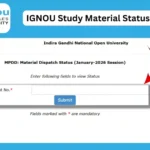
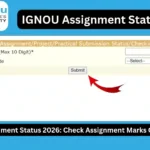
The portal asks students to enter their enrollment number and select their programme code before checking the available status.
Important IGNOU Assignment Status Information
| Information | Details |
|---|---|
| Status | IGNOU Assignment Status |
| Academic Year | 2026 |
| Official Status Portal | https://isms.ignou.ac.in/changeadmdata/StatusAssignment.asp |
| Required Information | Enrollment Number |
| Programme Information | Programme Code |
| Status Includes | Assignment, Project and Practical Awards/Marks Transmission Status |
| Marks Updated By | Concerned Study Centre/Regional Centre |
| When Status Appears | After evaluation and transmission of marks/grades |
| Purpose | Check whether assignment marks/status are available |
| Official Website | IGNOU |
How to Check IGNOU Assignment Status 2026?
Checking your IGNOU assignment status is a straightforward process. You can follow the steps below.
Step 1: Open the Official Assignment Status Website
First, visit the official IGNOU assignment status portal:
Check IGNOU Assignment Status Online
The page is designed to provide the transmission status of assignment, project and practical awards or marks.
Step 2: Enter Your Enrollment Number
On the status page, you will find an option to enter your enrollment number.
Enter your IGNOU enrollment number carefully. The official portal specifies an enrollment number field with a maximum length of 10 digits.
Make sure that the enrollment number belongs to the student whose assignment status you want to check.
Step 3: Select Your Programme Code
After entering the enrollment number, select the appropriate programme code.
For example, depending on your programme, you may need to select the relevant code associated with your IGNOU course or programme.
Selecting the correct programme is important because assignment records are associated with the student’s programme and courses.
Step 4: Check the Status
After entering the required information, proceed with the status-check process.
If your assignment marks have been evaluated and transmitted by the concerned centre, the available information may be displayed on the portal.
If the marks have not yet been transmitted, you may not see the expected assignment information.
What Does IGNOU Assignment Status Mean?
The IGNOU assignment status generally indicates whether the marks or grades related to assignments, projects, or practical work have been transmitted into the university’s system.
There can be a difference between submitting an assignment and seeing the marks online.
For example, a student may submit an assignment to the Study Centre, but the marks may take additional time to appear online. This is because the assignment needs to go through the evaluation and marks transmission process.
Therefore, if your assignment status is not updated immediately after submission, it does not necessarily mean that your assignment was not submitted.
The official IGNOU portal specifically states that the status is reflected only after marks or grades have been transmitted by Study Centres or Regional Centres following the evaluation process.
Why Is My IGNOU Assignment Status Not Updated?
One of the most common questions students ask is why their assignment marks are not showing online.
There can be several reasons.
1. Assignment Is Still Under Evaluation
If the assignment has been submitted but has not yet been evaluated, the marks may not be available online.
The evaluation process can take some time depending on the Study Centre, Regional Centre, programme, course, and volume of assignments.
2. Marks Have Not Been Transmitted
Even after evaluation, the marks need to be transmitted to the university’s system.
The official assignment status portal makes it clear that marks or grades are reflected only after they have been transmitted by the concerned Study Centre or Regional Centre.
3. Assignment Was Submitted Recently
Students who have submitted their assignments recently should allow sufficient time for processing.
Assignment submission and online marks updating are separate stages. A delay between these stages can occur.
4. Incorrect Enrollment Number
Make sure you have entered the correct enrollment number.
A single incorrect digit can prevent the system from finding the appropriate student record.
5. Incorrect Programme Code
Students should also select the correct programme code when checking their status.
If the wrong programme is selected, the expected information may not be displayed.
IGNOU Assignment Marks vs Assignment Submission Status
Students sometimes confuse assignment submission status with assignment marks.
These are not necessarily the same thing.
When you submit an assignment, it means that you have handed over the required assignment to the concerned Study Centre or submitted it through the applicable submission process.
The assignment marks, however, are available only after the assignment has been evaluated and the marks have been transmitted into the university’s system.
Therefore, a student may have successfully submitted an assignment but still not see the marks online.
This distinction is particularly important when checking the IGNOU assignment status.
What Should You Do If Assignment Marks Are Missing?
If you have submitted your assignment but your marks are not showing, first check the official assignment status portal again after some time.
You should also keep proof of your assignment submission whenever available. This may include a submission receipt, acknowledgment, email confirmation, or other relevant proof depending on the method used for submission.
If a significant amount of time has passed and your marks are still unavailable, you can contact the concerned Study Centre or Regional Centre and ask them about the evaluation and transmission of your assignment marks.
When contacting the concerned centre, keep your enrollment number, programme code, course details, and assignment submission proof available.
This can make it easier for the concerned officials to check your record.
Can Assignment Marks Be Updated After Submission?
Yes, assignment marks can appear online after the assignment has been evaluated and the marks have been transmitted.
Students should not expect the marks to necessarily appear immediately after submitting their assignments.
The official IGNOU assignment status page itself states that the status is reflected only after marks or grades are transmitted by Study Centres or Regional Centres after the evaluation process.
Therefore, students should regularly check the official status portal if their marks have not yet appeared.
Importance of IGNOU Assignment Marks
Assignments are an important component of IGNOU’s academic evaluation system for many programmes.
Students should therefore make sure that they:
- Submit assignments within the applicable deadline.
- Submit assignments for the correct courses.
- Follow the assignment questions and submission instructions.
- Keep proof of submission.
- Check their assignment status after sufficient processing time.
- Verify their marks when they become available.
- Contact the concerned centre if there is a genuine discrepancy.
Keeping a record of assignment submissions can be particularly useful if a student later needs to raise a query regarding missing marks.
IGNOU Assignment Status and Grade Card
Students should also understand that the assignment status page and the IGNOU grade card serve different purposes.
The assignment status page is specifically useful for checking the transmission status of assignment, project, and practical awards or marks.
The grade card provides a broader view of academic performance, including relevant components such as assignment marks and Term-End Examination marks, depending on the programme.
If your assignment marks have been updated but are not reflected where you expect them to appear, you should allow time for the university’s records to be updated and, if necessary, contact the appropriate IGNOU centre.
Tips for IGNOU Students
Here are some useful tips for students checking their assignment status:
- Always use the official IGNOU assignment status portal.
- Enter your enrollment number carefully.
- Select the correct programme code.
- Do not panic if marks do not appear immediately after submission.
- Keep your assignment submission proof safely.
- Check the status periodically.
- Contact your Study Centre or Regional Centre if the marks remain unavailable for an extended period.
- Check your academic records regularly for discrepancies.
- Make sure assignments are submitted for the correct courses.
- Do not rely solely on unofficial websites for the final status of your academic records.
FAQ
What is IGNOU Assignment Status?
IGNOU Assignment Status allows students to check the transmission status of assignment, project, and practical awards or marks through the official university portal.
Where can I check my IGNOU assignment status?
You can check it through the official IGNOU assignment status portal:
IGNOU Assignment Status Official Website
What details are required to check IGNOU assignment status?
The portal requires your enrollment number and programme code. The official page provides an enrollment number field and a programme selection option.
Why is my IGNOU assignment status not showing?
Your assignment status may not be visible because the assignment is still under evaluation or because the marks or grades have not yet been transmitted by the concerned Study Centre or Regional Centre.
How long does it take for IGNOU assignment marks to appear?
There is no single fixed time that applies to every student and every Study Centre. The marks need to go through the evaluation and transmission process before they are reflected online.
I submitted my assignment but marks are not updated. What should I do?
First, check the official assignment status portal again after some time. If the marks remain unavailable, contact your concerned Study Centre or Regional Centre and keep your assignment submission proof available.
Can I check assignment status using my enrollment number?
Yes. The official IGNOU status portal provides an enrollment number field for checking the status.
What does “marks/grades transmitted” mean?
It means that the evaluated assignment, project, or practical marks or grades have been sent into the university’s system by the concerned Study Centre or Regional Centre.
Does assignment submission mean that marks will immediately appear online?
No. Submission, evaluation, and marks transmission are separate stages. Marks are reflected after the evaluation process and transmission of marks or grades.
What should I do if there is an error in my assignment marks?
If you believe that your assignment marks are incorrect or missing, keep your submission proof and contact the appropriate Study Centre or Regional Centre for clarification.
Conclusion
The IGNOU Assignment Status 2026 portal is an important facility for students who want to check whether their assignment, project, or practical marks have been transmitted to the university’s system.
Students should remember that submitting an assignment does not necessarily mean that the marks will immediately appear online. The assignment first needs to go through the evaluation process, after which the marks or grades are transmitted by the concerned Study Centre or Regional Centre.
If your marks are not visible, check the official portal again after some time and make sure that you have entered the correct enrollment number and selected the correct programme code.
You can check your IGNOU assignment status here:
Check IGNOU Assignment Status Online – Official IGNOU Portal
Keeping your assignment submission proof and regularly checking your academic records can help you identify and resolve any missing-mark issues more efficiently.