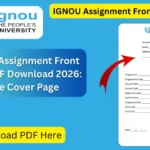
The IGNOU Assignment Front Page PDF is an important document for students preparing their assignments for Indira Gandhi National Open University (IGNOU). The front page, also called the IGNOU assignment cover page or assignment first page, contains important details that help identify the student, programme, course and assignment.
The provided PDF contains fields for enrolment number, name, address, programme, programme code, course title, course code, regional centre, study centre, assignment number, phone number, email, date and signature.
IGNOU also publishes programme-specific assignment cover pages. For example, current IGNOU assignment documents include fields such as learner name, enrolment number, programme name and code, course title and code, regional centre, contact information, submission date and student signature.
IGNOU Assignment Front Page PDF Download
Students who need an assignment front page can use the direct PDF download provided above. The PDF is useful when you want to print a blank front page and fill in your details before submitting your assignment.
You can follow these simple steps:
- Open the IGNOU Assignment Front Page PDF download link.
- Allow the PDF to open in your browser.
- Download or save the PDF to your computer or mobile phone.
- Take a printout on suitable paper.
- Fill in all required details carefully.
- Check the information before attaching it to your assignment.
- Keep a copy of the completed front page for your records.
The direct PDF supplied for download is a one-page document with blank fields for the student’s academic and contact information.
Important Information About IGNOU Assignment Front Page
| Information | Details |
|---|---|
| Document | IGNOU Assignment Front Page |
| Format | |
| Purpose | Assignment Cover Page |
| Download | Direct PDF |
| Main Use | IGNOU Assignment Submission |
| Student Name | Required |
| Enrolment Number | Required |
| Programme | Required |
| Programme Code | Required |
| Course Title | Required |
| Course Code | Required |
| Regional Centre | Required |
| Study Centre | Required |
| Assignment Number | Required where applicable |
| Phone Number | Required on the provided format |
| Email ID | Required on the provided format |
| Date | Required |
| Signature | Required |
| Recommended Paper | A4 print format |
| Session | Verify against your current assignment |
| University | Indira Gandhi National Open University |
What Is an IGNOU Assignment Front Page?
The IGNOU assignment front page is the first sheet attached to an assignment. Its main purpose is to provide the identifying information needed to associate an assignment with the correct student, programme and course.
An assignment contains answers to questions, but the evaluator also needs basic information about who submitted the work and which course it belongs to. The front page provides this information in a structured format.
The downloadable PDF provided in this article includes fields such as:
- Enrolment Number
- Name
- Address
- Programme
- Programme Code
- Course Title
- Course Code
- Regional Centre
- Study Centre
- Assignment Number
- Phone Number
- Email ID
- Date
- Signature
These fields are visible in the supplied one-page PDF.
IGNOU’s own programme-specific cover pages also demonstrate that assignment cover sheets can contain student, programme, course, contact and submission information.
Why Is the IGNOU Assignment Front Page Important?
The front page is important because it gives the evaluator basic information about the assignment before the answers are reviewed.
1. Identifies the Student
Your enrolment number and name help identify the student who has submitted the assignment. The enrolment number is particularly important because it is associated with your IGNOU student record.
2. Identifies the Course
The programme and course details help establish which subject the assignment belongs to. The course code should therefore be written carefully.
For example, if you are submitting an assignment for a particular course, make sure the course code and course title correspond to that course.
3. Provides Study Centre Information
The front page includes fields for the Regional Centre and Study Centre. These details can help associate the assignment with the appropriate IGNOU administrative or learner-support location.
4. Provides Contact Information
The provided PDF includes fields for your phone number and email ID. Enter your active contact details carefully.
5. Records Submission Details
The date and signature fields provide additional information about the submission. Always check the date before submitting the assignment.
How to Fill the IGNOU Assignment Front Page?
Filling the front page is simple, but students should avoid making mistakes in important academic information.
Enrolment Number
Enter your complete IGNOU enrolment number exactly as provided in your student records.
Do not leave out numbers or accidentally change the sequence.
Name
Write your full name as it appears in your IGNOU records.
If you are filling the form by hand, make sure your handwriting is clear and easy to read.
Address
Enter your relevant address in the space provided. If the address requires more space, use the available lines neatly.
Programme
Enter the name of your programme.
For example, your programme could be a bachelor’s degree, master’s degree, diploma, certificate or another IGNOU programme.
Programme Code
Enter the correct programme code. Do not confuse the programme code with the course code.
The programme code identifies your overall academic programme, while the course code identifies a particular course or subject.
Course Title
Write the complete title of the course for which you are submitting the assignment.
Course Code
Enter the correct course code from your assignment question paper or current course materials.
This is one of the most important fields because an incorrect course code can create confusion about the assignment.
Regional Centre
Enter your Regional Centre details correctly.
Study Centre
Write the name or relevant details of your Study Centre as required by the front-page format.
Assignment Number
If an assignment number is provided for your course, enter it exactly as specified.
Phone Number
Enter your current phone number.
Email ID
Provide an active email address and check the spelling carefully.
Date
Enter the date of submission in the format requested by the front page.
Signature
Sign in the designated space. If you are submitting a physical assignment, make sure the signature is clear.
How to Download IGNOU Assignment Front Page PDF?
Downloading the front page is straightforward.
Step 1: Open the PDF Link
Use the following direct download link: IGNOU Assignment Front Page PDF
Step 2: Download the File
Once the PDF opens, use your browser’s download option to save it to your device.
Step 3: Print the PDF
Print the downloaded front page. Before printing, check that the entire page is visible in the print preview.
Step 4: Fill in Your Details
Complete the blank fields using the correct information from your IGNOU student records and assignment documents.
Step 5: Attach It to Your Assignment
Place the completed front page at the beginning of the relevant assignment.
Should You Use a Separate Front Page for Each Course?
Students should generally prepare the front page according to the requirements of each course assignment. A front page should clearly identify the course to which the attached assignment belongs.
This means you should not simply fill out one front page with one course’s details and attach it to multiple unrelated course assignments.
For each assignment, check the relevant course code, course title, assignment number and other required information before submission.
Current IGNOU programme-specific assignment documents also show course-specific identification fields such as course code and course title.
What Details Should You Check Before Submission?
Before submitting your assignment, carefully check the following:
- Name is correct.
- Enrolment number is correct.
- Programme name is correct.
- Programme code is correct.
- Course title matches the assignment.
- Course code matches the assignment.
- Regional Centre information is correct.
- Study Centre information is correct.
- Assignment number is correct, where applicable.
- Phone number is correct.
- Email address is correctly written.
- Submission date is correct.
- Signature has been added.
- The front page is attached to the correct assignment.
Taking a few minutes to check these details can help prevent avoidable errors.
IGNOU Assignment Front Page for Handwritten Assignments
Many IGNOU students prepare handwritten assignments. In this situation, the blank PDF can be printed and completed by hand.
Use clear handwriting and make sure every important field can be read easily.
After filling the front page, place it at the beginning of the assignment. Avoid damaging the page or covering important information with staples, tape or other material.
If your Regional Centre or programme provides specific submission instructions, those instructions should be followed.
IGNOU Assignment Front Page for Online Submission
Students who are submitting scanned assignments online should also pay attention to the front page requirements specified for their particular submission process.
The front page should be completed before scanning the assignment if it is required as part of the submitted document.
Before uploading the file, check that:
- The front page is included.
- All information is readable.
- The enrolment number is visible.
- The course code is correct.
- The pages are in the correct order.
- The scanned PDF is clear.
- The complete assignment is included.
Online submission procedures can vary, so students should follow the instructions issued for their particular programme, Regional Centre or assignment submission process.
Common Mistakes Students Should Avoid
Entering the Wrong Course Code
One of the most common mistakes is confusing the course code with the programme code. Always verify both separately.
Writing an Incorrect Enrolment Number
Check your enrolment number carefully before submitting the assignment.
Leaving Fields Blank
Do not leave required fields blank unless they genuinely do not apply to your assignment.
Using Incorrect Assignment Details
Check the assignment number and course information against the current assignment document.
Forgetting the Signature
The provided front page has a signature field, so remember to complete it where required.
Attaching the Wrong Front Page
If you are preparing several assignments at the same time, check the course details on every front page before attaching them.
Poor-Quality Scanning
For online submission, make sure the front page is clearly visible and readable after scanning.
IGNOU Assignment Front Page and Current Formats
It is important to understand that IGNOU may provide programme-specific assignment documents. Official IGNOU assignment PDFs currently available online show somewhat different fields depending on the programme or course. For example, one current cover page includes the learner’s name, enrolment number, programme name and code, regional centre, course title and code, email, phone number, submission date, address and signature.
Another current IGNOU cover-page document includes similar student and course information.
Therefore, before submitting an assignment, students should check whether their programme or Regional Centre has provided a specific cover-page format or additional instructions.
The PDF provided in this article is a convenient blank front-page resource, but programme-specific instructions should take priority where applicable.
Important Links for IGNOU Students
| Purpose | Link |
|---|---|
| IGNOU Assignment Front Page PDF | Download Front Page PDF |
| IGNOU Official Website | IGNOU Official Website |
| IGNOU Assignment Status | Check Assignment Status |
| IGNOU Exam Form | IGNOU Exam Form Portal |
| IGNOU Samarth Portal | IGNOU Samarth |
FAQ
What is the IGNOU Assignment Front Page?
The IGNOU Assignment Front Page is the cover sheet placed at the beginning of an assignment. It contains important student, programme and course information.
Where can I download the IGNOU Assignment Front Page PDF?
You can download the PDF directly from the following link:
Download IGNOU Assignment Front Page PDF
Is the IGNOU assignment front page important?
Yes. The front page provides identifying information such as your name, enrolment number, programme, course and study centre details. IGNOU’s programme-specific assignment documents also use these types of identification fields.
What information is included in the PDF?
The provided PDF includes fields for enrolment number, name, address, programme, programme code, course title, course code, Regional Centre, Study Centre, assignment number, phone number, email, date and signature.
Can I print the front page and fill it by hand?
Yes, a blank printable front page can be printed and filled in. Make sure your handwriting is clear and all information is accurate.
Do I need a front page for every assignment?
You should prepare the front page according to the requirements for each course assignment and ensure that the course details on the front page match the assignment being submitted.
What is the difference between programme code and course code?
The programme code identifies your overall IGNOU programme, while the course code identifies an individual course or subject.
What should I do if my programme provides a different front-page format?
Follow the instructions provided specifically for your programme, course or Regional Centre. IGNOU publishes programme-specific assignment documents, and the fields can vary between documents.
Should I sign the IGNOU assignment front page?
The supplied PDF includes a signature field, so complete the signature section as required before submission.
Can I use the front page for online assignment submission?
The front page can be included with a scanned assignment where the applicable submission instructions require it. Always follow the current instructions for your specific programme or Regional Centre.
What should I check before submitting the assignment?
Check your enrolment number, name, programme code, course code, course title, Study Centre, Regional Centre, assignment number, contact details, date and signature.
Conclusion
The IGNOU Assignment Front Page PDF is a useful resource for students preparing their assignments. It provides a structured place to enter important information such as the enrolment number, student name, programme, programme code, course title, course code, Regional Centre, Study Centre, assignment number, contact information, date and signature.
Students can download the blank PDF directly using the link provided in this article, print it, fill in the required details and attach it to the appropriate assignment. Before submission, carefully verify all academic information, especially the enrolment number, programme code and course code.
At the same time, students should remember that IGNOU may publish programme- or course-specific assignment cover pages. Current official IGNOU assignment documents demonstrate that cover-page fields can vary by programme. Therefore, always follow any specific instructions issued for your course or Regional Centre.