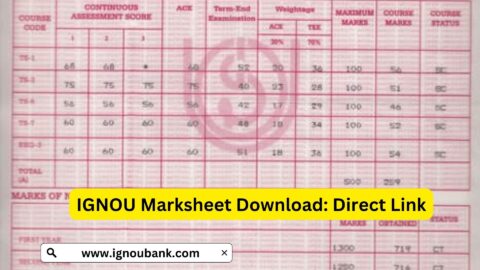
The IGNOU Grade Card 2026 is an important academic record for students enrolled at Indira Gandhi National Open University (IGNOU). It allows students to check the marks and assessment status recorded for their courses, including assignment marks, term-end examination results and practical or project components where applicable.
Students often check their grade card after submitting assignments or appearing in the June or December Term-End Examination (TEE). However, all marks may not appear at the same time because assignments, theory examinations, practical examinations and projects can be evaluated and updated separately.
If you want to check your IGNOU Grade Card online, you can use the information link provided below. This article explains how to access your grade card, understand the marks displayed, check missing assignment marks, resolve status issues and find important IGNOU student resources.
IGNOU Grade Card 2026: Overview
IGNOU follows an evaluation system that can include continuous assessment through assignments, term-end examinations, practical work, projects and other programme-specific requirements. The grade card brings the available assessment information together so students can review their academic progress.
| Particular | Details |
|---|---|
| University | Indira Gandhi National Open University |
| Common abbreviation | IGNOU |
| Academic record | IGNOU Grade Card 2026 |
| Main purpose | Check marks and course completion status |
| Assessment components | Assignments, theory exams, practicals and projects, where applicable |
| Examination sessions | Generally June and December |
| Information required | Enrolment number and programme details, as requested |
| Grade card information link | Check IGNOU Grade Card |
| Official grade card portal | IGNOU Grade Card Portal |
| Official university website | IGNOU Official Website |
| Term-end examination results | IGNOU TEE Results |
Students should remember that the grade card portal displays the information currently available in the university’s records. The final grade card or statement of marks is issued according to the university’s prescribed process after the required assessment components have been updated.
How to Check IGNOU Grade Card 2026 Online?
Students can follow the steps below to check their grade card through the official IGNOU portal.
Step 1: Open the IGNOU Grade Card information page
Visit the following link: https://www.ignoubank.com/ignou-grade-card/
This is the grade card information link provided for students. For viewing the university’s official academic record, use the official IGNOU grade card portal.
Step 2: Visit the official IGNOU Grade Card Portal
Open the official portal at:
https://www.ignoubank.com/ignou-grade-card/
Make sure you are using the correct website before entering any personal or academic details.
Step 3: Select the required information
The portal may ask you to provide your enrolment number and programme details. Select the relevant programme or grade card category if the portal presents these options.
Enter your information carefully. An incorrect enrolment number or programme selection may prevent the correct record from appearing.
Step 4: Submit the details
After entering the required information, submit the form. The portal should display the available grade card information associated with your record.
Step 5: Review your marks
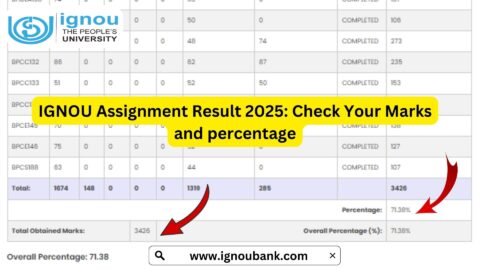
Check the marks displayed for each course. Depending on your programme and the available records, you may see assignment marks, theory examination marks, practical marks or other assessment components.
If some marks are missing, do not immediately assume that you have failed. The relevant assessment may still be under evaluation or awaiting an update.
Step 6: Save a copy for reference
If the portal provides an option to print or save your grade card, keep a copy for your personal records. Remember that an online status display may be indicative and may not replace the final grade card issued by IGNOU.
How to Check IGNOU Assignment Marks in the Grade Card?
Assignment marks form an important part of the evaluation process for many IGNOU programmes. Students are generally required to complete the prescribed assignments for their courses, subject to the applicable programme rules.
To check assignment marks:
- Open the official IGNOU grade card portal.
- Enter your enrolment number and programme details.
- Submit the information to view your grade card.
- Find the course for which you submitted an assignment.
- Look for the assignment or continuous assessment column.
- Check whether marks have been recorded for that course.
The column names may vary depending on the programme. Some grade cards display assignment marks separately from theory examination marks, while programmes with practical or other assessment requirements may include additional columns.
If you submitted an assignment recently and cannot see the marks, allow time for evaluation and transmission of the marks to the university. If the marks remain missing beyond a reasonable period, contact your study centre or the appropriate IGNOU office.
How to Check IGNOU Term-End Examination Results?
The IGNOU grade card and the Term-End Examination result service are related but serve different purposes.
The grade card provides an overview of the available assessment components for a student’s courses. The TEE result service is used to check the results published for term-end examinations and applicable re-evaluation results.
To check your TEE result:
- Visit https://termendresult.ignou.ac.in/.
- Select the applicable result or examination option.
- Enter your enrolment number and any other requested details.
- Submit the form.
- Review the displayed result and save a copy if available.
If your TEE result appears on the result portal but has not yet been updated in the grade card, the two records may be updating at different times. Check the official notices and allow the university to complete the relevant processing.
Understanding IGNOU Grade Card Status
Students may see different marks, symbols or status messages in the grade card. Their meaning depends on the programme, the course and the information recorded by the university.
The following table explains some common situations.
| Grade card information | General meaning |
|---|---|
| Assignment marks displayed | Assignment marks have been recorded for that course |
| Theory marks displayed | The available theory examination marks have been recorded |
| Practical marks displayed | Practical assessment marks have been entered, where applicable |
| Blank or dash | The component may not be applicable or the marks may not yet be available |
| Not Completed | One or more prescribed requirements may remain incomplete |
| Completed | The displayed record indicates completion according to the applicable system |
| Result not available | The result may not yet be published or the entered details may be incorrect |
These are general explanations, not a guarantee that every programme uses identical labels. Always interpret the displayed information according to the relevant programme guidelines.
A blank field does not automatically mean that you have failed. It may indicate that the marks have not yet been entered, that the assessment component is not applicable or that further processing is required.
Why Are IGNOU Grade Card Marks Not Updated?
One of the most common concerns among students is that their assignment or examination marks do not appear in the grade card even after completing the relevant assessment.
Several reasons may explain this situation.
1. Assignment evaluation is pending
After students submit assignments, the relevant study centre or evaluation authority must process the marks. The marks may take time to appear in the online record.
2. Marks have not been transmitted
The study centre may need to transmit the assignment marks to the university. If the marks have not reached the appropriate system, the grade card may not display them.
3. TEE results have not been published
If the university has not yet published the result for your examination, the relevant marks may not appear in the grade card.
4. Practical or project assessment is incomplete
Some programmes include practical examinations, project reports, internships, dissertations or viva assessments. These components may be processed separately from written examinations.
5. The wrong programme details were entered
If you enter an incorrect enrolment number or select the wrong programme, the portal may display an incorrect record or fail to retrieve your details.
6. The online record is still being updated
Different assessment components may be entered at different times. A recently declared result may therefore take time to appear in the consolidated grade card.
What to Do If IGNOU Assignment Marks Are Missing?
If your assignment marks are missing, follow a systematic approach rather than submitting the same assignment again without instructions.
First, confirm that the assignment was submitted. Check your submission receipt, acknowledgement or other proof of delivery.
Second, verify the course details. Make sure the assignment was submitted for the correct course and academic session.
Third, contact your study centre. Ask whether the assignment was evaluated and whether the marks were transmitted to the university.
Fourth, contact the appropriate IGNOU office if necessary. If the study centre confirms that the marks were sent but they remain missing, contact the relevant regional centre or Student Evaluation Division.
Finally, retain all supporting records. Keep your assignment receipt, course code, enrolment number and any written communication so that you can explain the issue clearly.
IGNOU provides information about evaluation-related enquiries through its official website and prospectus. The appropriate contact channel may depend on whether the issue concerns assignment marks, theory examination results, practical marks or the final grade card.
How Are IGNOU Grade Card Marks Calculated?
The assessment method depends on the programme and course. For many theory courses, IGNOU uses a combination of continuous evaluation, often through assignments, and the Term-End Examination.
The weighting is not necessarily identical for every programme. For example, some programme guides prescribe a 30% assignment and 70% TEE weighting for particular theory courses. Other programmes or courses may have different arrangements, especially where practicals, projects or other assessments are involved.
Students should consult their programme guide and the applicable academic regulations to confirm the required weighting and minimum passing marks.
Do not calculate your final result using a general formula unless it is confirmed for your programme. A student may need to satisfy separate minimum requirements for assignments and examinations rather than merely achieving a particular combined total.
What Does “Not Completed” Mean in the IGNOU Grade Card?
A “Not Completed” status generally indicates that the university’s record does not yet show all the requirements for completing the relevant course or programme.
Possible reasons include:
- Assignment marks have not been entered.
- The student has not passed the required theory examination.
- A practical examination or project assessment is pending.
- A required component has not been completed.
- The assessment record is still being processed.
Check each component separately before deciding what action is needed. If the status remains unchanged even though you have completed all prescribed requirements, contact IGNOU through the appropriate official channel.
The university’s final decision depends on the applicable programme rules and its official records.
Important Links for IGNOU Grade Card 2026
The following table contains useful links for checking your grade card and accessing other academic services.
| Purpose | Link |
|---|---|
| Check grade card information | IGNOU Grade Card Guide |
| Official grade card portal | https://www.ignoubank.com/ignou-grade-card/ |
| Check TEE and re-evaluation results | IGNOU Term-End Results |
| IGNOU official website | www.ignou.ac.in |
| IGNOU Student Portal | Samarth Student Portal |
| Assignment question papers | IGNOU Assignment Portal |
| Assignment submission status | IGNOU Assignment Status |
| Digital study material | eGyanKosh |
| Student grievances | IGNOU iGRAM Portal |
Use the official grade card portal to review your academic record and the official TEE result portal to check examination results. The other links serve different purposes and may be useful when following up on missing marks or preparing for your next academic requirements.
Tips for IGNOU Students
Students can make the grade card process easier by following a few practical steps.
- Check your grade card periodically after the relevant examination results or assignment evaluations are processed.
- Keep your enrolment number and programme code available.
- Save assignment submission receipts and examination records.
- Compare the displayed marks with the results and acknowledgements available to you.
- Check the programme guide for assessment weightings and passing requirements.
- Contact the relevant study centre or university office if a discrepancy persists.
- Use official websites for academic information and grievance submissions.
- Avoid sharing your login credentials or one-time passwords with unofficial individuals.
Keeping these records organised can make it easier to resolve discrepancies and monitor your academic progress.
FAQ about IGNOU Grade Card 2026
How can I check my IGNOU Grade Card 2026?
Visit the official grade card portal at https://gradecard.ignou.ac.in/, enter the requested enrolment and programme details, and submit the form. You can also use the grade card information link provided in this article.
Where can I check IGNOU assignment marks?
Assignment marks are generally available through the IGNOU grade card when they have been processed and entered into the university’s records. Check the assignment column for the relevant course.
Why are my IGNOU assignment marks missing?
The marks may still be under evaluation, awaiting transmission from the study centre or undergoing administrative processing. Check your submission proof and contact the study centre if the marks remain missing.
Can I check my IGNOU TEE result separately?
Yes. You can use the official IGNOU Term-End Examination Result portal to check available TEE and re-evaluation results.
What does “Not Completed” mean on the IGNOU grade card?
It generally means that the available record does not show completion of all required components for that course. Review the assignment, theory, practical and other applicable assessment fields to identify what may be pending.
Does the IGNOU grade card update immediately after results are declared?
Not necessarily. The result portal and grade card may update at different times. Allow time for processing and check official notices if a result is not reflected in your grade card.
How are IGNOU assignment and TEE marks combined?
The calculation depends on the programme and course. Some courses use a prescribed assignment and TEE weighting, while others may include practical or project assessments. Consult your programme guide for the exact rules.
Is the online IGNOU grade card the final marksheet?
The online status is primarily for information. IGNOU states that the final grade card is issued after the programme is completed and the prescribed assessment components have been updated. Follow the university’s instructions for official academic documents.
What should I do if my grade card contains incorrect marks?
Keep a copy of the displayed grade card and supporting records. Contact the appropriate study centre or IGNOU office and follow the official procedure for reporting discrepancies.
Conclusion
The IGNOU Grade Card 2026 helps students monitor their assignment marks, term-end examination results and other applicable assessment components. Checking the grade card regularly can help you identify missing marks, review your progress and follow up on any discrepancy before it causes further confusion.
To check your grade card, visit the IGNOU Grade Card Portal or use the IGNOU Grade Card information page. Enter the correct details and review the available information carefully.
If your assignment marks or examination results are missing, check your submission records and contact the relevant study centre or university office when necessary. Always consult your programme guide for assessment weightings and passing requirements, and rely on official IGNOU notifications for the final status of your academic record.