IGNOU Admission Status 2026 is an important update for students who have applied for admission to Indira Gandhi National Open University. After submitting an online admission form, applicants want to know whether their application has been received, their documents have been verified, and their admission has been confirmed by the university.
IGNOU offers undergraduate, postgraduate, diploma, certificate, and other programmes through Open and Distance Learning (ODL) and online modes. Students who apply for these programmes can check their admission or registration details through the university’s official online services.
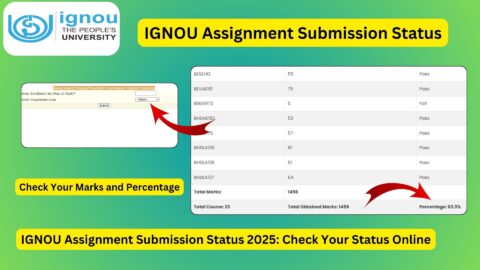
If you have submitted an IGNOU admission application and want to check its status, you can use the official admission status portal:
IGNOU Admission Status Portal: https://isms.ignou.ac.in/changeadmdata/AdmissionStatusNew.ASP
The portal is used to check admission and registration details. Applicants generally need their enrolment number and programme code to access the relevant information. If your enrolment number has not yet been issued, use your admission application account and official communications to track the application.
This article explains how to check IGNOU Admission Status 2026, understand admission confirmation, resolve common problems, and access important links for admission, registration, student services, and related academic activities.
IGNOU Admission Status 2026: Overview
The following table summarises the important details related to the IGNOU admission status process.
| Particulars | Details |
|---|---|
| University name | Indira Gandhi National Open University |
| Popular name | IGNOU |
| Process | Admission and registration status checking |
| Academic year | 2026 |
| Applicable applicants | Students who have applied for eligible IGNOU programmes |
| Programme types | Undergraduate, postgraduate, diploma, certificate, and other notified programmes |
| Official admission status portal | https://isms.ignou.ac.in/changeadmdata/AdmissionStatusNew.ASP |
| Official IGNOU website | https://www.ignou.ac.in/ |
| ODL fresh admission portal | https://ignouadmission.samarth.edu.in/ |
| Online programme admission portal | https://ignouiop.samarth.edu.in/ |
| Student portal | https://ignou.samarth.edu.in/ |
| Details generally required | Enrolment number and programme code |
| Main purpose | Check admission and registration details |
| Important reminder | Admission confirmation depends on eligibility, document verification, and applicable university requirements |
Admission processing times can vary depending on the application cycle, programme, and verification requirements. Applicants should check the relevant portal and official notifications rather than assuming that all applications will be confirmed within the same period.
What Is IGNOU Admission Status?
IGNOU admission status is the information available through the university’s online services about an applicant’s admission or registration record.
After submitting an application, the university may need to verify the applicant’s personal details, educational qualifications, uploaded documents, programme eligibility, and payment information. The status helps applicants understand the progress of their application or check the admission details recorded by the university.
Depending on the stage of processing, an applicant may need to check the admission application dashboard, official admission status service, or student portal.
It is important to understand that submitting an application form does not automatically mean that admission has been confirmed. The application must satisfy the applicable requirements established by IGNOU for the selected programme.
Students should retain their application acknowledgement, payment receipt, and other relevant records until their admission is confirmed.
How to Check IGNOU Admission Status 2026 Online?
Applicants can follow these steps to check their admission or registration details.
Step 1: Visit the Official Admission Status Portal
Open the official IGNOU admission and registration status page:
https://isms.ignou.ac.in/changeadmdata/AdmissionStatusNew.ASP
Make sure you are using the university’s official website before entering your academic details.
Step 2: Enter Your Enrolment Number
The portal asks for an enrolment number. Enter the number exactly as provided by IGNOU.
If you have not yet received an enrolment number, check your admission application account and official email or SMS communications. You may need to track the application through the portal where you submitted it.
Step 3: Select Your Programme Code
Choose the programme code corresponding to your admission.
For example, students applying for BA, BCom, BSc, BCA, MA, MCom, MSc, MBA, MCA, or another programme should select the code that matches their actual registration details.
Do not select a programme code simply because its name appears similar to your chosen course.
Step 4: Complete the Verification Field
The status portal may display an image verification field. Enter the characters shown in the image as instructed.
If the characters are difficult to read, use the portal’s available refresh option and try again.
Step 5: Submit the Details
Submit the required information and wait for the portal to process your request.
If the information is accepted, the portal should display the admission or registration details available for your record.
Step 6: Review the Displayed Information
Carefully review the information shown on the screen. Depending on the record, the service may display details relating to your admission, programme, registration, or study centre.
If the information appears incorrect or your status is unclear, save the relevant reference details and contact IGNOU through the appropriate official channel.
Step 7: Keep a Copy for Your Records
If the portal provides a print option, save or print the information for your personal records.
You should also keep your admission acknowledgement and payment receipt. These records can be useful if you need to follow up about a delay or discrepancy.
How to Check IGNOU Admission Application Status Without an Enrolment Number?
Some applicants want to check their status before receiving an enrolment number. In this situation, the admission status portal may not be the most suitable first step because it generally asks for an enrolment number and programme code.
Instead, follow these steps.
- Open the admission portal where you submitted your application.
- Log in using the account credentials created during the application process.
- Look for the submitted application or admission dashboard.
- Check whether the application has been submitted successfully and whether any further action is requested.
- Review the payment details and confirmation messages.
- Check your registered email address and mobile number for official communication from IGNOU.
- If you cannot find the application or its status remains unclear, contact the relevant university support channel.
For fresh admission to ODL programmes, use:
https://ignouadmission.samarth.edu.in
For programmes offered through the online admission portal, use the relevant official online programme admission service:
https://ignouiop.samarth.edu.in
The correct portal depends on the programme and admission mode. Always follow the instructions provided for your particular application cycle.
How to Know Whether Your IGNOU Admission Is Confirmed?
Students should distinguish between submitting an application and receiving confirmation of admission.
An application acknowledgement generally indicates that the form was submitted. Admission confirmation means that the university has processed the application and recorded the relevant admission decision, subject to the applicable rules.
The following table explains common situations applicants may encounter.
| Situation | What It May Mean | What You Should Do |
|---|---|---|
| Application submitted | Your form has been submitted through the admission portal | Save the acknowledgement and payment receipt |
| Under verification or pending | The application may still be under review or awaiting an update | Check the application dashboard and official communications |
| Admission confirmed | The university’s record indicates that admission has been approved | Verify your programme and registration details |
| Enrolment number received | An enrolment number has been assigned or communicated | Use it to access relevant student services |
| Details not found | The portal may not have the required record or the details may be incorrect | Recheck your details and use the application portal if necessary |
| Discrepancy or rejection | The application may require clarification or may not satisfy a requirement | Read the official communication and contact the relevant office |
The wording displayed on the portal may vary. Do not assume that every status label has the same meaning across all admission systems.
If your application appears pending, it does not automatically mean that it has been rejected. Check for official messages or requests for additional information before taking further action.
Why Is IGNOU Admission Status Not Updated?
Students sometimes find that their admission status has not changed even after submitting the form and paying the fee. Several factors may explain this situation.
1. Application Verification Is Still in Progress
The university may need time to verify academic qualifications, personal information, uploaded documents, or programme eligibility.
During busy admission periods, processing may take longer than expected.
2. Payment Information Has Not Been Reflected
If the payment was successful but the portal still shows an incomplete application, check the payment receipt and transaction status.
Avoid paying a second time without confirming the original transaction’s status and following the university’s instructions.
3. Documents Need Attention
An application may require further review if documents are unclear, incomplete, or inconsistent with the information entered in the form.
Check the admission dashboard and any official communication for instructions.
4. Enrolment Number Has Not Yet Been Issued
Some applicants may attempt to use the admission status service before their enrolment number has been communicated.
In this case, check the original application portal and registered email or mobile number.
5. Incorrect Programme Code or Enrolment Number
Entering incorrect details can prevent the portal from displaying the correct record.
Verify the enrolment number and programme code against official communications before trying again.
6. Technical Issues
The portal may occasionally be slow or temporarily unavailable. Try again after some time, use an updated browser, or check the official IGNOU website for service announcements.
If the issue continues, contact the university rather than repeatedly submitting forms or payments.
What to Do If IGNOU Admission Is Pending for a Long Time?
If your application remains pending and you have already completed the required steps, use a systematic approach to resolve the issue.
First, log in to the original admission portal and check whether the application is complete. Confirm that the payment was successful and that the required documents were uploaded correctly.
Next, review your registered email account and mobile messages for any communication from IGNOU. Check the status portal again if you have received an enrolment number.
If no clear information is available, contact the relevant Regional Centre or official admission support channel. Explain the issue and provide the application reference, enrolment number if available, programme details, and payment information requested by the university.
You can also use the official IGNOU grievance portal if your concern remains unresolved:
Keep your communication clear and factual. Avoid publishing personal information, application numbers, or payment details in public forums.
What to Do After IGNOU Admission Is Confirmed?
Once your admission is confirmed, complete the next steps required to begin your studies.
Download Your IGNOU Identity Card
Students can access the relevant student portal to download their identity card when it becomes available.
Student portal:
Follow the current login and identity card instructions provided by IGNOU.
Check Your Study Centre
Verify the study centre allocated to you, if applicable. Your study centre may provide information about academic counselling, practical sessions, induction meetings, and other programme-related activities.
You can check the relevant study centre status service here:
https://eportal.ignou.ac.in/scstatus
Access Your Study Material
IGNOU provides digital study material through eGyanKosh:
Check the material available for your programme and course codes. If you have opted for printed material, use the relevant official service to check dispatch information.
Download Your Assignments
Assignments are an important component of many IGNOU programmes. Download the correct assignment questions for your programme and session from the official assignment service:
https://webservices.ignou.ac.in/assignments
Read the instructions carefully and submit assignments according to the requirements and deadlines applicable to your programme.
Keep Track of Re-Registration
Students continuing into the next semester or academic year may need to complete re-registration within the applicable period.
Official re-registration portal:
Check the current notification for the relevant session and complete the process within the announced deadline.
Important Links for IGNOU Admission Status 2026
The following table lists useful official links for admission status and related student services.
| Purpose | Important Link |
|---|---|
| Check IGNOU admission and registration status | https://isms.ignou.ac.in/changeadmdata/AdmissionStatusNew.ASP |
| Official IGNOU website | https://www.ignou.ac.in/ |
| Student Registration Division | https://www.ignou.ac.in/pages/183 |
| ODL fresh admission portal | https://ignouadmission.samarth.edu.in/ |
| Online programme admission portal | https://ignouiop.samarth.edu.in/ |
| IGNOU student portal | https://ignou.samarth.edu.in/ |
| Re-registration portal | https://onlinerr.ignou.ac.in/ |
| Study centre status | https://eportal.ignou.ac.in/scstatus/ |
| IGNOU Grade Card | https://gradecard.ignou.ac.in/ |
| IGNOU assignment question papers | https://webservices.ignou.ac.in/assignments/ |
| IGNOU digital study material | https://egyankosh.ac.in/ |
| IGNOU grievance portal | https://igram.ignou.ac.in/ |
Use the portal that matches your requirement. Fresh admission, admission status checking, re-registration, study centre information, and academic records are separate services.
FAQ about IGNOU Admission Status 2026
How can I check IGNOU Admission Status 2026?
Visit https://isms.ignou.ac.in/changeadmdata/AdmissionStatusNew.ASP, enter your enrolment number, select your programme code, complete the verification field, and submit the details.
What details are required to check IGNOU admission status?
The official admission and registration status portal generally requires your enrolment number and programme code. Additional verification may also be required.
Can I check my admission status without an enrolment number?
If you have not received an enrolment number, first log in to the admission portal where you submitted your application. Check your application dashboard and official messages for updates.
How long does IGNOU take to confirm admission?
Processing time can vary depending on the admission cycle, programme, document verification, and other requirements. Check your application dashboard and official communication for updates rather than relying on a fixed number of days.
Why is my IGNOU admission status still pending?
Your application may still be under verification, or the portal may not yet reflect the latest update. Check your documents, payment receipt, and official messages. Contact IGNOU if the status remains unresolved.
What should I do if my admission payment was successful but the status is not updated?
Keep your payment receipt and check the transaction status in the admission portal. If the payment is not reflected after a reasonable period, contact the relevant official support channel before making another payment.
How will I know if my IGNOU admission is confirmed?
Check the official admission or registration status service and your application dashboard. IGNOU may also communicate confirmation through the registered email address or mobile number.
Where can I check my IGNOU enrolment number?
Check the official email or SMS communications received after your application has been processed. You can also log in to the admission portal and review the available registration details.
How can I download my IGNOU ID card after admission?
Visit https://ignou.samarth.edu.in/ and follow the university’s current student registration and identity card download instructions. Availability depends on the relevant admission record and portal process.
What should I do if the admission status portal shows no record?
Recheck your enrolment number and programme code. If you do not yet have an enrolment number, use your original application portal. If the issue continues, contact IGNOU with the relevant application details.
Where can I complain about an unresolved IGNOU admission issue?
You can contact the relevant Regional Centre or official admission support channel. You may also submit a grievance through https://igram.ignou.ac.in/.
Is admission confirmation the same as re-registration?
No. Fresh admission is for applicants entering a programme, while re-registration is generally required for eligible existing students continuing into the next semester or academic year. Use the appropriate portal for each process.
Conclusion
IGNOU Admission Status 2026 helps applicants track their admission and registration details after submitting an application to Indira Gandhi National Open University. Checking the status can help you identify whether your application has been processed, whether additional action may be required, and which student services you can access next.
To check your admission or registration details, visit the official portal:
https://isms.ignou.ac.in/changeadmdata/AdmissionStatusNew.ASP
Keep your enrolment number, programme code, application acknowledgement, and payment receipt available when checking your status. If your application is pending or the portal does not display the expected information, review the original application dashboard and official communications before contacting the university.
After your admission is confirmed, download your identity card when available, check your study centre details, access your study material, and keep track of assignment and re-registration requirements.
Always rely on official IGNOU portals and notifications for confirmation of your admission and the next steps in your academic journey.