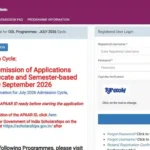
IGNOU Exam Form Fill Up 2026: Indira Gandhi National Open University (IGNOU) conducts Term-End Examinations for students enrolled in various undergraduate, postgraduate, diploma, certificate and other programmes. Before appearing in the Term-End Examination, eligible students are required to complete the IGNOU exam form fill up process within the prescribed schedule.
The IGNOU exam form is submitted online. Students need to select the courses they want to appear for, choose the examination mode and examination centre where applicable, verify their details and pay the prescribed examination fee. It is important to complete every step carefully because mistakes in the examination form can create problems later.
The following guide explains how to fill the IGNOU exam form online, what information students should keep ready, how to select courses, how to pay the examination fee, and what to do after submitting the form.
IGNOU Exam Form Fill Up
IGNOU exam form fill up is the online process through which students register themselves for the Term-End Examination. IGNOU generally conducts Term-End Examinations twice a year, commonly in June and December.
Students who have completed the required academic requirements and are eligible for their examinations should submit the examination form during the prescribed period.
The examination form is different from IGNOU admission and re-registration. Admission is related to joining a programme, while re-registration is generally related to registering for the next year or semester. The examination form is specifically submitted when a student wants to appear in eligible courses in the Term-End Examination.
IGNOU’s official information states that examination forms for TEE are submitted online through the examination/student portal, and students should carefully verify their information before making the payment.
IGNOU Exam Form Fill Up Link
Students can use the following link to access the IGNOU Samarth portal for the exam form process:
Fill IGNOU Exam Form Online: https://ignou.samarth.edu.in/
Students should use the official IGNOU/Samarth portal and avoid submitting examination forms through unofficial websites.
The IGNOU Common Prospectus also lists the IGNOU examination portal as the official place for filling the Term-End Examination form for June and December examinations.
Important IGNOU Exam Form Links and Information
| Information | Details |
|---|---|
| University | Indira Gandhi National Open University |
| Exam Form | IGNOU Term-End Examination Form |
| Exam Form Portal | https://ignou.samarth.edu.in/ |
| Examination Portal | https://exam.ignou.ac.in/ |
| Examination | Term-End Examination |
| Exam Sessions | June and December |
| Mode of Application | Online |
| Login | IGNOU Samarth Student Account |
| Course Selection | Select eligible courses |
| Examination Centre | Select available centre as applicable |
| Payment | Online payment through available payment gateway |
| Hall Ticket | Check the official IGNOU website after the examination form process |
| Previous Question Papers | IGNOU Previous Question Papers portal |
| Assignments | IGNOU Assignment portal |
| Official Website | https://www.ignou.ac.in/ |
Who Can Fill the IGNOU Exam Form?
Not every student can automatically submit the examination form for every course. Students should check their programme registration, course eligibility and programme validity before filling out the form.
Generally, students need to ensure that the courses they select are eligible for the particular Term-End Examination. Students may also need to appear for courses that they could not successfully complete in an earlier examination, subject to IGNOU’s applicable rules.
Before submitting the form, students should check:
- Whether their programme registration is valid.
- Whether the selected courses are available for the examination.
- Whether they have completed the required registration or re-registration requirements.
- Whether the courses selected are part of their programme.
- Whether any previous examination result is pending.
- Whether they have completed the required assignments or other academic requirements.
- Whether they have selected the appropriate examination centre and examination mode where applicable.
IGNOU advises students to check their programme and course eligibility before submitting the examination form.
How to Fill IGNOU Exam Form Online?
The IGNOU exam form fill up process can be completed online by following a series of steps.
Step 1: Visit the IGNOU Samarth Portal
First, visit the official IGNOU Samarth Student Portal:
Make sure that you are using the correct official website before entering your enrolment number, password or other personal information.
Step 2: Login to Your Student Account
If you already have an account on the IGNOU Samarth portal, enter your login credentials and access your student account.
Students who have not registered on the portal may need to complete the registration process first. IGNOU’s examination instructions state that students can register through the Student Portal and then use their account for submitting the examination form.
Keep your login details safe because the same student account may be useful for accessing other academic services.
Step 3: Look for the Examination Form Option
After logging in, look for the relevant examination or Term-End Examination form option available on the portal.
The exact appearance of the portal may change from one examination cycle to another. Therefore, students should follow the options displayed on the official portal during the current examination cycle.
Step 4: Check Your Student Details
Before selecting courses, carefully check the information displayed in your account.
Check details such as:
- Enrolment number
- Programme
- Name
- Registered courses
- Programme validity
- Regional Centre
- Other available student information
If your eligible course does not appear or your registration shows an incorrect status, do not randomly select another course. Students should contact the appropriate IGNOU authority or Regional Centre for assistance.
Step 5: Select the Courses
This is one of the most important parts of the IGNOU exam form fill up process.
Select the courses for which you want to appear in the Term-End Examination. Check the course codes carefully before proceeding.
Students should not select courses simply because they appear on a list. The selected courses should correspond to the courses for which they are eligible to appear.
A wrong course selection can create difficulties later. IGNOU’s examination instructions emphasize that students should fill the examination form carefully and verify the information before submission.
Step 6: Select the Examination Mode
Where applicable, students may need to select the examination mode, such as Pen and Paper Based Examination or Computer Based Examination.
The available options depend on the programme, course and examination cycle.
Students should carefully check the available options before submitting the form because IGNOU’s examination notifications may specify that the examination mode selected in the form cannot subsequently be changed.
Step 7: Select the Examination Centre
Students may also be required to select an examination centre from the available options.
While selecting the centre, check the location carefully and select an available centre according to the options displayed on the portal.
Students should remember that examination-centre options can be subject to availability and IGNOU’s examination arrangements. The university has stated in its examination instructions that students should choose the examination centre carefully while filling the form.
Step 8: Review the Examination Form
Before making the payment, carefully review the complete summary of your examination form.
Check:
- Name
- Enrolment number
- Programme
- Course codes
- Examination mode
- Examination centre
- Other information shown on the form
Do not hurry through this stage.
IGNOU’s examination instructions state that a summary is displayed before proceeding to payment and that students should check it carefully.
Step 9: Pay the Examination Fee
After verifying the examination form, proceed to the payment section.
Use the payment method provided by the official portal. Do not send examination fees to an unofficial bank account, individual or third-party website.
After successful payment, wait for the payment confirmation and examination form submission status.
Step 10: Save the Acknowledgement
After successfully submitting the examination form, save or print the acknowledgement/payment confirmation for future reference.
It is a good idea to keep a copy of:
- Submitted examination form
- Payment receipt
- Control number or confirmation details
- Transaction details
- Screenshot or PDF of the final submission
IGNOU’s examination instructions also advise students to retain the acknowledgement for future reference.
What Details Are Required for IGNOU Exam Form Fill Up?
Students should keep important academic and personal information available before starting the form.
Some useful information includes:
- IGNOU enrolment number
- Programme name
- Programme code
- Course codes
- Regional Centre details
- Student portal login details
- Examination centre preference
- Valid payment method
- Previous examination information, where applicable
Keeping these details ready can make the process easier and reduce the possibility of selecting incorrect information.
IGNOU Exam Form Fee
Students are required to pay the prescribed examination fee for the courses they select. The applicable fee can vary depending on the examination cycle, programme, course and rules applicable at that time.
Students should therefore check the amount displayed on the official examination portal before making payment.
Do not rely on old screenshots, social media posts or information from previous examination sessions for the current examination fee.
The fee should be paid through the payment options provided by IGNOU’s official portal.
Important Things to Check Before Submitting the Form
The IGNOU exam form should be completed carefully. Students should check the following points before clicking the final submission option:
- Your enrolment number is correct.
- Your programme is correctly displayed.
- Your programme registration is valid.
- You have selected the correct course codes.
- You have selected all eligible courses you intend to take.
- Your examination centre is correct.
- The selected examination mode is correct where applicable.
- Your personal details are correct.
- The examination fee shown is correct.
- You have checked the final form summary.
- Your payment has been successfully completed.
- You have saved the acknowledgement.
IGNOU has specifically instructed students to fill the examination form carefully and verify the details before payment.
What If the Course Is Not Showing in the Exam Form?
Sometimes students may find that an expected course does not appear in the list of eligible courses.
There can be different reasons for this, including registration status, programme validity, course eligibility or other academic records.
Students should not select an unrelated course as a replacement.
If the eligibility or registration information appears incorrect, students should contact IGNOU through the appropriate official channel or their Regional Centre.
IGNOU’s examination instructions mention that students whose programme validity or eligible courses are not correctly reflected should contact the Student Registration Division for assistance.
What If the Payment Is Successful but the Form Is Not Showing?
Payment-related issues can sometimes occur during online transactions.
If the amount has been deducted but the examination form status is not immediately updated, students should first check the payment status and acknowledgement information available through the official portal.
Do not immediately make multiple payments without checking the transaction status.
Keep the following information safely:
- Transaction ID
- Payment date
- Amount
- Bank reference number
- Enrolment number
- Screenshot of payment
- Examination form details
For examination-form-related queries, students should use the contact information published by IGNOU rather than relying on unofficial sources.
Can Students Change the Examination Centre After Submission?
Students should select the examination centre carefully before submitting the form.
IGNOU’s examination notification has stated that, in the Samarth-based examination form process, requests for changing the examination centre may not be entertained after submission.
Therefore, students should check the centre selection carefully before final submission.
IGNOU Exam Form and Assignments
Filling the examination form is only one part of the IGNOU examination process.
Students should also pay attention to their assignment submission requirements. Assignments are an important part of many IGNOU programmes and should be submitted according to the applicable instructions and deadlines.
Students can use the official IGNOU assignment resources to download assignment questions and check the applicable instructions.
The IGNOU Common Prospectus states that assignment and project submission requirements are compulsory components for completion of applicable programmes.
IGNOU Exam Form and Hall Ticket
After the examination form submission process, students should regularly check the official IGNOU website for updates regarding the examination schedule and hall ticket.
The hall ticket/admit card contains important information about the examination, including the examination centre and papers scheduled for the student.
Students should verify the hall ticket carefully once it becomes available.
If there is an issue with the examination details, students should contact the appropriate IGNOU examination authority as soon as possible.
Common Mistakes to Avoid During IGNOU Exam Form Fill Up
Students can avoid many problems by paying attention to a few common mistakes.
Selecting the Wrong Course
Always verify the course code before selecting it. Similar-looking course codes can cause confusion.
Choosing the Wrong Examination Centre
Check the centre name and location carefully before submitting the form.
Waiting Until the Last Day
Technical problems, payment failures or heavy website traffic can create unnecessary difficulties near the deadline. It is better to complete the form well before the closing date.
Not Saving Payment Details
Always save the payment receipt, transaction details and final acknowledgement.
Ignoring Pending Results
If a previous examination result is pending, students should follow the instructions applicable to their examination cycle rather than making assumptions.
Using Unofficial Websites
Use the official IGNOU website and Samarth portal for examination-related services.
IGNOU Exam Form Fill Up for December Examination
IGNOU conducts a December Term-End Examination for eligible students.
For the December 2026 TEE, IGNOU announced that online submission of the examination form is open for eligible learners of ODL and online programmes, with the last date without late fee stated as 30 September 2026. Students should always verify the latest notice on the official IGNOU website before submitting the form because examination schedules and deadlines can be changed or extended through official notifications.
Students preparing for the December examination should not wait until the last moment. They should check their course eligibility, complete the examination form, make the payment and save the acknowledgement.
IGNOU Exam Form Fill Up for June Examination
IGNOU also conducts Term-End Examinations in June.
The June examination form is generally made available through the online examination system during the relevant application period. The exact dates, fee structure and late-fee provisions should be checked in the official notification for the particular examination cycle.
Students should not use dates from an earlier June examination as the dates for a future examination.
FAQ about IGNOU Exam Form Fill Up 2026
What is the IGNOU exam form?
The IGNOU exam form is an online form that eligible students submit to register for their Term-End Examination in selected courses.
Where can I fill the IGNOU exam form?
You can use the IGNOU Samarth Student Portal:
https://ignou.samarth.edu.in/
The official IGNOU examination portal is also available at https://exam.ignou.ac.in/.
Is IGNOU exam form fill up online?
Yes. IGNOU provides an online process for submitting the Term-End Examination form.
Can I select multiple courses in the IGNOU exam form?
Eligible students can select the applicable courses they intend to appear for, subject to IGNOU’s rules and the options displayed in the examination form.
What should I check before submitting the exam form?
Check your enrolment number, programme, course codes, examination centre, examination mode where applicable, and other details shown in the final summary.
Can I change my exam centre after submitting the form?
Students should select their examination centre carefully. IGNOU’s examination notification has stated that requests for changing the examination centre after submission may not be entertained.
What should I do after submitting the IGNOU exam form?
Save the acknowledgement and payment confirmation. You should also monitor the official IGNOU website for examination-related updates, including the date sheet and hall ticket.
What if my course is not showing in the examination form?
Check your programme and course eligibility first. If the eligible course is not displayed, contact the appropriate IGNOU authority or Regional Centre instead of selecting an unrelated course.
Can I fill the exam form without checking my previous result?
Students should check their previous examination results and follow the instructions given by IGNOU for the particular examination cycle. In some cases, IGNOU provides instructions for students whose previous results have not yet been declared.
Is the examination fee refundable?
Students should carefully check the applicable examination notification and payment instructions. IGNOU’s examination instructions state that examination fees are generally not refundable or adjustable once paid, subject to the specific provisions mentioned by the university.
What if I make a mistake in the exam form?
Review the form carefully before final submission. IGNOU has stated that students should fill the form with utmost care, as requests for amendments after submission may not be entertained in certain circumstances.
Conclusion
IGNOU exam form fill up is an important step for students who want to appear in the Term-End Examination. The process is completed online, and students should carefully select their eligible courses, examination centre and examination mode wherever applicable.
Before submitting the form, check your programme validity, course eligibility and other academic information. After completing the form, verify the summary carefully, make the examination fee payment through the official payment option and save the acknowledgement for future reference.
Students should use the official IGNOU Samarth portal for the examination form process:
IGNOU Exam Form Fill Up: https://ignou.samarth.edu.in/
It is also important to check the official IGNOU website regularly for the latest examination notifications, dates, hall tickets and other updates. Since examination deadlines and instructions can change between examination cycles, students should always follow the latest official notification applicable to their TEE.