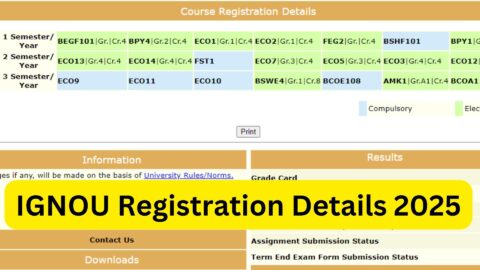
IGNOU Registration Status 2026: If you have applied for admission to Indira Gandhi National Open University (IGNOU), checking your registration status is an important step after submitting your application. The IGNOU registration status helps students verify whether their admission details have been recorded in the university system and whether their registration information is available.
IGNOU provides an official online service called Know Your Admission/Registration Details, where students can check their admission and registration information using their enrollment number and programme code. The official status page asks students to enter their enrollment number, select the programme code, and complete the verification code before submitting the request.
Students can check their IGNOU registration status online without visiting an IGNOU Regional Centre for the initial status check. This can be especially useful after fresh admission, when students want to confirm that their admission information has been processed.
IGNOU Registration Status Direct Link
Students can check their IGNOU registration and admission details through the official IGNOU status portal:
Check IGNOU Registration Status:
https://isms.ignou.ac.in/changeadmdata/AdmissionStatusNew.ASP
The official page is titled “Know Your Admission/Registration Details.” It requires the enrollment number, programme code and verification code to display the available registration information.
Important Links for IGNOU Students
| Purpose | Important Link / Information |
|---|---|
| IGNOU Registration Status | https://isms.ignou.ac.in/changeadmdata/AdmissionStatusNew.ASP |
| IGNOU Student Portal | https://ignou.samarth.edu.in/ |
| Fresh Admission Portal | https://ignouadmission.samarth.edu.in/ |
| IGNOU Official Website | https://www.ignou.ac.in/ |
| Assignment Status | https://isms.ignou.ac.in/changeadmdata/StatusAssignment.asp |
| Examination Form | https://exam.ignou.ac.in/ |
| Digital Study Material | eGyanKosh |
| Student Identity Card | Available through the IGNOU Student Portal |
| Re-Registration | IGNOU Samarth/Re-registration portal |
| Study Centre Information | Check the relevant IGNOU Regional Centre |
What Is IGNOU Registration Status?
IGNOU registration status refers to the admission and registration information maintained in the university’s student database. After applying for an IGNOU programme, students may want to verify whether their information has been processed and recorded.
The university’s official Student Services section provides a facility for students to check their registration status. IGNOU also states that students can use the admission/registration status service to check information associated with their registration.
The status information can be useful for students who have recently applied for a programme and want to confirm their admission details.
It is important to understand that registration status is different from assignment status, examination status, or result status. Each service is provided separately and should be checked through the appropriate IGNOU portal.
How to Check IGNOU Registration Status?
Checking the IGNOU registration status is a straightforward online process. Follow these steps carefully.
Step 1: Visit the Official Status Portal
First, open the official IGNOU Admission/Registration Status page:
https://isms.ignou.ac.in/changeadmdata/AdmissionStatusNew.ASP
The page is an official IGNOU service and is titled “Know Your Admission/Registration Details.”
Step 2: Enter Your Enrollment Number
On the status page, you will see a field asking for your Enrollment No.
Enter your enrollment number carefully.
Make sure that the number is entered exactly as provided by IGNOU. Avoid adding unnecessary spaces or changing any digits.
Step 3: Select Your Programme Code
The next field asks you to enter or select your Programme Code.
Choose the programme code associated with your IGNOU admission.
For example, different IGNOU programmes have different programme codes. Therefore, students should select the code corresponding to the programme for which they have registered.
Step 4: Enter the Verification Code
The portal also displays a verification image. Enter the characters shown in the image into the verification field.
If the image is difficult to read, use the option provided on the page to change the verification image.
Step 5: Submit the Information
After entering the enrollment number, programme code and verification code, submit the information.
The portal will process your details and display the available admission or registration information associated with the entered details.
What Details Can You Check?
The exact information displayed can depend on the student’s record and the information available in the IGNOU database.
The university describes the admission/registration service as a facility for checking admission and registration details. IGNOU’s official information also indicates that students can use this service to view registration-related information.
Depending on your record, the information may help you verify details such as:
- Enrollment number
- Programme information
- Admission or registration details
- Student-related information maintained in the university system
- Other admission details available in the database
Students should carefully check the displayed information and compare it with their admission documents.
When Should You Check IGNOU Registration Status?
There is no need to check the status repeatedly every few minutes. Students should generally check after completing the admission process and allowing sufficient time for the application to be processed.
You may want to check your registration details when:
- You have recently submitted a fresh admission application.
- You have received your enrollment number.
- You want to verify your admission information.
- You want to confirm that your registration details are available online.
- You need to check your programme information.
- You are preparing for the next stage of your IGNOU studies.
IGNOU’s official admission information explains that enrollment information is shared after confirmation of admission, while the university also provides the online admission/registration status service for checking details.
IGNOU Registration Status Not Showing
Sometimes students enter their details but do not immediately see the expected information. This does not necessarily mean that the admission application has been rejected.
There can be several reasons for this situation.
1. Recently Submitted Application
If you have submitted your admission application recently, the information may take some time to become available in the relevant system.
Students should allow reasonable processing time before checking again.
2. Incorrect Enrollment Number
Make sure you have entered the correct enrollment number.
Check your admission confirmation, email, SMS or other official IGNOU communication for the correct number.
3. Incorrect Programme Code
The programme code must correspond to the programme for which you are registered.
Selecting an incorrect programme code can prevent the correct information from being displayed.
4. Verification Code Error
The verification code must be entered correctly. If the characters are difficult to read, refresh or change the verification image and enter the new code.
5. Technical Issues
The website may occasionally experience temporary technical or server-related problems. If the page does not respond properly, try again later.
It is also useful to make sure that your internet connection and browser are working correctly.
Difference Between IGNOU Registration Status and Admission Status
Students often use the terms admission status and registration status interchangeably. They are closely related, but it is useful to understand the context.
Admission status generally relates to the processing or confirmation of an application for admission to an IGNOU programme.
Registration details relate to the information maintained by IGNOU for a learner’s programme and enrollment.
The official IGNOU service itself combines these functions under “Know Your Admission/Registration Details.”
Therefore, when students search for “IGNOU registration status,” “IGNOU admission status,” or “IGNOU admission registration details,” they may be referring to the same official status-checking service.
IGNOU Registration Status Through Student Portal
Apart from the dedicated admission/registration status service, students should also become familiar with the IGNOU Student Portal.
The official IGNOU FAQ states that students can check their registration details through their student login at the IGNOU Samarth Student Portal.
The Student Portal is useful for various student-related services after admission.
Students should keep their login credentials secure and use the official IGNOU website and portals whenever accessing academic information.
What to Do After Your IGNOU Registration Is Confirmed?
Once your admission and registration details are available, there are several important things you should do.
First, carefully check your personal and programme information. If everything appears correct, keep a copy or screenshot of the relevant information for your records.
You should also access the IGNOU Student Portal and become familiar with the services available to registered students.
IGNOU’s official information advises students to register on the Student Portal after admission confirmation.
You should also keep track of:
- Your programme details
- Enrollment number
- Regional Centre
- Study Centre
- Assignment requirements
- Examination information
- Study material
- Academic notifications
- Re-registration requirements
- Term-end examination schedules
Keeping these details organized can make it easier to manage your IGNOU programme.
IGNOU Registration Status and Student ID Card
After admission confirmation, students may also need to access their IGNOU identity card.
The IGNOU Common Prospectus lists the Student Portal as the service through which students can access or download the Student ID card.
Students should therefore ensure that their admission details and student account are properly available before moving on to other academic services.
IGNOU Registration Status and Study Centre
Registration information is also important when identifying your academic support arrangements.
IGNOU operates through Regional Centres and Study Centres. After admission confirmation, students can check the relevant Regional Centre information and follow announcements related to induction meetings, counselling sessions and other academic support.
IGNOU’s official information advises students to visit the website of their respective Regional Centre after admission confirmation for information about induction meetings, academic counselling schedules and other support services.
If you are unsure about your Study Centre or related information, check the official IGNOU services rather than relying on unofficial websites.
What If There Is an Error in Registration Details?
If your registration details contain an error, do not ignore it.
First, compare the information shown online with the information submitted in your admission application and the documents you provided.
If there is a discrepancy, follow the official IGNOU procedure for resolving admission-related issues. Depending on the nature of the problem, you may need to contact the concerned IGNOU Regional Centre or the appropriate university division.
Students should keep relevant documents such as the application form, payment receipt, admission confirmation, enrollment information and correspondence with IGNOU.
These documents can be useful if you need to explain or resolve an admission-related issue.
Is IGNOU Registration Status the Same as Assignment Status?
No. These are different services.
The IGNOU registration status service is used for admission and registration information.
The assignment status service is used to check the status of assignments, projects, practical awards or marks transmission. The official assignment status page specifically notes that the status is reflected when marks or grades have been transmitted by the relevant Study Centre or Regional Centre after evaluation.
Therefore, if you want to check an assignment, you should use the assignment status service rather than the registration status portal.
Is IGNOU Registration Status the Same as Exam Result?
No.
Registration status relates to your admission and registration information. Examination results and grade card information are separate student services.
Students should use the relevant IGNOU examination or result service when they need information about term-end examinations, results or grade cards.
Similarly, examination form status should not be confused with admission or registration status.
Important Tips for IGNOU Students
When checking your registration status, keep the following points in mind.
Always use the official IGNOU website and official IGNOU portals for student information.
Keep your enrollment number safely stored because it may be required for several IGNOU services.
Enter your programme code correctly.
Do not share your IGNOU password or other private login information with unknown individuals.
Keep admission receipts and confirmation emails for future reference.
If the information does not appear immediately after admission, check again after some time instead of assuming that your application has been rejected.
For important admission-related issues, rely on official IGNOU announcements, your Regional Centre and official university communication.
IGNOU maintains online services for admission, registration, examination, assignments, study material and other student-related activities through its official website and associated portals.
FAQ about IGNOU Registration Status 2026
How can I check my IGNOU registration status?
You can check your IGNOU registration details through the official Know Your Admission/Registration Details portal:
https://isms.ignou.ac.in/changeadmdata/AdmissionStatusNew.ASP
You need to enter your enrollment number, programme code and verification code.
What details are required to check IGNOU registration status?
The official status portal asks for your Enrollment Number, Programme Code and Verification Code.
Is the IGNOU registration status portal official?
Yes. The admission/registration status page is hosted on the official IGNOU domain and is identified as the university’s Know Your Admission/Registration Details service.
What should I do if my registration status is not showing?
First, verify your enrollment number and programme code. Also check that the verification code has been entered correctly. If your admission was submitted recently, allow time for processing and try again later.
If the issue continues, contact the appropriate IGNOU Regional Centre or university support channel.
Can I check registration details through the IGNOU Student Portal?
Yes. IGNOU’s official FAQ states that students can check registration details through their student login on the IGNOU Samarth Student Portal.
Is enrollment number required to check registration status?
Yes. The official registration status page specifically asks students to enter their enrollment number.
Is IGNOU admission status different from registration status?
The university provides admission and registration information together through its Know Your Admission/Registration Details service. Therefore, students searching for either admission status or registration status can use the official status portal.
Can I check IGNOU assignment status on the registration status page?
No. Assignment status is provided through a separate IGNOU service. The assignment status portal is used for assignment, project, practical awards and marks transmission information.
What should I do after my IGNOU admission is confirmed?
After admission confirmation, students should access the IGNOU Student Portal, check their academic information and follow relevant instructions from the university. IGNOU also recommends checking the respective Regional Centre for induction meetings, counselling schedules and other academic support.
Conclusion
Checking the IGNOU registration status is an important step for students who have applied for admission to IGNOU. The university provides an official online service where students can check their admission and registration details using their enrollment number and programme code.
To check your status, visit:
https://isms.ignou.ac.in/changeadmdata/AdmissionStatusNew.ASP
Enter your enrollment number, select the appropriate programme code, enter the verification code and submit the details. The service can help you verify the registration information available in the IGNOU system.
After your admission is confirmed, keep your enrollment information safe and regularly check the official IGNOU website and Student Portal for academic updates. You should also keep track of assignments, study material, examinations, re-registration and other requirements throughout your programme.
For the most reliable information, always use official IGNOU portals and announcements when checking your admission or registration information.