IGNOU Admit Card December 2026: Indira Gandhi National Open University (IGNOU) has released the December 2026 Term-End Examination (TEE) admit card for eligible students enrolled in its Open and Distance Learning (ODL) and online programmes. Students appearing in the December examination can download their hall tickets through the IGNOU Samarth student portal.
The IGNOU admit card is an important document that students must carry to their examination centres. It contains essential information, including the student’s name, enrolment number, programme code, subject codes, examination dates, session timings and examination centre details.
The December 2026 TEE is scheduled to begin on 25 November 2026 and continue until 14 January 2027, according to the revised tentative date sheet. Students should download their hall tickets in advance, check all the information carefully and prepare the required documents before examination day.
This article explains how to download the IGNOU December 2026 admit card, check examination details, resolve common download problems and find important official links.
IGNOU Admit Card December 2026: Overview
| Particular | Details |
|---|---|
| University | Indira Gandhi National Open University |
| Short name | IGNOU |
| Examination | December 2026 Term-End Examination |
| Document | Admit Card / Hall Ticket |
| Session | December 2026 |
| Programmes | ODL and Online |
| Admit card status | Released for eligible students |
| Release date reported | 6 November 2026 |
| Examination start date | 25 November 2026 |
| Last examination date | 14 January 2027 |
| Download mode | Online |
| Login portal | IGNOU Samarth |
| Official website | https://www.ignou.ac.in/ |
| Student portal | https://ignou.samarth.edu.in/ |
Students should use the official Samarth portal to access their individual hall tickets. The university’s official announcements page should also be checked for revised examination schedules and other instructions.
IGNOU December 2026 Admit Card Download Link
IGNOU has activated the December 2026 TEE hall ticket facility for eligible students through its Samarth portal.
Direct student portal: https://ignou.samarth.edu.in/
Students can log in using their registered credentials and look for the examination or admit card section. After opening the hall ticket, verify the examination details before downloading the PDF.
The hall ticket is available online, so students should not wait for a physical copy to arrive by post. Download and print the document before the examination date.
How to Download IGNOU Admit Card December 2026?
Students can follow the steps below to download their December TEE hall ticket.
- Visit the official IGNOU Samarth portal: https://ignou.samarth.edu.in/.
- Open the student login page.
- Enter your registered username and password.
- Log in to your student account.
- Find the examination or admit card section.
- Select the December 2026 Term-End Examination hall ticket.
- Open the available admit card.
- Check your name, enrolment number, programme and course details.
- Verify your examination centre and subject-wise dates.
- Download the hall ticket in PDF format.
- Save a copy on your computer or mobile phone.
- Take a clear printout for examination purposes.
Students should make sure that the downloaded PDF is readable and complete. Keep a backup copy in case the printed document is misplaced.
IGNOU December 2026 Exam Date
IGNOU has published a revised tentative date sheet for the December 2026 Term-End Examination. The examination is scheduled to begin on 25 November 2026 and continue until 14 January 2027.
| Examination detail | Date / Timing |
|---|---|
| Examination session | December 2026 TEE |
| Revised tentative date sheet | 2 November 2026 |
| Examination start date | 25 November 2026 |
| Last examination date | 14 January 2027 |
| Morning session | 10:00 AM to 1:00 PM |
| Evening session | 2:00 PM to 5:00 PM |
The actual duration of individual examinations may vary according to the course. Students should check their subject codes in the official date sheet and confirm the exact timing printed on their hall tickets.
How to check the IGNOU December 2026 date sheet?
Follow these steps to check your examination schedule:
- Visit https://www.ignou.ac.in/.
- Open the Announcements section.
- Find the revised tentative date sheet for December 2026 TEE.
- Open the PDF document.
- Search for your programme or course code.
- Note the examination date and session.
- Compare the details with your hall ticket.
Students should always refer to the latest revised date sheet because the university may issue updates or corrections.
Details Mentioned on IGNOU Hall Ticket December 2026
The hall ticket contains important information required for examination entry. After downloading it, carefully check the following details.
| Detail | Information to verify |
|---|---|
| Student name | Correct spelling |
| Enrolment number | IGNOU enrolment number |
| Programme code | Registered programme |
| Examination session | December 2026 TEE |
| Course code | Subject or paper code |
| Examination date | Date of each examination |
| Session timing | Morning or evening |
| Examination centre code | Allotted centre code |
| Examination centre address | Complete examination venue |
| Photograph | Student photograph, where displayed |
| Instructions | Examination rules and guidelines |
If you notice any incorrect information, contact your Regional Centre or the relevant university examination authority. Do not make unauthorised changes to the downloaded hall ticket.
Who Can Download the IGNOU December 2026 Hall Ticket?
The December 2026 hall ticket is intended for students who satisfy the university’s eligibility conditions for appearing in the Term-End Examination.
Before downloading the admit card, students should check the following:
- They have valid admission or re-registration for the relevant academic session.
- They have submitted the December 2026 examination form.
- The prescribed examination fee has been paid successfully.
- Their selected courses are registered and eligible for the examination.
- They satisfy the minimum study-period requirements applicable to their programme.
- They have completed other academic requirements prescribed by IGNOU.
Submitting an examination form does not automatically guarantee that every selected subject will appear on the hall ticket. Students should verify the course codes and examination details shown in their individual documents.
What to Do If the IGNOU Admit Card Is Not Downloading?
Some students may experience problems while accessing their hall tickets. The issue could be related to login credentials, examination registration, payment status, course eligibility or temporary technical problems.
Here are some ways to resolve common issues.
1. Check your login credentials
Make sure you are entering the correct username and password on the Samarth portal. If you have forgotten your password, use the available password recovery facility.
2. Verify your examination form status
Check whether your December 2026 examination form was submitted successfully. Keep your application acknowledgement or other submission details available.
3. Check examination fee payment
Confirm that the examination fee payment was completed. If the amount was deducted but the portal does not show a successful transaction, check the payment status before attempting another payment.
4. Verify course registration
Make sure that the subjects you selected are registered and eligible for the December 2026 examination. If a course is missing, check your registration and examination form details.
5. Try another browser
If the portal is not opening correctly, try an updated version of Chrome, Firefox or Edge. You can also try accessing the portal from another device.
6. Clear browser cache
Old browser data can sometimes cause login or loading problems. Clear the cache and cookies, restart your browser and try again.
7. Check IGNOU announcements
Visit the official university website and look for updates about hall ticket availability, technical issues or examination arrangements.
8. Contact your Regional Centre
If the hall ticket remains unavailable, contact your Regional Centre or the relevant examination division. Provide your enrolment number, examination form details and a clear description of the problem.
How to Correct Errors on IGNOU December 2026 Admit Card?
Students should verify their hall tickets immediately after downloading them. Incorrect information can create problems at the examination centre.
If you find an error, follow these steps:
- Download and save the hall ticket showing the incorrect information.
- Identify the specific error.
- Keep your enrolment details and examination form acknowledgement ready.
- Collect supporting documents, such as your IGNOU identity card and admission details.
- Contact your Regional Centre or the relevant examination authority.
- Explain the issue and request guidance.
- Follow the correction instructions provided by the university.
Do not edit the hall ticket PDF yourself. Only the university can confirm and correct official examination records.
Is the IGNOU Hall Ticket Compulsory for the December 2026 Examination?
Yes. Students should carry a printed copy of their hall ticket to the examination centre. The document helps examination staff verify the candidate’s identity, programme and examination details.
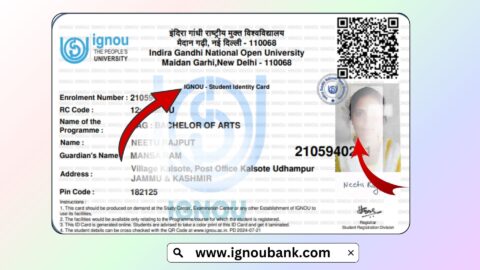
Students should also carry their valid IGNOU identity card and any additional identification documents required by the examination instructions.
Before leaving for the examination, check that:
- Your printed hall ticket is clear and readable.
- Your name and enrolment number are correct.
- Your examination centre is correctly identified.
- Your subject codes and examination dates are accurate.
- You have your IGNOU identity card.
Arrive at the examination centre before the reporting time mentioned in the hall ticket. Follow all instructions issued by the university and examination centre staff.
Documents Required at the IGNOU Examination Centre
Prepare the required documents in advance to avoid last-minute problems.
| Document | Purpose |
|---|---|
| IGNOU December 2026 hall ticket | Confirms examination details |
| IGNOU student identity card | Verifies student identity |
| Government photo ID | Additional identification, if required |
| Printed date sheet | Helps check examination schedule |
| Other documents | As specified in examination instructions |
Students should check the individual hall ticket for any additional requirements. Keep all documents safely and carry them when travelling to the examination centre.
Difference Between IGNOU Examination Form and Hall Ticket
Students sometimes confuse the examination form with the hall ticket. Both documents are important, but they serve different purposes.
| Examination form | Hall ticket |
|---|---|
| Used to register for the Term-End Examination | Used to confirm examination details |
| Submitted before the examination | Downloaded after the university processes eligibility |
| Includes selected course codes and fee details | Displays allotted examination information |
| Confirms the examination application | Required for examination entry |
Submitting an examination form does not mean that the hall ticket will automatically include every course. Students should verify the final subject list displayed on their hall tickets.
IGNOU Assignment Status and Grade Card
Assignments are an important part of many IGNOU programmes. Students should check their assignment submission status and grade card separately from their hall ticket.
The hall ticket confirms examination-related information. It does not confirm that assignments have been evaluated or that a student has passed a particular course.
Students can use the following resources:
| Student service | Link |
|---|---|
| Assignment status | https://isms.ignou.ac.in/changeadmdata/StatusAssignment.asp |
| IGNOU grade card | https://gradecard.ignou.ac.in/ |
| Assignment question papers | https://webservices.ignou.ac.in/assignments/ |
| Assignment front page | https://ignoubank.com/ignou-assignment-front-page/ |
| IGNOU book status | https://www.ignoubank.com/ignou-book-status/ |
If assignment marks are not updated, check the submission record and allow sufficient time for evaluation. If the issue continues, contact your study centre or Regional Centre.
Important Links for IGNOU Admit Card December 2026
| Description | Important link |
|---|---|
| IGNOU official website | Visit IGNOU |
| December 2026 hall ticket | Open Samarth Portal |
| IGNOU student login | Student Login |
| December 2026 revised date sheet | Official Announcements |
| IGNOU examination portal | Open Examination Portal |
| Assignment status | Check Assignment Status |
| IGNOU grade card | Check Grade Card |
| Assignment question papers | Download Assignments |
| Assignment front page | Download Front Page |
| IGNOU book status | Check Book Status |
Use the official IGNOU website and Samarth portal for examination-related documents. The supplementary student resources listed above do not replace official university instructions.
Important Instructions for IGNOU December 2026 TEE Students
Before appearing in the examination, keep these points in mind:
- Download your hall ticket as soon as possible.
- Verify your name and enrolment number.
- Check all subject codes and examination dates.
- Confirm your examination centre address.
- Carry a printed copy of your hall ticket.
- Carry your valid IGNOU identity card.
- Reach the examination centre before the reporting time.
- Follow the instructions printed on the hall ticket.
- Avoid carrying prohibited items into the examination hall.
- Keep a digital backup of your hall ticket.
- Check the official website for revised examination schedules.
- Contact your Regional Centre if you notice incorrect details.
Students should not depend on unofficial social media messages for examination changes. Always follow the latest official IGNOU announcements and instructions.
FAQ about IGNOU Admit Card December 2026
Is the IGNOU December 2026 admit card released?
Yes. IGNOU released the December 2026 TEE hall tickets on 6 November 2026 for eligible ODL and online programme students.
Where can I download the IGNOU December 2026 hall ticket?
Students can access the hall ticket through the official IGNOU Samarth portal:
https://ignou.samarth.edu.in/
What details are required to download the IGNOU hall ticket?
Students need their registered Samarth portal login credentials. Keep your enrolment number available as well.
When will the IGNOU December 2026 examination begin?
The December 2026 Term-End Examination is scheduled to begin on 25 November 2026 and continue until 14 January 2027.
What should I do if my IGNOU hall ticket is not showing?
Check your examination form submission, fee payment and course eligibility. If the issue continues, contact your Regional Centre or the relevant examination authority.
Is it compulsory to print the IGNOU admit card?
Students should carry a printed copy of the hall ticket to the examination centre. Keeping a digital backup is also recommended.
Can I appear in the examination without an IGNOU identity card?
Students should carry their valid IGNOU identity card along with the hall ticket. Follow the identification instructions issued by the university.
What should I do if my course code is missing from the hall ticket?
Check your examination form and course registration. If an eligible course is missing, contact IGNOU immediately for guidance.
Is the IGNOU hall ticket the same as the grade card?
No. The hall ticket contains examination details and is used for entry into the examination centre. The grade card displays assignment marks, examination marks and academic results.
Will IGNOU send the December 2026 hall ticket by post?
Students should download the hall ticket online through the authorised Samarth portal. They should not wait for a physical copy to arrive by post.
Conclusion
The IGNOU Admit Card December 2026 is an essential document for students appearing in the December Term-End Examination. Eligible students enrolled in ODL and online programmes can download their hall tickets through the IGNOU Samarth student portal.
The December 2026 examinations are scheduled from 25 November 2026 to 14 January 2027. Students should download their hall tickets early, verify their personal details, course codes and examination centre, and carry a printed copy to the examination hall.
If your hall ticket is unavailable or contains incorrect information, check your examination form and course eligibility before contacting the university. For the latest examination updates, revised date sheets and official instructions, always visit the IGNOU website.