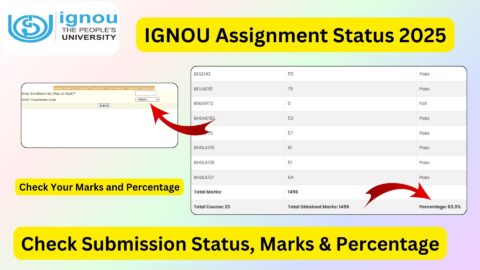
The IGNOU Grade Card 2026 is an important academic record for students enrolled in Indira Gandhi National Open University (IGNOU) programmes. It helps students check their assignment marks, Term-End Examination (TEE) results, practical marks and overall course completion status.
IGNOU provides an online grade card facility through which students can view the marks and grades recorded against their registered courses. The grade card is particularly useful for learners pursuing undergraduate, postgraduate, diploma and certificate programmes through open and distance learning or online education.
Students can check their IGNOU Grade Card 2026 by entering their enrolment number and selecting the appropriate programme details on the university’s grade card portal. If some marks are missing or a course shows an incomplete status, students should understand what the displayed information means before contacting the university.
This article explains how to check the IGNOU grade card, understand assignment and examination marks, interpret result statuses, resolve missing-mark problems and access important IGNOU student links.
IGNOU Grade Card 2026: Overview
| Particulars | Details |
|---|---|
| University Name | Indira Gandhi National Open University |
| Common Name | IGNOU |
| Article Topic | IGNOU Grade Card 2026 |
| Academic Record | Grade Card / Marks Sheet |
| Examination Sessions | June and December TEE |
| Information Available | Assignment, theory, practical and other applicable marks |
| Checking Mode | Online |
| Required Information | Enrolment Number and Programme Code |
| Official Website | https://www.ignou.ac.in/ |
| Official Grade Card Portal | https://gradecard.ignou.ac.in/ |
| Grade Card Checking Guide | https://www.ignoubank.com/ignou-grade-card/ |
What Is the IGNOU Grade Card?
The IGNOU Grade Card is an online academic record that displays a student’s performance in different courses registered under a programme. It provides information about marks or grades obtained in assignments, Term-End Examinations and other assessment components where applicable.
Unlike a simple examination result, the grade card helps students monitor their academic progress across multiple courses. It can show whether a particular course has been completed or whether some assessment components are still pending.
For example, a student enrolled in a bachelor’s degree programme may have several theory courses, assignments and practical components. The grade card displays the available results against the relevant course codes.
Students should remember that the grade card is updated as evaluation results and assessment records are processed by the university. Therefore, all marks may not necessarily appear at the same time.
The online grade card portal also explains that the displayed status is indicative and should not be treated as a substitute for the final grade card. The final grade card is issued after completion of the programme and updating of all prescribed components.
How to Check IGNOU Grade Card 2026 Online?
Students can check their IGNOU Grade Card 2026 through the university’s official grade card portal. The process is online and requires basic student information.
Follow these steps to check your marks:
- Visit the official IGNOU grade card portal: https://gradecard.ignou.ac.in/.
- Find the Grade Card Status section.
- Select the appropriate grade card status or programme category from the available options.
- Select your programme code.
- Enter your IGNOU enrolment number.
- Check that the entered information is correct.
- Click the Submit or Search button.
- Your grade card should appear if the requested student record is available.
- Check the assignment marks, theory marks, practical marks and course status.
- Save or print the grade card for future reference.
The portal may display different options depending on the programme and grade card category. Select the option that matches your registration details.
Students who want a simpler explanation of the process can also visit the following page:
Click Here to Check IGNOU Grade Card 2026
How to Check IGNOU Grade Card Through Enrolment Number?
Your IGNOU enrolment number is an important detail required to access your academic records. It helps the university identify your student account and display the corresponding grade card.
To check your marks, keep the following information ready:
- IGNOU enrolment number.
- Programme code.
- Correct grade card category, if the portal asks for it.
Enter your enrolment number carefully. A wrong digit can prevent the portal from displaying your result.
If you have forgotten your enrolment number, check your IGNOU identity card, admission confirmation, registration details or other university communications.
Do not use another student’s enrolment number to check your grade card. Always verify that the name and programme displayed on the result belong to you.
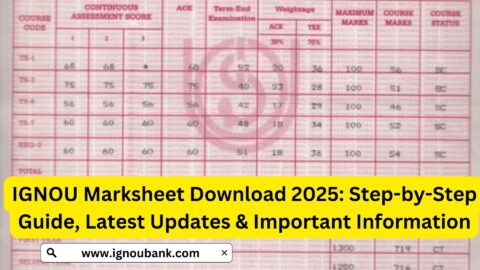
Details Mentioned on the IGNOU Grade Card 2026
After opening the grade card, students should understand the different details shown on the page. The information may vary depending on the programme and applicable assessment components.
| Grade Card Detail | Meaning |
|---|---|
| Enrolment Number | Unique identification number assigned to the student |
| Student Name | Name recorded in the university’s student database |
| Programme Code | Code representing the registered programme |
| Course Code | Identification code of an individual subject |
| Assignment Marks | Marks recorded for applicable assignments |
| Practical Marks | Marks recorded for practical examinations, where applicable |
| Term-End Marks | Marks obtained in the theory or other applicable TEE component |
| Status | Indicates the current completion status of a course |
| Grade Card Status Date | Date on which the displayed record was updated |
Students should check the course codes carefully because similar programme names may contain different subjects or course combinations.
If a particular component is not applicable to a course, the corresponding field may be shown as a dash or may not contain marks.
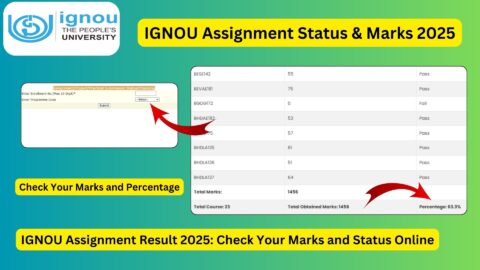
IGNOU Assignment Marks 2026
Assignments are an important part of the IGNOU evaluation process. Students are generally required to complete and submit the prescribed assignments for their registered courses according to the applicable academic instructions.
After submission, assignments are evaluated by the concerned study centre or authorised evaluation process. Once the marks are processed and transmitted to the university, they can be reflected in the student’s grade card.
Students can check their assignment marks by following these steps:
- Visit the IGNOU Grade Card Portal.
- Select the appropriate programme category.
- Enter your programme code.
- Enter your enrolment number.
- Submit the details.
- Find the assignment marks against the relevant course codes.
If the assignment marks are available, check whether they have been recorded correctly.
If the marks are not displayed, it does not automatically mean that the assignment has been rejected. The assignment may still be under evaluation or its marks may not yet have been transmitted and updated in the university system.
Students can also check the separate assignment and project marks transmission status through the following IGNOU facility:
https://isms.ignou.ac.in/changeadmdata/StatusAssignment.asp
IGNOU Term-End Examination Marks 2026
IGNOU conducts Term-End Examinations generally twice a year, in June and December. Students who have registered for the applicable examination and fulfilled the required conditions can appear for their scheduled papers.
After the answer scripts are evaluated, the university updates the examination results. The corresponding marks may then appear in the student’s grade card.
To check TEE marks:
- Open the official grade card portal.
- Select the relevant programme category.
- Enter your enrolment number and programme code.
- Submit the information.
- Find the relevant course code.
- Check the marks displayed in the Term-End Examination column.
Students should compare the displayed marks with their examination records and verify that the correct courses are listed.
If the TEE marks are missing, check the university’s result announcements and allow time for the result-processing process. Different courses and examination components may be updated at different times.
IGNOU Grade Card Status 2026: Meaning of Different Statuses
One of the most common questions among IGNOU students is the meaning of different grade card statuses.
The status column provides information about whether the prescribed requirements for a course have been completed according to the records currently available in the university system.
Some commonly encountered statuses are explained below.
1. Completed
When a course displays the status Completed, it generally indicates that the required assessment components recorded for that course have been completed according to the university’s applicable rules.
Students should still check the final programme requirements before assuming that their entire degree or diploma has been completed.
2. Not Completed
A Not Completed status indicates that the course has not yet fulfilled all the required conditions according to the available grade card record.
Possible reasons include:
- Assignment marks are not available.
- Term-End Examination marks are missing.
- The student has not passed a required assessment.
- Practical or project marks are pending, where applicable.
- The university has not updated a particular assessment component.
Students should check the individual course columns to understand which component may be incomplete.
3. Marks Not Updated
Sometimes students find that their assignment or examination marks are not displayed.
This can happen when evaluation is pending or the marks have not yet been transmitted to the university’s grade card system.
Students should check the relevant status and contact their study centre or Regional Centre if the marks remain missing beyond the expected processing period.
4. Pending Result
A pending result may indicate that the result has not yet been processed or published in the online record.
Students should check the official IGNOU result announcements and wait for the relevant update. If the issue continues, they should contact the university through the appropriate support channel.
Why Is My IGNOU Grade Card 2026 Not Updated?
Many IGNOU students worry when their grade cards do not show all their marks. However, missing information does not always mean that there is a problem with the student’s examination or assignment submission.
There can be several reasons for an incomplete grade card.
1. Assignment Evaluation Is Pending
After assignments are submitted, they must be evaluated. The marks are then transmitted through the relevant university process.
If evaluation is not complete, the assignment marks may not appear immediately.
2. Assignment Marks Have Not Been Transmitted
Sometimes the assignment evaluation may have been completed at the study centre, but the marks have not yet been transmitted or updated in the central grade card system.
Students can check the assignment marks transmission status using the official IGNOU facility.
3. TEE Result Is Pending
If the university has not completed the evaluation or result-processing process for a particular paper, the marks may remain unavailable.
4. Practical Examination Marks Are Pending
Some IGNOU programmes include practical examinations, project work, viva or other assessment components.
If these components are applicable to your course and their marks have not been updated, the course may continue to show an incomplete status.
5. Incorrect Course or Programme Details
Students should also verify that they have selected the correct programme code and grade card category.
An incorrect selection may prevent the correct student record from appearing.
What to Do If IGNOU Assignment Marks Are Missing?
If your assignment marks are not displayed in the grade card, first confirm that the assignment was submitted successfully.
If you submitted a physical assignment, check your submission receipt or acknowledgement. If you submitted it online, keep the confirmation message or submission record.
You can then follow these steps:
- Check the assignment submission acknowledgement.
- Confirm that the assignment was submitted for the correct course.
- Check the assignment marks transmission status.
- Contact the concerned study centre if evaluation is pending.
- Contact your Regional Centre if the issue is not resolved.
- Keep copies of your assignment submission proof and relevant communication.
Do not submit the same assignment again without checking the university’s instructions. Duplicate submissions may create confusion.
What to Do If IGNOU TEE Marks Are Missing?
If your Term-End Examination marks are not displayed, check whether the result for your examination session has been declared.
Follow these steps:
- Visit the IGNOU official website.
- Open the results or student services section.
- Check the latest examination result announcements.
- Visit the grade card portal again.
- Verify your programme and course details.
- Contact the concerned Regional Centre if the result remains unavailable.
When contacting IGNOU, provide your enrolment number, programme code, course code and examination session. This information can help the concerned office understand your issue.
How to Download or Save IGNOU Grade Card 2026 as PDF?
Students may want to keep a digital copy of their grade card for academic records or future reference.
If the grade card page does not provide a separate PDF download button, you can generally use the browser’s print facility to save the displayed page as a PDF.
Follow these steps:
- Open your grade card in a browser.
- Check that the displayed information belongs to you.
- Press Ctrl + P on a Windows computer or use the browser’s Print option.
- Select Save as PDF as the destination.
- Review the page layout and print settings.
- Save the PDF to your device.
On a mobile phone, use the browser’s Share or Print option if available and select Save as PDF.
The saved online grade card is useful for reference. However, the official portal states that its displayed status is indicative and does not replace the final grade card issued after completion of the programme.
IGNOU Grading System 2026
IGNOU uses grading methods according to the programme and applicable academic regulations.
The July 2026 Common Prospectus describes a five-point grading scale for certain evaluation arrangements and a separate 10-point grading system for Bachelor Degree Programmes under the CBCS framework.
For the five-point scale, the prospectus lists the following grades:
| Letter Grade | Qualitative Level | Point Grade |
|---|---|---|
| A | Excellent | 5 |
| B | Very Good | 4 |
| C | Good | 3 |
| D | Average | 2 |
| E | Unsatisfactory | 1 |
For the 10-point grading system under the specified CBCS framework, the prospectus provides a separate scale:
| Letter Grade | Numerical Grade | Performance Range |
|---|---|---|
| O | 10 | Outstanding |
| A+ | 9 | Excellent |
| A | 8 | Very Good |
| B+ | 7 | Good |
| B | 6 | Above Average |
| C | 5 | Average |
| D | 4 | Pass |
| F | 0 | Fail |
| Ab | 0 | Absent |
These tables should not be treated as one universal grading scale for every IGNOU programme. The applicable system depends on the programme and its academic rules. Students should consult the relevant prospectus or programme guide before interpreting their final grades.
Important Links for IGNOU Grade Card 2026
Students can use the following links to access the IGNOU grade card, assignment status, student portal and other academic services.
| Purpose | Link |
|---|---|
| Check IGNOU Grade Card 2026 | https://www.ignoubank.com/ignou-grade-card/ |
| IGNOU Official Website | https://www.ignou.ac.in/ |
| IGNOU Student Services | https://www.ignou.ac.in/pages/60 |
| IGNOU Results and Grade Card | https://www.ignou.ac.in/pages/60 |
| Assignment Marks Transmission Status | https://isms.ignou.ac.in/changeadmdata/StatusAssignment.asp |
| IGNOU Student Portal | https://ignou.samarth.edu.in/ |
| IGNOU Student Login | https://ignou.samarth.edu.in/index.php/site/login |
Direct grade card checking link: https://www.ignoubank.com/ignou-grade-card/
Students can use this page as a guide to access the grade card checking facility. For official academic records, always verify the displayed information through the IGNOU grade card portal.
FAQ about IGNOU Grade Card 2026
How can I check my IGNOU Grade Card 2026?
Visit the official IGNOU grade card portal, select the appropriate programme category, enter your programme code and enrolment number, and submit the details. Your available grade card information should appear on the screen.
You can also use this guide: https://www.ignoubank.com/ignou-grade-card/
What details are required to check the IGNOU grade card?
Students generally need their IGNOU enrolment number and programme code. The portal may also ask them to select a grade card category or status.
What does Completed mean in the IGNOU grade card?
Completed generally indicates that the prescribed assessment requirements recorded for the course have been fulfilled according to the applicable rules. Students should still check their complete programme requirements.
Why is my IGNOU grade card showing Not Completed?
This status may appear when one or more required assessment components are incomplete, marks are missing or the university has not updated all the necessary information.
Why are my IGNOU assignment marks not showing?
Assignment marks may be missing because evaluation is pending or the marks have not yet been transmitted and updated in the university system. Check the assignment status facility and contact your study centre if necessary.
How can I check IGNOU assignment marks 2026?
Open the official grade card portal, enter your enrolment number and programme details, and check the assignment marks against the relevant course codes.
Can I download the IGNOU grade card in PDF format?
You can generally save the displayed grade card page as a PDF using your browser’s print option. Keep the file for personal reference and follow the university’s instructions when an official final document is required.
Is the online IGNOU grade card the final marksheet?
The online portal describes the displayed status as indicative. It states that the final grade card is issued after completion of the programme and updating of all prescribed components.
How long does IGNOU take to update assignment marks?
The time can vary depending on assignment evaluation, transmission and university processing. Students should check the assignment status facility and contact their study centre if the marks remain unavailable.
What should I do if my IGNOU grade card shows incorrect marks?
Keep a copy of the displayed grade card and supporting documents. Contact the concerned study centre or Regional Centre and request verification of the relevant course and assessment details.
Can I check my IGNOU grade card using my mobile phone?
Yes. The grade card portal can be accessed through a mobile browser. Enter the required details and save the displayed record for reference.
Does IGNOU update assignment and TEE marks together?
Not necessarily. Assignment, theory, practical and other assessment records may be evaluated and updated separately. Therefore, some marks may appear before others.
What should I do if the IGNOU grade card website is not opening?
Check your internet connection, try another browser and access the portal again after some time. If the issue continues, check the official IGNOU website for announcements or technical updates.
Conclusion
The IGNOU Grade Card 2026 is an important academic record that allows students to monitor their assignment marks, Term-End Examination results, practical marks and course completion status. Checking the grade card regularly helps learners identify missing marks and incomplete assessment components before they create difficulties with academic progression.
To check your grade card, visit the official IGNOU portal, select the correct programme details and enter your enrolment number. Carefully review the information displayed against each course code.
If assignment marks, TEE results or practical marks are missing, check the relevant status facility and contact your study centre or Regional Centre when necessary. Remember that the online status is indicative and the final grade card is issued after completion of the programme and updating of all prescribed components.