IGNOU LMS Login 2026: IGNOU LMS is an important online learning platform for students of Indira Gandhi National Open University (IGNOU). The Learning Management System, commonly known as LMS, provides students with access to online learning resources, course-related content, study materials, academic activities, and other digital learning facilities.
With the increasing use of online education, IGNOU has made several academic resources available through digital platforms. Students enrolled in different IGNOU programmes may need to use online portals during their academic journey. The IGNOU LMS portal is one such platform that helps students access their online learning environment.
This article explains what IGNOU LMS is, how students can access the portal, how to log in, what students can expect from the platform, and what to do if they experience login or access-related problems.
What is IGNOU LMS?
IGNOU LMS stands for Indira Gandhi National Open University Learning Management System. It is an online learning platform designed to support digital education and provide students with access to academic resources through the internet.
IGNOU is one of the largest open universities in India, offering undergraduate, postgraduate, diploma, certificate, and other programmes. Since many IGNOU students study through distance and online learning modes, digital platforms play an important role in providing academic support.
The LMS can provide a centralized online environment where eligible students can access their course-related learning resources and participate in digital academic activities.
Instead of depending entirely on physical study materials, students can use online resources whenever they have an internet connection. This can be particularly useful for students who are working, living away from their regional centre, or unable to visit an IGNOU centre frequently.
IGNOU LMS Official Login Portal
Students who want to access the IGNOU LMS should use the official portal rather than relying on unofficial websites or third-party login pages.
The official IGNOU LMS portal is:
Students should bookmark the official website in their browser so that they can easily access it whenever required.
Before entering login details, students should make sure that they are using the correct website address. They should also avoid sharing their username, password, or other account information with other people.
Important IGNOU LMS Links and Information
| Information | Details |
|---|---|
| Portal Name | IGNOU LMS |
| Full Form | Indira Gandhi National Open University Learning Management System |
| Official LMS Portal | https://lms.ignouonline.ac.in/ |
| Main Purpose | Online learning and academic resources |
| University | Indira Gandhi National Open University |
| Access | Online through a web browser |
| Login Requirement | Valid student login credentials, where applicable |
| Study Mode | Online/Digital Learning |
| Students | Eligible IGNOU students and learners |
| Recommended Browser | Updated Chrome, Edge, Firefox, or another modern browser |
| Internet Requirement | Active internet connection |
| Login Support | Use the available portal options or relevant IGNOU support channels |
How to Access IGNOU LMS?
Accessing the IGNOU LMS portal is relatively simple. Students should have a reliable internet connection and their required login credentials available before beginning the process.
Follow these general steps to access the portal:
Step 1: Visit the Official IGNOU LMS Website
Open a web browser on your computer, laptop, tablet, or smartphone.
Enter the official LMS address:
You should always check the website address before entering your login information.
Step 2: Open the Login Section
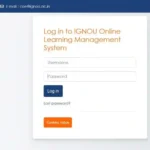
Once the LMS website opens, look for the login or sign-in option available on the portal.
Click the appropriate option to proceed.
Step 3: Enter Your Login Details
Enter the username, enrollment-related information, password, or other credentials requested by the portal.
Make sure that the information is entered correctly. Passwords are generally case-sensitive, so students should check uppercase and lowercase letters carefully.
Step 4: Submit the Login Form
After entering the required information, click the login or sign-in button.
If the credentials are correct and the account has access to the platform, you should be taken to the relevant LMS dashboard.
Step 5: Access Your Learning Resources
After logging in, students can check the resources and academic features available to their account.
The exact options displayed may differ depending on the student’s programme, course, enrolment status, and the facilities available through the LMS.
What Can Students Use IGNOU LMS For?
The primary purpose of a Learning Management System is to provide an organized digital environment for learning. Depending on the student’s eligibility and programme, the IGNOU LMS may provide access to different types of academic resources and activities.
Some common functions associated with an LMS include course content, online learning resources, academic activities, announcements, and other digital resources.
Students should regularly check their LMS account if their programme requires them to use the platform.
IGNOU LMS Study Materials
Study material is one of the most important requirements for IGNOU students. Students need access to course content to prepare for assignments, examinations, and other academic activities.
Digital learning platforms can make course resources easier to access because students do not necessarily have to depend on physical copies.
Students can log in to the IGNOU LMS and check whether their enrolled courses have relevant online resources available.
It is important to remember that the availability of specific resources can depend on the programme and course. Therefore, students should use the resources displayed in their own account rather than assuming that every course will have exactly the same content.
IGNOU LMS for Online Learning
Online learning has become an important part of higher education. IGNOU’s distance and online education structure allows students from different parts of India and abroad to continue their studies.
An LMS provides a convenient way to organize online academic resources.
Students can use their devices to access learning resources from home, work, or another location with an internet connection. This flexibility is particularly useful for students who cannot attend traditional classroom sessions every day.
However, students should remember that online learning requires regular study and time management. Simply having access to an LMS does not guarantee academic success. Students should regularly study their course material, complete assignments, monitor academic notices, and prepare for examinations.
How to Login to IGNOU LMS?
The basic login process involves visiting the official portal and entering the credentials associated with the student’s account.
To login:
- Visit https://lms.ignouonline.ac.in/
- Locate the login option.
- Enter the required username or student credentials.
- Enter your password.
- Submit the login form.
- Wait for your LMS dashboard to load.
- Access the courses and resources available to your account.
Students should not share their login credentials with friends or unknown individuals.
What to Do If IGNOU LMS Login Is Not Working?
Sometimes students may experience problems while accessing an online portal. A login problem does not always mean that the student’s account is incorrect. It can also be caused by browser problems, network issues, incorrect passwords, or temporary technical problems.
If your IGNOU LMS login is not working, try the following steps.
Check Your Internet Connection
First, check whether your internet connection is working properly. Try opening another website to confirm that the problem is not related to your network.
Check Your Login Details
Carefully check your username and password. Make sure that there are no unnecessary spaces and that the password is entered with the correct capitalization.
Try Another Browser
If the portal does not work correctly in your current browser, try using an updated version of another browser such as Chrome, Microsoft Edge, or Firefox.
Clear Browser Cache
Old cached data can sometimes cause website problems. Clearing the browser cache and cookies and reopening the portal may help.
Try Again Later
Online portals can occasionally experience temporary technical problems. If the website is not responding, wait for some time and try again.
Use Official Support
If you continue to experience account-related problems, use the relevant official IGNOU support or student-service channel for assistance.
IGNOU LMS Password Problems
Students may sometimes forget their LMS password or have difficulty entering their credentials.
If a password recovery or reset option is available on the LMS login page, students should use the official recovery process.
Do not attempt to obtain login credentials from unofficial websites, social media posts, or unknown individuals.
If the account cannot be recovered through the available online option, students should contact the appropriate official IGNOU support channel.
Is IGNOU LMS the Same as IGNOU Student Portal?
No. Students may encounter several different IGNOU online platforms, and each platform can have a different purpose.
The IGNOU student portal or Samarth platform may be used for student-related services, while the LMS is primarily associated with online learning and digital academic resources.
Students should therefore use the correct portal depending on the task they need to complete.
For example, a student may need one portal for registration or examination-related activities and another platform for accessing online learning resources.
Using the correct website can save time and prevent confusion.
IGNOU LMS and IGNOU Online Courses
IGNOU offers various programmes through different modes of education. For students enrolled in online learning programmes or courses supported through digital platforms, the LMS can be an important part of their academic experience.
Students should regularly check their course dashboard and follow the instructions provided for their programme.
If a course requires students to complete a specific online activity, students should make sure they follow the instructions and deadlines provided through the appropriate official platform.
Why Students Should Regularly Check IGNOU LMS?
Students should not wait until examinations are approaching before checking their online learning account.
Regularly checking the LMS can help students stay aware of available academic resources and course-related activities.
A good routine is to log in periodically and check for:
- New course materials
- Academic announcements
- Online learning resources
- Course activities
- Updates related to enrolled courses
- Instructions provided by the university
- Other resources available in the student dashboard
Regular monitoring can help students avoid missing important academic information.
Advantages of IGNOU LMS
There are several advantages to having an online learning management system.
Easy Access to Digital Resources
Students can access available learning resources through the internet without needing to carry physical books everywhere.
Flexible Learning
IGNOU students often choose distance or online education because of its flexibility. An LMS supports this model by allowing students to access digital learning resources from different locations.
Centralized Learning Environment
An LMS can organize course-related information in one digital environment, making it easier for students to find relevant resources.
Convenient for Working Students
Students who are working full-time can benefit from online access because they can study according to their available schedule.
Supports Digital Education
An LMS is an important part of modern online education because it allows universities to provide academic resources digitally.
Things to Keep in Mind While Using IGNOU LMS
Students should follow some basic precautions when using the platform.
Always access the LMS through the official website. Keep your login details private and avoid sharing your password with other people.
Students should also keep their registered information updated where required and regularly check official IGNOU communications for important academic instructions.
It is also advisable to use a secure device when entering login credentials, particularly when accessing the account from a public computer.
Common Reasons for IGNOU LMS Access Problems
There can be several reasons why a student cannot access the LMS.
Some common reasons include:
- Incorrect username or password
- Forgotten password
- Internet connectivity problems
- Browser compatibility issues
- Cached browser data
- Temporary website maintenance
- Account or enrolment-related issues
- Incorrect portal being used
- Temporary server problems
Students should identify the type of problem before trying different solutions.
IGNOU LMS Login: Important Tips
For a smoother experience, students should keep the official LMS website bookmarked.
They should also use an updated browser and maintain a stable internet connection.
Students should never enter their IGNOU login credentials on suspicious websites. If a website asks for unnecessary personal information, students should verify its authenticity before proceeding.
It is also useful to save important academic information separately so that students do not have to search for it repeatedly.
FAQ about IGNOU LMS Login 2026
What is IGNOU LMS?
IGNOU LMS is the Learning Management System associated with Indira Gandhi National Open University. It provides an online environment for accessing digital learning resources and other academic facilities available to eligible students.
What is the official IGNOU LMS website?
The official IGNOU LMS portal can be accessed at:
https://lms.ignouonline.ac.in/
How can I login to IGNOU LMS?
Visit the official LMS website and use the login option available on the portal. Enter your required credentials and submit the login form.
Can I access IGNOU LMS on my mobile phone?
Yes, students can generally access web-based learning platforms through a modern mobile browser. However, the experience may be more convenient on a laptop or desktop for reading extensive course material.
What should I do if my IGNOU LMS password is not working?
First, carefully check your login details and try again. If a password recovery option is available on the portal, use it. For account-specific issues that cannot be resolved online, contact the appropriate official IGNOU support service.
Is IGNOU LMS the same as the IGNOU Samarth portal?
No. They are different platforms that can serve different purposes. The LMS is primarily associated with online learning, while Samarth-based portals can provide various student and academic services.
Does every IGNOU student use the LMS?
The facilities available through the LMS can depend on the student’s programme and mode of study. Students should check the requirements and instructions applicable to their programme.
Can I study online through IGNOU LMS?
The LMS is designed to support online learning and provide digital academic resources. The exact learning facilities available depend on the programme and courses associated with the student’s account.
Why is the IGNOU LMS website not opening?
A website may fail to open because of an internet connection issue, browser problem, temporary technical issue, maintenance, or server-related problem. Try checking your internet connection, using another browser, clearing the cache, and accessing the website again later.
Should I use third-party websites for IGNOU LMS login?
No. Students should use the official IGNOU LMS website whenever possible. Avoid entering your username or password on unofficial websites.
Final Words on IGNOU LMS
IGNOU LMS is an important digital learning platform that can help eligible IGNOU students access online academic resources and participate in digital learning activities. As IGNOU continues to support distance and online education, platforms such as the LMS can make learning more flexible and accessible.
Students who need to access the LMS should use the official portal:
For a smooth experience, keep your login credentials secure, use an updated browser, maintain a stable internet connection, and regularly check the LMS for available course resources and academic updates.
If you are an IGNOU student using online learning facilities, regularly monitoring the LMS can help you stay organized and make better use of the digital resources available for your programme.