The IGNOU exam form is an important online form that students of Indira Gandhi National Open University (IGNOU) need to complete before appearing in the Term-End Examination (TEE). Students enrolled in undergraduate, postgraduate, diploma, certificate and other programmes may need to submit the examination form for the subjects they want to appear for in the upcoming examination session.
IGNOU conducts Term-End Examinations generally in June and December. Before appearing in the examination, students should make sure that they have completed the required academic formalities and submitted the examination form through the appropriate examination portal.
The examination portal is used for accessing the online examination-form process. Students should carefully enter their enrolment details, programme information and selected courses before submitting the form.
Important IGNOU Exam Form Links and Information
| Information | Details |
|---|---|
| University | Indira Gandhi National Open University |
| Examination | IGNOU Term-End Examination |
| Exam Form Portal | https://exam.ignou.ac.in/ |
| Examination Sessions | June and December |
| Exam Form Mode | Online |
| Required Details | Enrolment number, programme and course details |
| Course Selection | Select the courses for which you want to appear |
| Payment | Online payment through available options on the portal |
| Examination Hall Ticket | Released separately by IGNOU |
| IGNOU Main Website | https://www.ignou.ac.in/ |
| Assignment Downloads | https://www.ignou.ac.in/studentService/download/assignments |
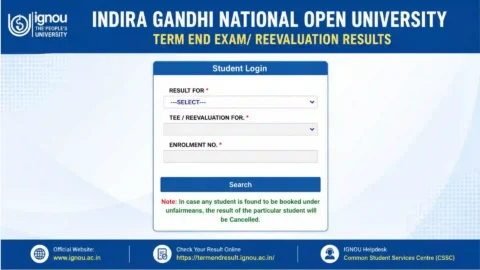
| Result Portal | https://termendresult.ignou.ac.in/ |
| Grade Card | https://www.ignoubank.com/ignou-grade-card/ |
What Is the IGNOU Exam Form?
The IGNOU exam form is an online application through which students register for their upcoming Term-End Examination. Simply being enrolled in an IGNOU programme does not mean that a student can automatically appear in every examination.
Students generally need to select the courses they intend to appear for and complete the examination-form process within the applicable schedule.
The form contains important information related to the student’s examination registration. Therefore, students should carefully check all information before making the final submission.
The official portal for filling the examination form is:
Students should use the official examination portal rather than relying on unofficial websites or links shared through social media.
Who Needs to Fill the IGNOU Exam Form?
Students who are eligible and want to appear in the upcoming IGNOU Term-End Examination generally need to submit the examination form.
This can include students pursuing programmes such as:
- Bachelor’s degree programmes
- Master’s degree programmes
- Diploma programmes
- Postgraduate diploma programmes
- Certificate programmes
- Other IGNOU academic programmes
The exact eligibility requirements can depend on the programme, course and examination session. Students should therefore check the applicable instructions before submitting the form.
If you have completed the required academic work and want to appear for a particular course in the upcoming TEE, you should check the examination-form portal and applicable instructions.
How to Fill the IGNOU Exam Form Online?
Filling the IGNOU examination form is an important process, and students should complete it carefully. The general process can be followed through the official examination portal.
Step 1: Visit the Official IGNOU Examination Portal
First, visit:
This is the portal provided for the IGNOU examination-form process. The page may display information and instructions related to the current examination session.
Students should read the instructions displayed on the portal before proceeding.
Step 2: Select the Applicable Examination Form
Depending on the examination session, the portal may provide the relevant examination-form option.
Select the examination session applicable to you and proceed with the online application.
Students should make sure they are filling the form for the correct examination session, such as the June or December Term-End Examination.
Step 3: Enter Your Enrolment Details
The examination form requires student-related information. Enter your IGNOU enrolment number and other requested details carefully.
Your enrolment number is an important identifier associated with your IGNOU student record. Avoid entering an incorrect enrolment number because incorrect information can create problems during the application process.
Before moving forward, check the information you have entered.
Step 4: Select Your Programme
Students should select or confirm the programme for which they are appearing in the examination.
For example, a student may be enrolled in a bachelor’s, master’s, diploma or certificate programme. The programme information should match the student’s actual IGNOU enrolment.
If the portal displays programme information automatically, verify that it is correct.
Step 5: Select the Courses
One of the most important parts of the examination form is selecting the courses for which you want to appear.
Students should carefully identify the courses they are eligible to take in the particular examination session.
Before submitting the form, compare the selected course codes with your study material, programme structure, assignment requirements and other academic records.
Entering an incorrect course code can cause problems, so this step should not be rushed.
Step 6: Select Examination Centre Information
Where applicable, students may need to provide or select examination-centre preferences through the examination-form process.
Students should carefully review the available examination-centre information shown on the portal.
The availability of a particular examination centre may depend on the arrangements made by IGNOU for the relevant examination session.
Step 7: Review the Form
Before making the final submission, review the entire form carefully.
Check:
- Enrolment number
- Programme code
- Course codes
- Examination session
- Examination centre details, where applicable
- Personal information
- Contact information
- Other information displayed on the application
This review is important because errors may be difficult to correct after final submission.
Step 8: Pay the Examination Fee
After completing the required information, students need to proceed with the examination-fee payment according to the options provided on the official portal.
Make sure that the payment is completed successfully.
If money is deducted from your bank account but the application does not immediately show as successful, avoid submitting multiple applications or making repeated payments without first checking the transaction/application status and the instructions provided by IGNOU.
Step 9: Save the Confirmation
After successfully submitting the examination form, save the confirmation details.
It is advisable to keep:
- Application confirmation
- Payment receipt
- Transaction details
- Screenshot of successful submission
- Submitted course details
These records can be useful if you later need to check the status of your examination-form submission.
IGNOU Exam Fee
The examination fee is an important part of the examination-form process. The applicable amount can depend on the examination session, course and instructions issued by IGNOU.
Students should not rely on old examination-fee information found on third-party websites because examination rules and fee structures can change.
Instead, check the amount displayed on the official examination portal while submitting your form.
Official IGNOU Exam Form Portal: https://exam.ignou.ac.in/
Before completing payment, verify the number of courses selected and the amount shown on the payment page.
Documents and Details You Should Keep Ready
Before starting the IGNOU examination-form process, it is useful to keep the necessary information available.
You may need:
- IGNOU enrolment number
- Programme details
- Course codes
- Registration-related information
- Examination-centre information, where required
- Mobile number
- Email address, where requested
- Online payment method
- Previous examination details, if applicable
Keeping these details ready can make the online application process easier.
Check Your Course Codes Carefully
Course-code selection is one of the most important parts of the IGNOU exam form.
Students should not select courses simply because they appear in their programme list. They should verify which courses they are eligible to take in the particular examination session.
You should also check whether the relevant academic requirements have been completed.
For example, if a student has multiple pending courses, the student should identify the appropriate courses before submitting the examination form.
A carefully prepared list of course codes can help reduce mistakes during online submission.
IGNOU Exam Form and Assignments
Students should also pay attention to assignment requirements.
For many IGNOU programmes, assignments are an important part of the academic process. Students should check the applicable assignment requirements and submission status before appearing for examinations.
IGNOU provides assignment information through its official website. Students can access the assignment download section here:
https://www.ignou.ac.in/studentService/download/assignments
Students should keep their assignment submission requirements and examination requirements separate in their planning. Completing one requirement does not necessarily mean that every other examination or academic requirement has been completed.
What Happens After Submitting the IGNOU Exam Form?
After submitting the examination form, students should keep their confirmation and payment information safely.
The next steps may include checking examination-related updates, examination-centre information and the hall ticket when it is released.
Students should regularly check official IGNOU notifications for important updates related to their examination session.
The examination form itself is only one part of the overall examination process.
Students should also make sure that they:
- Complete required assignments
- Check their course eligibility
- Keep their enrolment details correct
- Check examination updates
- Download the hall ticket when available
- Appear at the assigned examination centre
- Carry the required documents to the examination
IGNOU Exam Form Status
After submitting the examination form, students may want to confirm whether their application and payment have been processed.
If the portal provides an application-status or related option, use the official examination website to check the latest information.
Students should keep their payment transaction number and application details because these can be useful if there is an issue with the payment or submission.
If the payment has been deducted but the application status does not update immediately, check the official instructions before making another payment.
Common Problems While Filling the IGNOU Exam Form
Students may sometimes encounter technical or application-related issues.
Website Not Opening
The examination portal can experience high traffic when many students are trying to submit forms at the same time.
If the website does not open properly, try again later. You can also check your internet connection and use an updated browser.
Payment Problem
A payment transaction may occasionally take time to reflect.
If the amount has been deducted, keep the transaction details and check the application status before attempting another payment.
Incorrect Course Selection
Selecting the wrong course can create an issue with your examination registration.
Always verify your course codes before final submission.
Incorrect Personal Information
Students should carefully review personal and academic information displayed during the application process.
If you notice an error, follow the correction instructions provided by IGNOU rather than assuming that the information can be changed later.
High Website Traffic
During the examination-form submission period, a large number of students may access the website simultaneously.
If the portal becomes slow, students can try again after some time instead of repeatedly refreshing the page.
Tips for Successfully Filling the IGNOU Exam Form
The following practices can help make the process easier:
1. Use the Official Portal
Always start from the official IGNOU examination portal:
2. Keep Your Enrolment Number Ready
Your enrolment number is required for identifying your student record.
3. Prepare Course Codes in Advance
Make a list of the courses you intend to take before starting the application.
4. Check Everything Before Payment
Review your course selection and other details carefully before proceeding with payment.
5. Keep Payment Proof
Save your transaction details and payment confirmation.
6. Do Not Wait Until the Last Moment
Submitting the form well before the applicable deadline can reduce problems caused by heavy website traffic or payment delays.
7. Follow Official Notifications
IGNOU may issue updates related to examination schedules, forms, centres, hall tickets and other examination matters.
Important Links for IGNOU Students
The following links can help students access commonly required IGNOU services.
| Service | Link |
|---|---|
| IGNOU Exam Form | https://exam.ignou.ac.in/ |
| IGNOU Official Website | https://www.ignou.ac.in/ |
| IGNOU Assignments | https://www.ignou.ac.in/studentService/download/assignments |
| IGNOU Term-End Result | https://termendresult.ignou.ac.in/ |
| IGNOU Grade Card | https://www.ignoubank.com/ignou-grade-card/ |
Students should verify important information from official IGNOU sources because dates, procedures and examination instructions can change between examination sessions.
FAQ about IGNOU Exam Form 2026
What is the IGNOU exam form?
The IGNOU exam form is an online application used by eligible students to register for the courses they want to appear for in the Term-End Examination.
Is the IGNOU exam form available online?
Yes, the examination-form process is provided through the online examination portal. Students should follow the instructions displayed for their applicable examination session.
Can I select multiple courses in the IGNOU exam form?
The examination form allows eligible students to select the courses for which they intend to appear, subject to the applicable IGNOU rules and requirements.
What information is required for the IGNOU exam form?
Students should keep their enrolment number, programme information, course codes and other required details ready. Payment information is also required to complete the application.
How should I select my IGNOU courses?
Students should select only the courses for which they are eligible to appear in the relevant examination session. Carefully verify course codes before submitting the form.
What should I do after submitting the IGNOU exam form?
Save your application and payment confirmation. You should then monitor official IGNOU updates regarding examination details, hall tickets and other instructions.
What if my examination-fee payment is deducted but the form is not confirmed?
Keep the payment transaction details and check the application status or instructions provided on the official examination portal. Avoid making another payment immediately without checking the status of the original transaction.
Can I fill the IGNOU exam form from a mobile phone?
The online portal may be accessible through a mobile browser, although students should ensure that the complete form, course selection and payment information are displayed correctly before submitting.
Conclusion
The IGNOU exam form is an essential step for eligible students who want to appear in the Term-End Examination. The process involves accessing the official examination portal, entering the required student information, selecting eligible courses, reviewing the application and completing the applicable examination-fee payment.
Students should pay particular attention to their enrolment number and course codes because these details are important parts of the examination registration process. After submitting the form, keeping the payment receipt and application confirmation is also recommended.
To fill the IGNOU examination form, visit the official portal:
Students should always check the latest information and instructions displayed on the official IGNOU examination portal for their particular examination session.