IGNOU Student Dashboard Login 2026: The IGNOU Student Dashboard is an important online platform for students enrolled with Indira Gandhi National Open University (IGNOU). Through the dashboard, students can access various academic and administrative services related to their IGNOU admission, examinations, assignments, courses and student records.
Students who want to access the IGNOU student portal can use the official Samarth platform. The dashboard is designed to provide students with a central place where they can log in and access available services using their registered account details.
Students should use their correct login credentials while accessing the dashboard. If you are a new student or have recently taken admission, it is also important to keep your enrollment and registered details available when using IGNOU online services.
What is the IGNOU Student Dashboard?
The IGNOU Student Dashboard is an online student portal associated with IGNOU’s Samarth system. It provides students with access to different services and information through an online account.
Instead of visiting an IGNOU regional centre for every basic activity, students can use online services whenever the required service is available through the portal.
The dashboard can be useful for both new and existing IGNOU students. Depending on the student’s programme, admission status and available services, the portal may provide access to relevant student-related information.
The main purpose of the IGNOU Student Dashboard is to make important student services accessible online and reduce the need for students to depend entirely on physical visits or manual processes.
IGNOU Student Dashboard Login
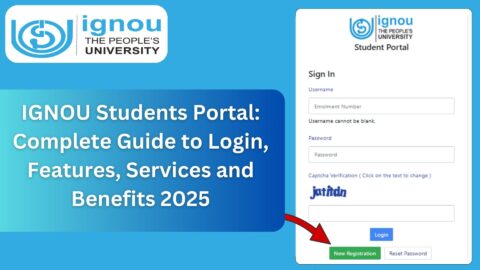
Students who want to access their dashboard should first visit the official IGNOU Samarth website.
IGNOU Student Dashboard Login: https://ignou.samarth.edu.in/
After opening the website, students can look for the appropriate login option and enter the required credentials.
The exact options displayed on the portal may depend on the student’s account and the services currently available.
Students should make sure that they are using the official IGNOU website before entering their login information. Avoid entering your password or other account information on unknown websites claiming to provide IGNOU login services.
How to Access the IGNOU Student Dashboard?
Students can follow these general steps to access the IGNOU dashboard:
Step 1: Visit the Official Website
Open the IGNOU Samarth portal using the following link:
Step 2: Find the Login Option
Once the portal opens, locate the appropriate student login option available on the website.
Step 3: Enter Your Login Details
Enter the information requested by the portal. Depending on the login system, this may include your registered credentials or other account information.
Make sure there are no unnecessary spaces or typing errors while entering your details.
Step 4: Submit the Login Form
After entering the required information, submit the login form.
If the information is correct, the system should take you to your student account or dashboard.
Step 5: Check Available Services
After logging in, check the dashboard for the services and information available for your account. Students should regularly check their account when they are expecting updates related to admission, examination or other academic activities.
Important IGNOU Student Links and Information
The following table provides some useful IGNOU links that students may need during their studies.
| Service | Important Link / Information |
|---|---|
| IGNOU Student Dashboard | https://ignou.samarth.edu.in/ |
| IGNOU Examination Form | https://exam.ignou.ac.in/ |
| IGNOU Samarth Login | https://ignou.samarth.edu.in/index.php/site/login |
| IGNOU Term End Result | https://termendresult.ignou.ac.in/ |
| IGNOU Assignment Download | https://www.ignou.ac.in/studentService/download/assignments |
| IGNOU Assignment Status | https://isms.ignou.ac.in/changeadmdata/StatusAssignment.asp |
| IGNOU Admission Status | https://isms.ignou.ac.in/changeadmdata/AdmissionStatusNew.ASP |
| IGNOU Study Material Status | https://www.ignoubank.com/ignou-book-status/ |
| IGNOU Grade Card | https://www.ignoubank.com/ignou-grade-card/ |
| IGNOU Percentage Calculator | https://www.ignoubank.com/ignou-percentage/ |
| IGNOU Grievance Portal | https://igram.ignou.ac.in/ |
Students should always verify the information displayed on the official IGNOU portals before taking action related to admission, examinations, assignments or other university services.
What Can Students Do Through the IGNOU Dashboard?
The services available through the student dashboard can vary depending on the student’s account and the services currently enabled by IGNOU. However, the dashboard is intended to provide access to important student-related services from one online platform.
Some of the areas students may need to check include admission-related information, programme details, examination-related services and other student records.
The dashboard can therefore be useful throughout different stages of an IGNOU student’s academic journey.
IGNOU Admission Information
New students often need to check information related to their admission after completing the application process.
The student portal can be useful for accessing information associated with a student’s account and academic record.
Students should carefully check the information shown in their account. If there is an error in personal information, programme information or another important record, students should follow the appropriate IGNOU procedure for requesting a correction.
For admission-related matters, students should also keep their application details and other important documents safely stored.
IGNOU Examination Services
Examinations are one of the most important parts of an IGNOU student’s academic journey.
Students may need to use different IGNOU online services for examination-related activities. The examination form, examination information and results may be provided through separate IGNOU systems.
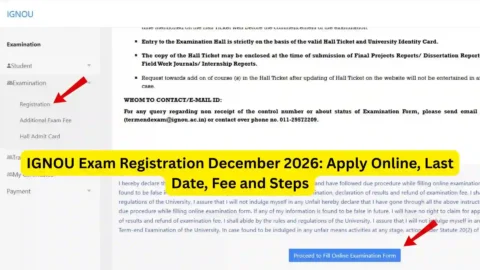
The IGNOU examination form can be accessed through:
Students should check the applicable examination notification and deadlines before submitting an examination form.
It is important not to wait until the last day to complete an examination-related process because technical problems, payment issues or website traffic can sometimes make online submission difficult.
IGNOU Assignment Information
Assignments are another important part of the IGNOU academic process.
Students can download IGNOU assignments through the university’s assignment page:
https://www.ignou.ac.in/studentService/download/assignments
Before downloading an assignment, students should carefully identify their programme and course code.
Students should also make sure that they are using the correct assignment applicable to their academic session.
After completing assignments, students may need to check their assignment submission status through the relevant IGNOU service.
Assignment status can be checked using:
https://isms.ignou.ac.in/changeadmdata/StatusAssignment.asp
Students should keep copies of submitted assignments and any available submission confirmation for their records.
IGNOU Grade Card
The IGNOU grade card is another important resource for students.
A grade card can contain information related to a student’s academic performance, including marks or grades associated with different components of the programme.
Students should check their grade card periodically, particularly after examination results and assignment evaluation updates.
If any expected information is missing, students should allow the university’s evaluation and updating process to take place before assuming that there is an error.
Students can also use the IGNOU grade card service available through: https://www.ignoubank.com/ignou-grade-card/
IGNOU Result
After the Term End Examination, students generally want to check their results as soon as they are available.
The IGNOU Term End Examination result page can be accessed through:
https://termendresult.ignou.ac.in
Students should keep their enrollment details available while checking their results.
Result information can also be useful when students are calculating their overall academic performance or checking their progress toward completing their programme.
IGNOU Percentage Calculator
Students who want to calculate their IGNOU percentage can use an online percentage calculator designed for IGNOU students.
You can check the IGNOU Percentage Calculator here: https://www.ignoubank.com/ignou-percentage/
Before calculating the final percentage, students should understand which marks or grades are applicable to their programme and calculation method.
The calculator can be useful for students who want to quickly estimate their percentage from their available marks.
What to Do If You Cannot Login to the IGNOU Dashboard?
Sometimes students may face problems while trying to access an online portal.
If you cannot log in to the IGNOU Student Dashboard, first check whether you have entered the correct login information.
You should also check the following:
- Make sure your username or other login details are correct.
- Check that your password has been entered correctly.
- Make sure your internet connection is working properly.
- Try refreshing the page.
- Try opening the website in another browser.
- Clear the browser cache if the website is not loading correctly.
- Check whether the official portal is temporarily unavailable.
- Use the available password recovery option if you have forgotten your credentials.
If the problem continues, students should use the appropriate official IGNOU support or grievance channel.
Why Students Should Use the Official IGNOU Dashboard
There are many websites on the internet that provide IGNOU-related information. However, students should distinguish between informational websites and official university portals.
The IGNOU Student Dashboard should be accessed through the official Samarth website:
When dealing with sensitive information such as login credentials, students should be especially careful.
Never share your password, OTP or other confidential account information with an unknown person.
Students should also check important dates and notifications through appropriate official IGNOU sources before completing important academic processes.
Common Problems Students May Face
Students can sometimes encounter different types of problems while using online IGNOU services.
One common issue is incorrect login information. Another issue can be a temporary website or server problem. Students may also find that a particular academic record has not yet been updated.
For example, after submitting an assignment or appearing in an examination, the relevant information may take some time to appear in the applicable online system.
Therefore, students should not immediately assume that something is wrong if an update is not visible.
If the issue continues beyond the expected processing period, students can contact the appropriate IGNOU support channel or raise a grievance when necessary.
Tips for IGNOU Students
Students can make their online IGNOU experience easier by following a few basic practices.
First, save important IGNOU links in your browser bookmarks. This can help you quickly access the correct website when you need it.
Second, keep your enrollment number and other important student information safely available.
Third, save copies of examination forms, payment receipts, assignment submissions and other important documents.
Fourth, check important deadlines regularly. Missing an examination, assignment or admission deadline can create unnecessary problems.
Finally, always check the correct official portal before entering personal information.
FAQ
What is the IGNOU Student Dashboard?
The IGNOU Student Dashboard is an online platform through which IGNOU students can access available student-related services and information.
What is the official IGNOU Student Dashboard link?
The IGNOU Student Dashboard can be accessed through the IGNOU Samarth portal:
https://ignou.samarth.edu.in/
How do I login to the IGNOU Student Dashboard?
Visit the official Samarth website and select the appropriate student login option. Enter your required login credentials and submit the form.
Can I check my IGNOU result from the student dashboard?
IGNOU provides separate online services for examination results. Students can check the Term End Examination result through the relevant IGNOU result portal.
Where can I download IGNOU assignments?
IGNOU assignments can be downloaded from:
https://www.ignou.ac.in/studentService/download/assignments
Where can I check IGNOU assignment status?
Students can check assignment status using:
https://isms.ignou.ac.in/changeadmdata/StatusAssignment.asp
Where can I fill the IGNOU examination form?
The IGNOU examination form can be accessed through:
https://exam.ignou.ac.in/
Students should check the applicable examination notification and deadline before submitting the form.
What should I do if I forget my IGNOU login password?
Use the password recovery option provided on the relevant login page. If you are unable to recover your account, use the appropriate IGNOU support channel.
Should I save my IGNOU login details?
Students should keep their login information secure. Do not share your password or OTP with other people.
Conclusion
The IGNOU Student Dashboard is an important online platform for students who want to access IGNOU-related services through the Samarth system. By using the dashboard, students can manage and check available information associated with their student account.
Students should regularly keep track of their admission, examination, assignment and academic information. It is also useful to save important documents such as examination forms, receipts and assignment submission records.
For direct access to the IGNOU Student Dashboard, visit:
Students should use official IGNOU websites for important academic processes and verify deadlines and instructions before submitting any form or payment. Keeping your login details secure and regularly checking relevant student services can make it easier to manage your IGNOU studies online.