The process of IGNOU admit card download is one of the most important steps for students appearing in Indira Gandhi National Open University examinations. Every year, lakhs of students enrolled in various undergraduate, postgraduate, diploma, certificate, and professional courses wait for the release of their admit cards before the Term-End Examination (TEE). Without the admit card, candidates are not allowed to enter the examination hall.
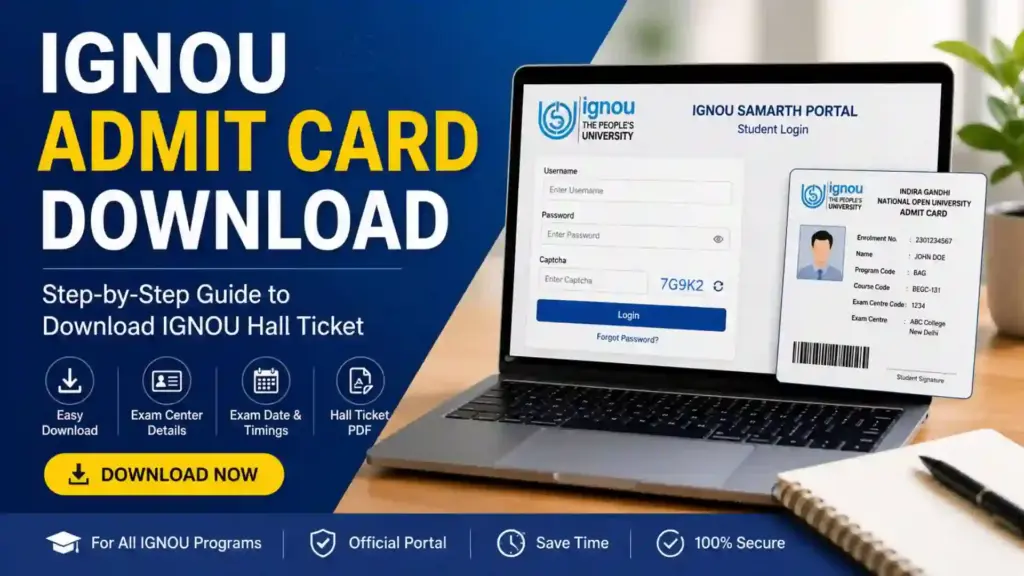
IGNOU releases admit cards online through its official student portal. Students can easily download their hall ticket by visiting the official website and entering the required login credentials. The admit card contains crucial information such as exam center details, enrollment number, course code, exam timing, and examination instructions.
In this detailed article, you will learn everything about the IGNOU admit card download process, including how to download the hall ticket, details mentioned on the admit card, common issues during download, important exam-day guidelines, re-download process, and frequently asked questions.
What is the IGNOU Admit Card?
The IGNOU admit card is an official hall ticket issued by the university for students appearing in examinations. It acts as an entry pass to the examination hall. The university releases separate admit cards for:
- Term-End Examination (TEE)
- Practical Examinations
- Entrance Examinations
- B.Ed Entrance Test
- OPENMAT and other entrance exams
Students must carry a printed copy of the admit card along with a valid identity proof during examinations.
IGNOU Admit Card Download Link
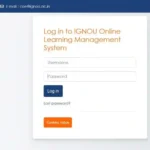
Students can download their hall ticket from the official IGNOU Samarth portal using the following link:
IGNOU Admit Card Download Portal:
IGNOU Samarth Login Portal
The portal allows students to log in using their username and password to access examination-related services.
Important Information About IGNOU Admit Card Download
| Particulars | Details |
|---|---|
| University Name | Indira Gandhi National Open University |
| Common Name | IGNOU |
| Exam Type | Term-End Examination (TEE) |
| Admit Card Mode | Online |
| Official Portal | IGNOU Samarth |
| Required Credentials | Username and Password |
| Admit Card Format | |
| Mandatory for Exam | Yes |
| Official Download Link | https://ignou.samarth.edu.in/index.php/site/login |
Why is the IGNOU Admit Card Important?
The admit card is a mandatory document for every IGNOU examination. It serves multiple purposes, including identity verification and exam authorization. Without the hall ticket, students may face difficulty entering the examination center.
Here are the major reasons why the admit card is important:
- Confirms student eligibility for examination
- Provides examination center details
- Displays exam schedule and timing
- Includes subject and course codes
- Acts as proof of exam registration
- Helps invigilators verify student identity
Students should always verify all details printed on the admit card immediately after downloading it.
How to Complete IGNOU Admit Card Download?
The process for IGNOU admit card download is simple and can be completed online in a few minutes. Follow the steps given below carefully.
Step 1: Visit the Official Portal
Open the official IGNOU Samarth login portal using the following link:
Step 2: Enter Login Credentials
Students need to enter:
- Username
- Password
- Captcha Code (if applicable)
Make sure the details entered are correct.
Step 3: Access Student Dashboard
After successful login, the student dashboard will appear on the screen.
Step 4: Find Admit Card Section
Look for the examination or admit card section in the dashboard menu.
Step 5: Download Hall Ticket
Click on the admit card link for the current examination session.
The admit card PDF will open on the screen.
Step 6: Print the Admit Card
Download the PDF and take a clear printout for future use.
Students are advised to keep multiple copies of the hall ticket.
Details Mentioned on IGNOU Admit Card
After completing the IGNOU admit card download, students must carefully verify all details printed on the hall ticket.
The admit card usually contains:
- Student Name
- Enrollment Number
- Program Code
- Course Code
- Examination Session
- Exam Center Code
- Examination Center Address
- Subject Names
- Exam Date
- Reporting Time
- Examination Timing
- Candidate Photograph
- Important Instructions
If any incorrect information is found, students should immediately contact the university authorities.
Documents Required Along With IGNOU Admit Card
Students should carry the following documents to the examination center:
- Printed copy of IGNOU admit card
- IGNOU Identity Card
- Government-issued photo ID proof
- Passport-size photographs (if required)
Accepted photo IDs may include:
- Aadhaar Card
- PAN Card
- Voter ID
- Driving License
- Passport
IGNOU Admit Card Download for TEE Exams
The Term-End Examination is conducted twice every year by IGNOU. Students enrolled in different programs must download their admit card before appearing in the examination.
The TEE admit card generally becomes available a few weeks before the commencement of exams.
Students should regularly check the official portal for updates regarding:
- Admit card release date
- Examination timetable
- Exam center details
- Practical examination schedule
Common Problems During IGNOU Admit Card Download
Sometimes students face technical or login-related problems while downloading the admit card. Below are some common issues and their possible solutions.
Incorrect Username or Password
If login credentials are incorrect:
- Use the “Forgot Password” option
- Reset the password using registered email or mobile number
Website Not Opening
Heavy traffic during peak hours may slow down the portal.
Solution:
- Try accessing the website during non-peak hours
- Refresh the page
- Use a stable internet connection
Admit Card Not Showing
This may happen due to:
- Incomplete assignment submission
- Pending examination form
- Registration issues
Students should verify their examination form status.
PDF Not Downloading
Possible reasons include:
- Browser issue
- Mobile compatibility issue
- Slow internet
Try:
- Using another browser
- Downloading from a laptop or desktop
- Clearing browser cache
What to Do If There is an Error on the Admit Card?
If the admit card contains incorrect details such as wrong name, course code, or exam center, students should contact IGNOU immediately.
Possible solutions include:
- Contact regional center
- Raise a query through student support
- Email examination authorities
- Visit the nearest study center
Do not ignore mistakes on the hall ticket because they may create problems during the examination.
IGNOU Exam Day Instructions
Students must follow all examination guidelines mentioned on the admit card.
Reach Early
Arrive at the examination center at least 30 to 45 minutes before the reporting time.
Carry Necessary Documents
Do not forget:
- Admit card
- IGNOU ID card
- Valid photo ID
Follow Examination Rules
Students must:
- Maintain discipline
- Avoid unfair means
- Follow invigilator instructions
Avoid Prohibited Items
Do not carry:
- Mobile phones
- Smart watches
- Electronic gadgets
- Notes or study material
Importance of IGNOU ID Card Along With Admit Card
Many students think that only the hall ticket is sufficient. However, IGNOU generally requires students to carry their university ID card as well.
The ID card helps authorities confirm:
- Student identity
- Enrollment status
- Program information
Students without ID cards may face verification issues at the exam center.
IGNOU Practical Exam Admit Card
Students appearing for practical examinations may also require separate hall tickets or practical schedules.
Practical examination details usually include:
- Lab timings
- Venue
- Practical dates
- Subject details
Students should stay updated through their regional centers and official notifications.
Can Students Appear Without Admit Card?
No, students are generally not allowed to enter the examination hall without a valid admit card.
The hall ticket acts as official proof that the student has successfully registered for the examination.
In exceptional situations, students may need permission from the examination authorities, but this depends entirely on university rules.
Tips for Safe Admit Card Handling
After completing the IGNOU admit card download, students should keep the document safe until the examination process is completed.
Important safety tips include:
- Keep both digital and printed copies
- Avoid folding or damaging the hall ticket
- Store PDF in email or cloud storage
- Carry extra photocopies during exams
IGNOU Hall Ticket Release Timeline
Although the exact schedule varies every session, IGNOU usually releases admit cards approximately 7 to 15 days before the examination begins.
Students should monitor official announcements regularly.
The release timeline may depend on:
- Examination schedule
- Regional center arrangements
- Course type
- Practical exam dates
Difference Between IGNOU Admit Card and Exam Form
Many students confuse the exam form with the admit card.
Exam Form
- Submitted before examinations
- Registers students for exams
- Includes subject selection
Admit Card
- Issued after exam form verification
- Allows entry into examination hall
- Contains exam center details
Both are different and equally important.
IGNOU Admit Card Download Using Mobile Phone
Students can also complete the IGNOU admit card download process using smartphones.
Follow these tips for smooth mobile access:
- Use updated browser
- Enable PDF viewer
- Use strong internet connection
- Download the file instead of opening repeatedly
After downloading, students can print the PDF from a nearby cyber café or printer.
Forgot IGNOU Login Credentials?
If students forget login details, they can recover access through the portal.
Password Recovery Steps
- Open the IGNOU Samarth portal
- Click on “Forgot Password”
- Enter registered email or username
- Follow reset instructions
- Create new password
After resetting the password, students can log in again and access their admit card.
IGNOU Regional Centers and Examination Support
In case of technical issues or examination-related problems, students may contact their regional centers.
Regional centers assist students regarding:
- Hall ticket issues
- Examination queries
- Assignment submission problems
- Exam center changes
- Practical exam information
Students should keep their enrollment number ready while contacting support authorities.
How to Check Exam Center on IGNOU Admit Card?
The exam center details are clearly mentioned on the hall ticket.
Students should carefully note:
- Center code
- Full address
- Reporting time
- Room number (if mentioned)
It is advisable to visit the center location in advance if unfamiliar with the area.
Important Precautions Before Examination
Students should prepare properly before examination day.
Verify Exam Schedule
Cross-check:
- Subject code
- Date
- Timing
Keep Documents Ready
Arrange all required documents one day before the exam.
Sleep Properly
Proper rest improves concentration during examinations.
Reach the Center on Time
Late entry may not be allowed in some centers.
Benefits of Online IGNOU Admit Card Download
The online system has simplified the hall ticket process for students.
Major benefits include:
- Quick access
- Easy re-download
- Time-saving process
- Paperless system
- 24/7 availability
Students from any location can download the hall ticket conveniently.
IGNOU Admit Card Download for Distance Learning Students
Since IGNOU is a distance-learning university, most students rely on online services. The admit card download facility helps students from different states access examination documents without visiting university offices.
This online process is especially useful for:
- Working professionals
- Remote-area students
- International learners
- Part-time students
FAQ about IGNOU Admit Card Download 2026
What is the official link for IGNOU admit card download?
Students can download the admit card from the official portal below:
IGNOU Admit Card Login Portal
Is the IGNOU admit card mandatory for exams?
Yes, students must carry the admit card to enter the examination hall.
Can I download the admit card using my mobile phone?
Yes, the admit card can be downloaded through smartphones, tablets, laptops, or desktops.
What credentials are required for login?
Students need their username and password to access the portal.
What should I do if I forget my password?
Use the “Forgot Password” option available on the login page.
Can I appear for exams without IGNOU ID card?
Students are generally advised to carry both the admit card and IGNOU ID card.
When does IGNOU release admit cards?
Admit cards are usually released a few days before the examination begins.
What should I do if details on my admit card are incorrect?
Contact your regional center or examination authority immediately for correction.
Can I re-download the admit card later?
Yes, students can download the hall ticket multiple times from the portal.
Is a color printout required?
Usually, black-and-white printouts are accepted, but the print should be clear and readable.
Conclusion
The IGNOU admit card download process is an essential step for every student appearing in university examinations. The hall ticket serves as an official authorization document that allows students to enter the examination hall and verify their identity. Students should download the admit card well before the examination date and carefully verify all details mentioned on it.
Keeping multiple print copies, carrying a valid ID card, and following all examination instructions can help students avoid unnecessary problems on exam day. Since IGNOU conducts examinations for lakhs of students across India, timely preparation and proper documentation are extremely important.
Students can access the official admit card portal through the following link: IGNOU Admit Card Download Link